Getting your translation from English to Indonesian language right isn't just about changing words. It's about opening a door to one of the most active online communities on the planet. For creators, this is a huge deal. It means moving past clunky, automated tools to create captions and dubs that genuinely connect with over 199 million Indonesian speakers. That's how you drive real growth and build an audience that sticks around.
Unlocking Indonesia's Digital Audience
Indonesia is a massive, and often overlooked, goldmine for creators. We're talking about the world's fourth-largest country with a population of over 270 million, and they are seriously engaged online. Just making your videos available isn't going to cut it, though. The real magic is in authentic localization.
Relying on a literal, word-for-word machine translation almost always backfires. You end up with awkward phrasing, cultural blunders, and a final product that just feels... robotic. Frankly, it can do more harm than good, turning off potential viewers who can spot the lack of effort from a mile away.
Authentic translation, on the other hand, dives deeper. It takes cultural context, local slang, and the natural rhythm of conversation into account, making your content feel like it was made just for them.
The Tangible Benefits of Quality Translation
When you invest in getting the localization right, the results aren't just vanity metrics—they're real, measurable wins for your content strategy. It stops being about accessibility and becomes a powerful engine for growth.
Here’s what happens when you nail it:
- Engagement Skyrockets: When people truly understand your content, they’re way more likely to hit like, drop a comment, and share it. This feeds the algorithms on platforms like YouTube and TikTok, boosting your visibility right where it counts.
- You Build a Real Connection: Good localization is a sign of respect for the audience's language and culture. That builds trust and loyalty, turning casual viewers into true fans.
- You Secure a Stronger Foothold: By speaking your audience's language—literally—you carve out a serious presence and stand out from competitors sticking to English-only content.
Bridging the Gap with Smart Tools
So, how do you achieve this level of quality without breaking the bank or losing weeks of your time? The answer is a hybrid approach: blend the speed of AI with a human's final touch.
This is exactly what a tool like TranslateMom was designed for. At the New Task screen, you can get started by either uploading a video file or just pasting a link from YouTube or TikTok.
Choose "English" as your source language, "Indonesian" as your target language, and select the Translation service. The platform will give you a surprisingly solid first draft in seconds. From there, you can hop into the Studio editor. This is where you fine-tune the text, tweak the timing with the visual waveform, and make sure every single line hits just right for an Indonesian audience. It's a workflow that makes professional-grade localization something every creator can do.
For a deeper dive into this process, check out our guide on how to translate videos.
Getting the Feel Right: Beyond Literal Indonesian Translation
A word-for-word translation from English to Indonesian almost never works. Why? Because language is so much more than a string of words—it’s packed with culture, respect, and context. To create a translation english to indonesian language that actually connects with people, you have to move past literal meanings and capture the genuine feel of how Indonesians communicate.
This is exactly where a lot of automated tools fall flat and where a human touch (or a really smart tool) becomes non-negotiable.
Indonesian grammar, for example, just moves differently than English. We're used to a Subject-Verb-Object (SVO) sentence structure, like "I eat rice." In Indonesian, Saya makan nasi follows that same pattern. But often, especially in more formal situations, the emphasis shifts to the object, creating a more passive-sounding sentence that feels completely natural to a native speaker.
Even more crucial is how you say "you." Get this wrong, and you can instantly alienate your audience.
You, You, and You: Choosing the Right Pronoun
In English, "you" is a one-size-fits-all word. You use it for your best friend, your boss, your grandma, and a stranger on the street. In Indonesian, your choice of "you" immediately defines your relationship with the person you're speaking to.
- Anda: This is your go-to formal "you." It's polite, respectful, and always a safe bet. Use it for business videos, educational content, or any time you're addressing a general audience you don't know personally.
- Kamu: This is the casual "you." It's what you use with close friends, family, or someone younger. Be careful, though—using kamu with an older person or in a professional setting can come off as disrespectful or overly familiar.
For a content creator, this is a massive deal. A casual vlogger talking to a younger crowd can totally get away with kamu to create a friendly, relatable vibe. But if you're making tutorials or corporate videos, you should stick with Anda to maintain professionalism and show respect.
A classic mistake I see is creators defaulting to kamu to sound "friendly." It can seriously backfire and make you seem rude. If you're ever in doubt, just use Anda. It’s the safest and most respectful choice for a broad audience.
When English Sayings Just Don’t Land
So many of our everyday English idioms and phrases make zero sense when translated literally into Indonesian. You end up with subtitles that are either completely confusing or just plain nonsense. The goal isn't translation; it's localization—finding an Indonesian phrase that carries the same feeling and meaning, even if the words are totally different.
And don't even get me started on complex sentences. Research from academics in Indonesia found that free tools like Google Translate can have an accuracy rate as low as 18.75% for complex academic text. That's a huge gap and exactly why you need a professional-grade platform. For a deeper dive, you can discover more insights about Indonesian translation services to see just how tricky it can get.
To give you a better idea, here's a quick look at how literal translations can go wrong.
Common English Phrases vs Localized Indonesian Equivalents
| English Phrase | Literal (Awkward) Translation | Localized (Natural) Translation | Contextual Note |
|---|---|---|---|
| "What's up?" | Ada apa di atas? | Apa kabar? or Gimana kabarnya? | This is a casual greeting. The literal translation asks what is physically "up." |
| "Break a leg!" | Patahkan kaki! | Semangat ya! | Wishing someone good luck. The literal translation is a command to break a limb. |
| "I'm feeling blue." | Saya merasa biru. | Saya lagi sedih. or Saya lagi galau. | Expressing sadness. "Biru" (blue) is just a colour in this context. |
| "It's a piece of cake." | Itu sepotong kue. | Itu gampang banget. or Gampang, kok. | Describing something as very easy. The literal phrase would confuse the audience. |
See what I mean? A good translation requires a tool that lets you easily fix these awkward spots.
Fine-Tuning the Nuances in TranslateMom's Studio
This is where the magic happens. You take the initial machine translation and polish it into something that feels truly human. Inside TranslateMom, the Studio Workspace is your mission control for making all these critical cultural tweaks.
The Dual View feature is a lifesaver here. Just toggle a Split View in the subtitle editor, and you can see your original English text right alongside the Indonesian translation. This side-by-side view makes it incredibly easy to spot clunky phrasing and smooth it out.
For example, your script might say, "Let's hit the road." An AI could spit out a literal translation like "Ayo pukul jalan"—which means "Let's physically hit the road" and makes no sense. In the editor, you can jump in and change it to something natural like "Ayo kita berangkat" (Let's go) or the more casual "Yuk, jalan!" (C'mon, let's get going!). You just click any text line to edit it instantly. It’s that simple.
The same goes for pronouns. If you see the AI used kamu but your video is for a business audience, you can quickly find and replace every instance with Anda. That one small change shows a huge level of cultural awareness and builds instant trust with your Indonesian viewers. You're in complete control to make sure every line isn't just correct, but culturally spot-on.
Your Workflow for Subtitling Videos in Indonesian
Alright, you understand the cultural stuff. Now let's get our hands dirty and actually put it into practice. This is where your project really comes to life.
I'll walk you through a clear, repeatable workflow for turning an English video into something that truly connects with an Indonesian audience. We'll use TranslateMom from start to finish, making sure every step is efficient and focused on quality.
Kicking Off Your Translation Task
It all starts at the New Task screen in TranslateMom. We designed it to be fast. You have two simple ways to get your video into the system.
- Direct File Upload: Just drag and drop your video file right into the browser. This works great for original content or any files you have saved on your computer.
- Link Import: If your video is already online, just paste the URL from YouTube, Twitter (X), TikTok, or Instagram. The app will grab it for you.
Once the video is in, you'll set up the project. For this job, you'd choose English as the Source Language and Indonesian as the Target Language. Then, just select the Translation service to get your first draft of Indonesian subtitles.
Mastering the Studio Workspace
After a bit of processing, you'll land in the Studio Workspace. This is where you'll spend most of your time, and it's where the magic happens. We're going to take a decent automated translation and make it fantastic.
The screen is split to make editing a breeze. On the left, you've got a video player showing a perfect preview of how your subtitles will look. On the right, the subtitle editor lists every single caption line, ready for you to tweak.
One of the most powerful features here is the Split View. Toggle this on, and you'll see the original English text right next to the Indonesian translation. This side-by-side view is crucial for making sure you've nailed the meaning and tone, and it lets you spot any clunky phrasing a machine might have missed. For more on this, you can check out our deep dive into subtitling and translation best practices.
Refining Timing and Style
A perfect translation is more than just words—it's about timing and how it looks on screen. You’ll see a visual audio waveform under the text editor, which shows you the rhythm of the speech. You can easily drag the start and end points of each subtitle to line them up perfectly with the audio, getting rid of any awkward delays.
This whole process is about moving from a basic, word-for-word translation to something that feels completely natural and localized.
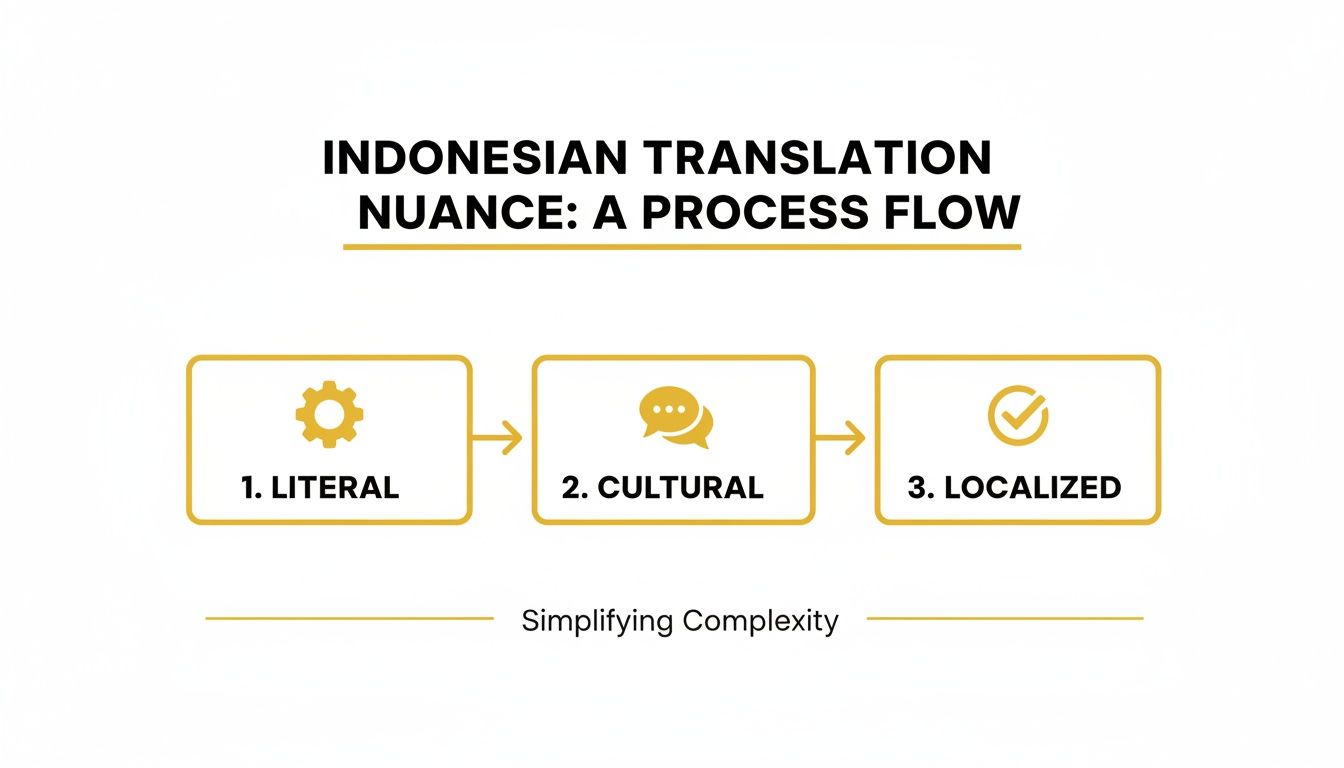
As the graphic shows, true localization is about adding that layer of cultural context. That's exactly what you're doing in this manual refinement stage.
Next, you can play with the styling. The Style tab is where you customize your captions to match your brand or the video's vibe. Change the font family, color, size—even add outlines or shadows. For social media, the "Karaoke" style animations are a killer feature, highlighting words as they're spoken to keep viewers glued to the screen.
You can also pop over to the Brand tab to upload and place your logo right on the video, keeping everything looking professional.
Pro Tip: Keyboard shortcuts are your best friend. Seriously. Pressing
Spaceto play/pause and using[or]to re-shuffle subtitle lines will save you a ton of time during your review.
Getting this right matters. In places like California, there's a huge demand for quality English-to-Indonesian services. Studies have found that free machine translation tools can be as low as 60.37% accurate for English-Indonesian sentences, which is a massive quality gap. That's why professional tools are a must for creating content that's both accurate and respectful.
Once your Indonesian script is locked in, getting those captions on the video is key. For more on that, here's some practical guidance on adding captions to videos.
Exporting Your Final Video
Once you're happy with the translation, the timing, and the style, it’s time to export. TranslateMom gives you two main options.
- Burn-in (Export Video): This permanently embeds your cool, stylized subtitles and logo right into the video file. The app renders a new video for you, which you can download and upload straight to any platform, knowing your captions will look exactly as you designed them.
- Download Subtitles: If you need more flexibility, you can just download the subtitle file itself. We support standard formats like SRT and VTT, which work with pretty much any video player or editor like Premiere Pro or Final Cut.
This dual-export setup means your final product is ready for anything, whether you need a post-ready video or just a simple text file for a bigger production.
Expanding Your Reach with AI Dubbing
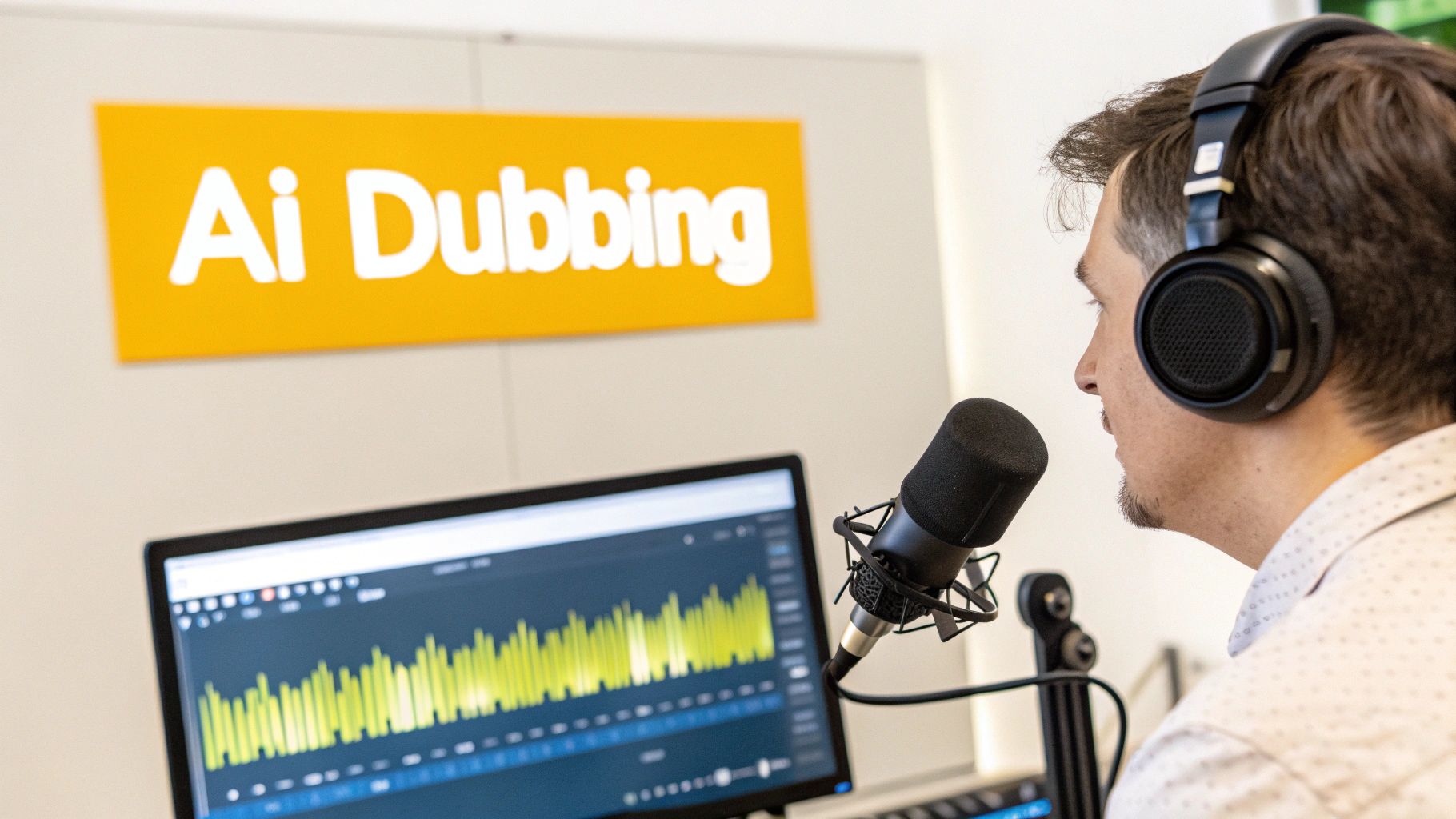
Subtitles are great, but if you really want to connect with an Indonesian audience, a native audio experience is a total game-changer. A solid dub makes your video feel like it was made just for them. This is where AI dubbing comes in, moving beyond just text on a screen to create a full auditory journey.
With AI dubbing, you can generate a complete translation english to indonesian language audio track. It’s perfect for making complex tutorials, engaging vlogs, or story-driven videos feel far more immersive for viewers who'd rather listen than read.
Creating Your First Indonesian Dub
Getting your first AI dub running in TranslateMom is incredibly simple—it’s built right into the same workflow you’d use for subtitles.
- Kick off a New Task: Just like before, head to the New Task screen. You can drag and drop your video file or just paste a URL from a platform like YouTube to import it.
- Pick Your Languages: Set the Source Language to English and the Target Language to Indonesian.
- Select the Dubbing Service: This is the key part. Instead of choosing "Translation," you'll select the Dubbing option. This tells the system to generate a brand new AI audio track in Indonesian, not just subtitles.
Once you’ve set that up, TranslateMom takes over. It transcribes the original audio, translates it, and then uses a synthetic voice to speak the Indonesian script. It’s all one smooth process.
Fine-Tuning Your AI Voice and Delivery
After the initial dub is generated, you’ll find yourself back in the Studio Workspace, but this time you’ll see a new audio track. The goal now is to polish it so the dub sounds natural and fits your brand.
First, give the generated voice a listen. Does it match your content's vibe? An upbeat, high-energy voice might be perfect for a travel vlog, but you’d want a more calm, professional tone for a business tutorial. You can usually pick from several AI voices to find the right one.
Next up is a quality check for emotional delivery and sync.
- Check the Tone: Listen for moments that need some feeling. AI is getting better, but you might need to tweak a few words in the Indonesian text to get the right emotional delivery.
- Verify Pronunciation: This is huge for brand names, technical jargon, or people's names. If the AI gets something wrong, you can often type a phonetic spelling into the editor to fix it.
- Sync and Pacing: Use the visual waveform to see if the audio lines up with the speaker's actions and pauses. You can easily adjust the timing of the subtitle segments to make sure the pacing feels right—not rushed or laggy.
A good dub is more than just getting the words right. It's about matching the rhythm and feeling of the original speaker. Spending a few extra minutes tweaking the pacing can be the difference between a robotic voice-over and something that sounds genuinely professional.
If you're looking to scale your content production significantly, it's worth checking out what AI-powered auto translate devices can do. They can offer a really fast way to convert content from one language to another, expanding your global reach quickly.
When to Dub vs When to Subtitle
Dubbing is a powerful tool, but it’s not always the right call for every video. Understanding what "dubbed" really means in practice will help you decide. For a deeper dive into the term and how it's used, check out our guide on what does dubbed mean.
Here’s a quick way to think about it:
- Choose Dubbing For: Videos where the viewer needs to focus on the visuals. Think tutorials, how-to guides, product demos, and fast-paced vlogs where trying to read subtitles would be a huge distraction.
- Stick with Subtitles For: Content where the original speaker’s voice and performance are key—like interviews, documentaries, or anything with music. Subtitles are also your best bet for short-form social media clips, since most people watch those with the sound off anyway.
By offering both high-quality Indonesian subtitles and AI dubbing, you’re covering all your bases. You’re making your content accessible to everyone, no matter how they prefer to watch, and maximizing your impact.
Final Quality Checks Before You Publish
The last review is what really separates a decent translation from a truly great one. Once the AI has done the heavy lifting, a final human quality check makes sure your content feels polished, professional, and genuinely local. This is where smart tech and human experience come together to turn your translation english to indonesian language into something you can be proud of.
Your first pass should just be a thorough scan of the subtitles. Even the best AI can miss subtle nuances or spit out phrasing that, while technically correct, sounds a bit clunky to a native speaker.
Read through every single line. Look for obvious typos or grammar hiccups. More importantly, pay attention to the flow and reading speed. Do the subtitles stick around long enough for someone to actually read them without feeling rushed?
Refining Subtitles for Clarity and Comfort
The end goal is a completely seamless viewing experience. If you spot a subtitle that’s way too long, don't be afraid to split it into two shorter, easier-to-read lines. Inside TranslateMom, you can do this in seconds by creating a new subtitle entry and just tweaking the timestamps to match the speaker's rhythm.
Make sure you use the visual waveform in the Studio Workspace to your advantage. It’s a lifesaver for lining up captions perfectly with pauses in speech, which makes the whole thing feel more natural and clean.
Here's a quick checklist to run through for your subtitle review:
- Typos and Grammar: Any spelling mistakes or grammatical weirdness?
- Awkward Phrasing: Does it sound like a real person talking, or is it too literal?
- Reading Pace: Can the average person comfortably read the text before it vanishes?
- Line Breaks: Are long sentences broken up logically so they’re easy on the eyes?
Ensuring Dubbing Accuracy
If you went with AI dubbing, your quality check switches from reading to listening. The main thing you're listening for is clarity and the correct pronunciation of key terms the AI might not recognize.
Play the video and listen carefully to the new Indonesian audio. Pay close attention anytime brand names, technical jargon, or people's names come up. An AI voice might stumble over something like "Photoshop" or a specific company name, and that can instantly pull a viewer out of the experience and make you look unprofessional.
One of the most important dubbing checks is how it handles proper nouns. Getting your own brand name wrong in another language is a small detail that has a huge impact on how professional your content feels.
If you catch a mispronunciation, you can usually fix it by typing a phonetic spelling right into the subtitle editor. This gives the AI a nudge in the right direction for a more accurate delivery.
Using Collaboration Tools for a Final Polish
If you’re working with a team—and especially if you don't speak Indonesian yourself—getting a second set of eyes on the translation is a game-changer. This is where TranslateMom’s collaboration features really shine, making that final review foolproof.
Instead of the old-school nightmare of emailing files back and forth, you can use the platform's built-in tools to keep feedback clean and simple.
- Suggestions: You can "suggest" corrections for specific lines. These suggestions are saved so teams can review edits before finalizing them.
- History: The app tracks version history. If you make a mistake, you can restore a previous version of the subtitles from the "History" dialog.
These final checks make sure your content isn’t just translated, but truly ready for your Indonesian audience.
Your Top Questions, Answered
Jumping into a translation from English to Indonesian for your videos can bring up a few questions. Let's tackle some of the most common ones I hear from creators.
How Long Does It Take to Translate a 10-Minute Video?
This is where AI tools like TranslateMom really shine. The first machine-powered pass for a 10-minute video? It's lightning-fast—we're talking just a few minutes.
The real time investment comes during the quality check. Having someone who knows Indonesian review the text for cultural accuracy and flow might take anywhere from 20 to 40 minutes. That's a huge win compared to the hours you'd sink into translating and timing everything from scratch.
Can I Translate My Video If I Don't Speak Indonesian?
You absolutely can. That's exactly what platforms like TranslateMom are built for. The AI handles the heavy lifting and gets you about 90% of the way to a solid translation.
From there, you can hop into the Studio Workspace and focus on what you can control, like making sure the subtitles are broken up nicely and synced perfectly using the visual waveform. For that final layer of polish, you could bring in a native speaker for a quick review—it's way more affordable than hiring someone for a full-blown translation project.
What's the Difference Between SRT and VTT Files?
Good question. It’s a common technical hurdle, but the difference is pretty simple.
- SRT (SubRip Text): Think of this as the classic, universal format. It’s no-frills—just numbers, timestamps, and the subtitle text. It works everywhere.
- VTT (WebVTT): This is the more modern version. Its key advantage is that it can handle styling cues like text colour, different fonts, and specific on-screen positioning right in the file itself.
If you’re looking to get fancy with branded colours or animated, karaoke-style captions, your best bet is to use TranslateMom's "Burn-in" feature. It locks your styled subtitles right onto the video, so they look perfect no matter where they're played. But don't worry, you can still download both SRT and VTT files for maximum flexibility.
Is AI Dubbing Good Enough to Replace Human Voice Actors?
AI dubbing has come a long way and sounds incredibly natural now. It's a fantastic, budget-friendly option for tons of content.
It works especially well for:
- Tutorials and how-to guides
- News-style updates and informational clips
- Corporate training videos
When it comes to highly emotional or dramatic work like movies, a talented human voice actor still has the advantage in capturing those subtle nuances. But for most creators online, the AI Dubbing in TranslateMom is a game-changer. It gives you a fast, high-quality, and affordable way to make your content accessible to an Indonesian audience without the massive costs and delays of a traditional recording studio.
Ready to connect with Indonesia's massive digital audience? Stop letting language be a barrier and start creating content that truly resonates. With TranslateMom, you can subtitle, translate, and dub your videos in minutes, not days. Start your first project for free at Translate.Mom and see how easy professional localization can be.