Getting a professional translation from Dutch to English is about so much more than just swapping out words. It’s your ticket to connecting your video content with a massive global audience.
When done right, a good translation keeps the original vibe, tone, and all those little nuances alive, turning what was once a language barrier into a huge opportunity for creators and businesses to grow.
Why Accurate Dutch to English Translation Matters Now
Bridging the gap between Dutch and English speakers throws the doors wide open to a huge, untapped audience, especially in the world of video and social media.
For YouTubers, podcasters, and online educators, offering high-quality English translations for your Dutch content is a direct line to new viewers and real engagement. This isn't just about being accessible—it's a smart strategy to expand your reach and influence.

This connection is especially strong in places with deep historical ties to the Netherlands. Take Canada, for instance, a country where 86.2% of the population can hold a conversation in English. The need for Dutch to English translation here has roots stretching back to post-World War II immigration.
Those waves brought tens of thousands of Dutch and Flemish settlers, and their legacy lives on today in communities where Dutch heritage is still a big part of business and culture.
Unlocking a Global Audience
The number one reason to get your translations right is simple: audience growth. When you offer English subtitles or dubbing, your content suddenly becomes discoverable to a whole new crowd:
- English-speaking viewers around the world who are into your niche.
- Second-generation Dutch immigrants who might understand spoken Dutch but feel more comfortable reading in English.
- Language learners who use your videos as a fun way to study.
This isn't just about racking up more views. It’s about building a diverse, loyal community around your work and sparking conversations across different cultures.
By prioritizing a precise translation from Dutch to English, you’re doing more than just localizing content. You're showing you care about your audience's experience, which is one of the best ways to build trust and authority in your field.
Modern Tools for a Modern Need
Not too long ago, this whole process was slow, complicated, and expensive. But that's changed.
Today, platforms like TranslateMom make it incredibly fast and easy. You can kick things off just by pasting a YouTube link or uploading your video file. The platform gives you a solid first-draft translation in minutes, which you can then polish and perfect. It's a game-changer.
If you want to get into the nitty-gritty of how this works, check out our guide on the AI video translator. This approach gives you the best of both worlds: the speed of AI combined with the crucial, nuanced touch of a human, making professional-grade translation something anyone can do.
Preparing Your Dutch Content for a Flawless Translation
The secret to a great English translation doesn't happen at the end of the process—it starts right at the beginning. Before you even think about translation, the most important thing you can do is create a perfect Dutch transcript of your video.
Think of it this way: a clean, accurate transcript is your foundation. It gets rid of all the guesswork and sets you up for a smooth, painless translation from Dutch to English. This is your chance to catch any mumbled words, filler sounds like "uhm" or "nou," and any confusing bits in the original audio. By tidying up the source text first, you're giving the translation AI the clearest possible instructions, which makes a huge difference in the final quality.
Starting with a Clean Slate
When you're working with video, you don't have to manually type everything out. A tool like TranslateMom can automate this for you, saving a ton of time and boosting accuracy.
It’s pretty straightforward:
- Import Your Video: Head to the New Task screen. You can either drag and drop your Dutch video file right into the browser or, even easier, just paste a URL from a site like YouTube.
- Set Up the Task: Once your video is loaded, tell the system what to do. For this first pass, make sure to select "Dutch" as the Source Language.
- Choose Transcription: This part is key. You'll want to select the Transcription service. This tells the tool to generate captions in the original Dutch, creating that perfect source document we've been talking about.
The platform's voice detection will then generate a clean, time-coded Dutch transcript. This becomes the single source of truth for the rest of your project.
Tackling Dutch Linguistic Hurdles
Dutch has its own quirks that can easily trip up even the smartest translation models if you're not careful. The biggest culprits are usually idiomatic expressions and those long, compound words that just don't have a simple one-to-one match in English.
For instance, take a classic Dutch phrase like "nu breekt mijn klomp." A literal, word-for-word translation gives you "now my clog breaks," which will just confuse your English-speaking audience. The real meaning is something closer to "well, that's surprising!" or "I'm flabbergasted."
Then you have compound words like "ziekenhuispersoneel" (hospital staff), which can sometimes be translated awkwardly if the AI doesn't recognize it as a single concept.
By cleaning up the Dutch transcript first, you can spot these potential landmines ahead of time. It gives you a chance to simplify the phrasing or even add a quick note for the translator, ensuring the intended meaning gets carried across, not just the literal words.
Once you’ve polished up that Dutch transcript in the editor, you're ready for the main event: the translation. With a pristine source text in hand, your translation from Dutch to English will be far more accurate, natural, and true to what you wanted to say in the first place.
Choosing Your Ideal Translation Workflow
Figuring out the best way to translate your content can feel like a big decision. Do you go with a fully automated AI translation, or do you need a human touch? Honestly, it's best to think of them as partners, not competitors. The right choice really just boils down to what you're working on.
For a quick social media clip, a straight-up AI translation is probably good enough to get your point across. But when you’re dealing with a business presentation, an in-depth lecture, or something as critical as legal testimony, you absolutely need the nuance and understanding that only a human can provide.
The sweet spot is blending the raw speed of AI with the sharp, critical eye of a person.
The Hybrid Translation Approach
This hybrid workflow gives you the best of both worlds. You start with an instant, machine-generated translation, and then a human editor jumps in to review and polish it. This approach saves a ton of time compared to doing everything manually from scratch.
It all starts with a simple three-step prep process to get your content ready.
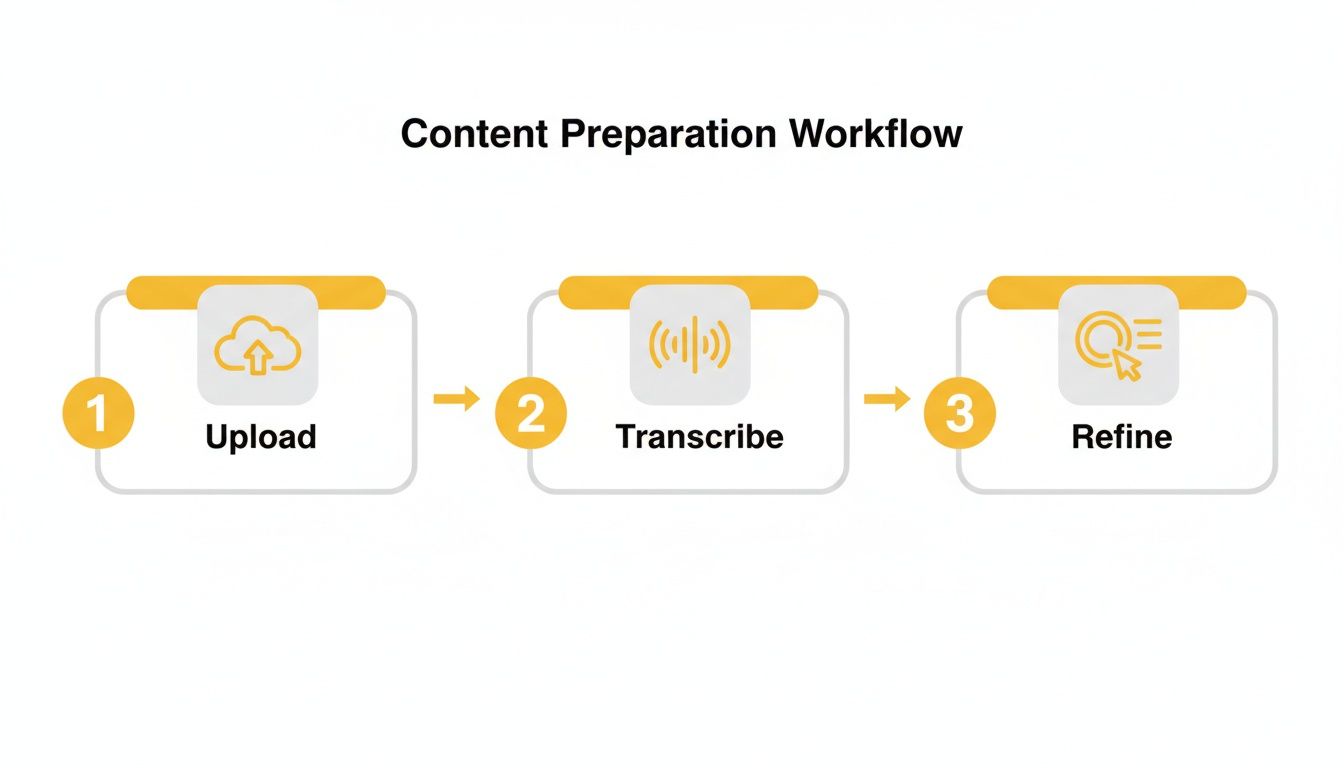
By uploading, transcribing, and then refining the original text, you're building a solid foundation before you even start translating. This simple prep work makes a huge difference in the final accuracy.
To really see the difference, let’s compare a pure AI workflow to the hybrid, human-in-the-loop method we recommend.
Machine vs Human-Assisted Translation Workflows
| Feature | Pure AI Translation | AI-Assisted Human Translation (TranslateMom Method) |
|---|---|---|
| Speed | Extremely fast, nearly instant. | Very fast initial draft, with added time for human review. |
| Accuracy | Generally good, but can miss context and subtleties. | High accuracy. The human editor corrects AI errors. |
| Nuance & Idioms | Often translates idioms literally, leading to awkward or nonsensical phrases. | Excellent. A human can adapt idioms and cultural references for the target audience. |
| Tone of Voice | Can be flat and may not match the speaker's original tone. | Can be finely tuned to match the speaker's emotion and intent. |
| Cost | Typically lower upfront cost. | Slightly higher investment for significantly better quality. |
As you can see, letting a human have the final say is what takes a translation from "good enough" to truly professional.
Making the Review Process a Breeze with TranslateMom
This is where a tool like TranslateMom really shines. It's built from the ground up for this exact hybrid model, making the human review stage super efficient.
After you import your video—either by uploading a file or just pasting a YouTube link—you’ll select Dutch as the Source Language and English as the Target Language. Then, just choose the Translation service.
Once the AI does its thing, you'll land in the Studio Workspace, which is designed for this kind of detailed editing. Here’s the best way to tackle your Dutch to English translation:
- Switch on Split View: In the subtitle editor, find the Split View toggle. This puts the original Dutch text right next to the new English translation, line by line.
- Compare and Fix: Having them side-by-side makes it incredibly easy to spot awkward phrasing or idioms that got lost in translation. You can just click on any English line and type your corrections on the fly.
- Use the Waveform as a Guide: The audio waveform at the bottom is a great visual cue. It helps you make sure your new English text lines up perfectly with the timing of the spoken Dutch.
This isn't just about fixing mistakes. It's about elevating the entire translation. You're refining word choices, matching the speaker's tone, and making sure cultural references land properly—all things AI still struggles with on its own.
For example, the AI might see "dat is niet mijn kopje thee" and translate it literally to "that is not my cup of tea." While technically correct, a human editor might change it to "that's not really my thing" to sound more natural and fit the video's informal vibe.
This combination of AI speed and human judgment is how you get a final translation from Dutch to English that is fast, accurate, and feels completely natural. It’s a smart workflow that respects your time and gives your audience the quality they deserve.
Crafting Professional English Subtitles
Getting the words right is just the start. If your subtitles look clunky or show up at the wrong time, you’ll pull viewers right out of the experience. The goal is to make the subtitles feel like they’re part of the video, not an afterthought.
Good subtitles are all about seamless delivery. They need to be perfectly timed, easy on the eyes, and consistent with your brand. This keeps your audience locked into your message, not squinting at poorly formatted text.
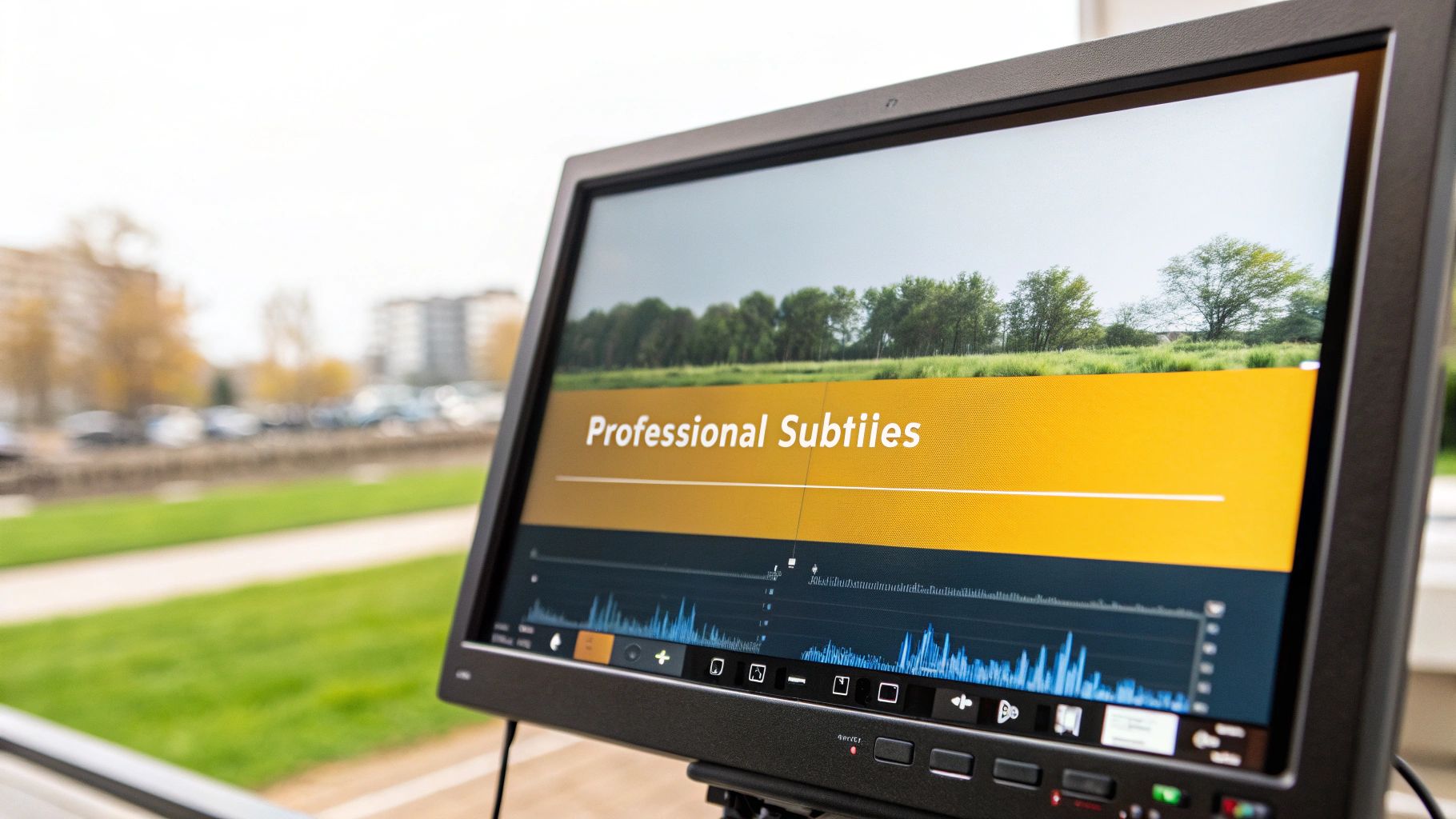
Nailing the Timing with Visual Waveforms
Timing is everything. Subtitles that pop up too early or hang around too long are just plain distracting. This is where using a tool with a visual editor, like TranslateMom, really pays off.
Inside the Studio Workspace, you’ll see the audio waveform right under your text. This is a game-changer because you can literally see the dialogue, making it incredibly easy to sync your English subtitles with the original Dutch audio.
- Drag and Drop: Just click and drag the ends of each subtitle block to line them up perfectly with the sound waves.
- Cut the Dead Air: You can instantly spot pauses in the conversation and tighten up your captions so they only appear when someone is actually talking.
- Split and Merge on the Fly: Got a subtitle that’s too long for one line? Split it. Have two short, choppy lines? Merge them. The waveform gives you the confidence to make the right call.
Getting this right makes your subtitles feel crisp and professional.
Customizing the Look and Feel
Don't settle for default, generic-looking subtitles. They can clash with your video's aesthetic and make your content feel cheap. Customization is your friend here.
In TranslateMom, the Style tab lets you tweak every visual detail. You can see your changes happen in real-time right in the video preview.
- Font: Pick a font family and size that matches your brand.
- Colour: Change the text colour, add an outline, or use a shadow to make sure the words are readable against any background.
- Background: Add a semi-transparent box behind your text to make it stand out even more.
Customizing your subtitles isn't just about making them easier to read. It's about creating a polished, branded experience that tells your audience you care about the details.
Boosting Engagement with Dynamic Styles
For platforms like TikTok and Instagram, static subtitles just don't cut it anymore. Dynamic, "Karaoke" style captions—where words are highlighted as they're spoken—can seriously boost viewer engagement.
TranslateMom automates this, syncing the highlights to the audio for you. In the Style tab, you can select presets or manually configure animations. It’s a super effective way to keep people’s eyes glued to your content, making it more likely to be watched, remembered, and shared.
The need for quality subtitles is only growing. The 2021 Canadian census found that while 56.6% of Canadians have English as their mother tongue, there are still around 200,000 Dutch speakers. This means there's a real, consistent audience for professional Dutch to English translations in media.
Want to learn more? Check out our complete guide on subtitling and translation for more pro tips.
Finalizing and Exporting Your Translated Video
Alright, you've done the hard work. You’ve meticulously refined your subtitles and polished your Dutch to English translation. Now it's time for the final, satisfying step: getting your video ready for the world.
This is where you package everything up for maximum impact, whether you're uploading to YouTube, dropping it on Instagram, or adding it to your professional portfolio.
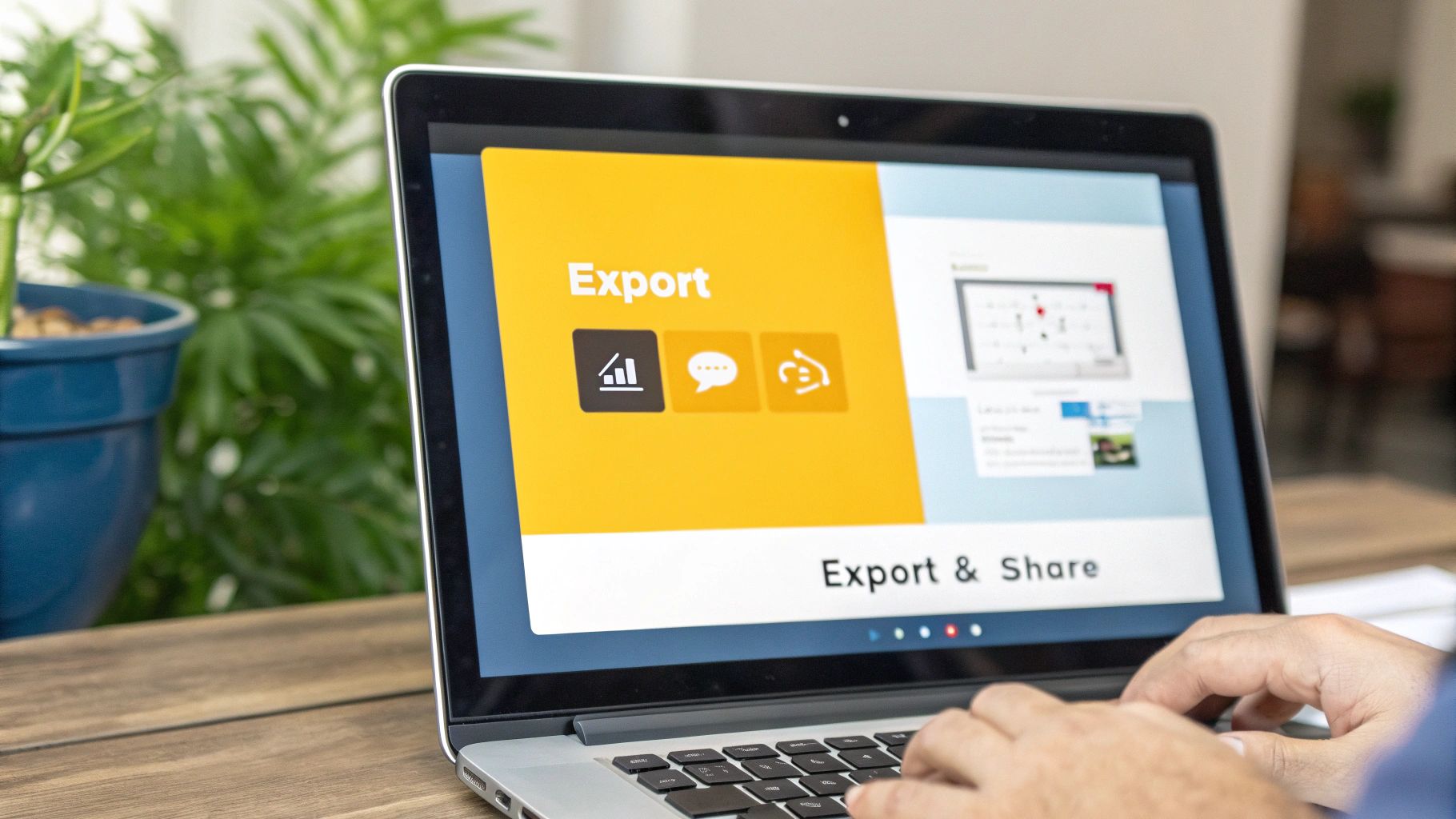
Before you hit that export button, a quick professional touch can make a huge difference. Inside TranslateMom, head over to the Brand tab in the Studio sidebar. Here, you can easily upload your logo or a watermark. Just drag it where you want it, resize it, and you're set. It’s a simple move that makes every piece of content you share look consistently yours.
Burn-in vs. Separate Subtitle Files
You have two main ways to get your video out there, and the best choice really boils down to where your audience will be watching.
Burn-in (Export Video): This is my go-to for social media. It permanently embeds your slick, styled subtitles and logo right onto the video, creating a new MP4 that’s ready to upload. This is the best choice for platforms like TikTok, Instagram, and Twitter (X). Why? Because people often scroll with the sound off, and this guarantees they see your captions without having to fiddle with any settings.
Download Subtitles: This option gives you just the text file in formats like SRT, VTT, or ASS. This approach is perfect for platforms like YouTube. Uploading a separate file lets viewers turn captions on or off themselves, and—crucially—it gives YouTube's algorithm a full transcript to index, which is a massive boost for your SEO.
Choosing the Right File Format
If you decide to download the subtitle file, the format you choose actually matters. Each one is built for a slightly different purpose.
| Format | Best For | Key Features |
|---|---|---|
| SRT | YouTube, Vimeo, most platforms | This is the universal standard. It's a simple, no-fuss text file with timecodes that works pretty much everywhere. |
| VTT | Web videos (HTML5) | Think of it as SRT's cousin. It's very similar but allows for a bit more styling and metadata directly in the file. |
| ASS | Advanced styling, anime | This is the powerhouse format for complex formatting—think karaoke effects, custom fonts, and even animations baked right in. |
For most creators finishing a translation from Dutch to English, SRT is the safest and most versatile choice. It guarantees your subtitles will work almost anywhere you upload them. If you're curious about diving deeper, you can learn more about converting formats in our article on the TXT to SRT converter.
And if you’re also exploring AI dubbing, you'll want to ensure the new audio matches the speaker's lip movements. That’s where tools specializing in AI lip sync technology can be a game-changer, adding that final layer of polish.
By picking the right export option in TranslateMom, you’re making sure your hard work reaches your audience exactly the way you planned.
Dutch to English Translation: Your Questions Answered
When you're translating from Dutch to English, a few common questions always pop up. I get these all the time from creators. Let's walk through the big ones so you can handle your projects with confidence and get a much better result.
How Do I Translate Dutch Idioms Without Sounding Weird?
Ah, idioms. The classic translation trap. Just translating them word-for-word is a surefire way to make your audience scratch their heads.
The trick is to use a mix of AI for speed and a human brain for nuance. Start by getting a quick translation from a tool like TranslateMom. Then, pull up the Split View editor. This lets you see the original Dutch right next to the machine-translated English.
When you see a phrase like "het regent pijpenstelen" get translated literally as "it's raining pipe stems," you'll know instantly that something's off. That's your cue to jump in and change it to the natural English equivalent, "it's raining cats and dogs."
Pro-tip: If the tone and style are really important for your video, always have a native speaker give it a final once-over. They’ll catch those subtle cultural nuances and make sure your translation truly connects, instead of just being technically correct.
What's the Best Subtitle Format for YouTube?
Easy one: .SRT (SubRip Subtitle file). It's the king of YouTube captions, no contest.
It’s just a simple text file with your translated dialogue and timecodes. You upload it to your video separately, which is a huge plus for a couple of reasons:
- Viewers are in control: They can turn captions on or off whenever they want.
- Big SEO win: YouTube’s algorithm can read the entire SRT transcript. This helps it understand what your video is about and show it to more people.
When you're done editing in TranslateMom, just hit "Download Subtitles" and pick SRT. You’ll get a file that’s perfectly formatted for maximum compatibility and reach on YouTube.
Can I Just Translate a Dutch Video Using a YouTube Link?
Yes, absolutely! Forget downloading massive video files and re-uploading them. Modern tools are built to skip that whole mess.
For example, in TranslateMom, you just go to the New Task screen and pop the YouTube URL into the Link Import field. The platform grabs the video for you and gets it ready for translation. You can be working on your Dutch to English translation in seconds, right from your browser. It’s a massive time-saver.
Is AI Dubbing a Good Idea for My Dutch Videos?
AI dubbing can be a fantastic option, especially for certain types of content. I've seen it work wonders for things like online courses, product tutorials, and company training videos.
A feature like Dubbing in TranslateMom can create a completely new audio track in natural-sounding English, using your original Dutch audio as the source. This is perfect for audiences who would rather listen than read subtitles. To use it, simply select Dubbing as your chosen service during the project setup phase.
My advice? Always give the final dubbed audio a quick listen. Pay special attention to how it pronounces any technical jargon, brand names, or specific places. But for most informational content, AI dubbing is a fast, effective way to open your videos up to a much wider audience.
Ready to get your Dutch videos in front of a global audience? TranslateMom gives you a powerful, browser-based studio to create professional translations and subtitles. Start for free and see just how simple it is to break through language barriers.