Before you even think about the first word of your translation from portuguese to english, you have to make a big call. This one decision sets the tone for the entire project. Are you going with a lightning-fast AI platform, a seasoned professional human translator, or a smart mix of both?
Choosing the Right Translation Method
Honestly, there’s no single "best" way. It all comes down to your project's needs. What's your budget? How tight is the deadline? Who are you trying to reach? Figuring out the strengths of each approach is the key to getting a result that truly connects with an English-speaking audience.
The Power of AI-Powered Tools
Got a project where speed and volume are the name of the game? AI translation tools are your best friend. I'm talking about situations like translating hundreds of customer reviews, quickly adding subtitles to a social media clip, or just getting the basic idea of a long-winded document.
Modern tools are way more than just clunky word-swappers. A platform like TranslateMom gives you a full-blown "Studio" to handle video localization from start to finish. You can kick things off just by dragging and dropping a video file or pasting a YouTube link directly into the New Task screen.
From there, it's pretty straightforward:
- Set your languages: In the setup phase, select Portuguese as the Source Language and English as the Target Language.
- Pick your service: You'll want to select the Translation service to generate subtitles in the new language.
- Polish it up: Jump into the Studio Workspace to tweak the AI captions using the dual-view Subtitle Editor, sync timings perfectly with the visual audio waveform, and even add fun karaoke-style effects from the Style tab.
This lets you tap into the raw speed of AI while keeping the fine-tuned control of a human editor. It's a game-changer for content creators and marketers.
When you're up against the clock, AI can spit out a first draft in seconds, not days. This frees you up to spend more time on what really matters: reviewing and polishing the final cut to make sure it’s perfect.
When to Hire a Human Translator
As good as AI is, it sometimes misses the mark on deep cultural jokes, clever wordplay, or the kind of precise legal jargon you can't afford to get wrong. For that high-stakes content, nothing beats a professional human translator.
You'll want a real person for things like:
- Legal Documents: Think contracts, patents, and official papers where one wrong word could be a disaster.
- Literary Works: Novels, poems, and scripts that live and die by their tone and subtext.
- Big-Budget Marketing: Slogans and brand messaging that absolutely must land perfectly with the local culture.
A human translator doesn't just switch words. They perform transcreation, which means they adapt the entire message so it feels like it was originally written for an English-speaking audience. This is how you avoid those awkward, "lost in translation" moments that can kill your credibility.
To help you decide, here's a quick breakdown of how these two approaches stack up.
Machine vs Human Translation: A Quick Comparison
| Factor | Machine Translation (AI Tools) | Professional Human Translator |
|---|---|---|
| Speed | Extremely fast, often delivering translations in seconds or minutes. | Slower, as it involves a manual process. |
| Cost | Much more affordable, with many tools offering free or low-cost tiers. | Significantly higher cost due to professional rates. |
| Accuracy | High for literal text, but can miss nuance, idioms, and context. | Very high, with a deep understanding of cultural context and subtlety. |
| Best For | Large volumes, informal content, social media, getting the gist. | Legal, literary, medical, and high-impact marketing materials. |
| Consistency | Excellent for terminology across large documents. | Can vary slightly between translators without a style guide. |
Ultimately, many find a hybrid approach works best—let the AI do the heavy lifting for the first draft, then bring in a human expert to refine and perfect it. This combo gives you the best of both worlds: speed and nuance. If you're tackling video or audio, learning how to translate audio to English with these mixed strategies can really elevate your content.
How to Prepare Your Content for Accurate Translation
Here’s a little secret from the inside: the final quality of your English translation comes down to the quality of your original Portuguese. It's really that simple.
Think of it as setting up a strong foundation. A clean, clear source file makes the entire translation process faster and way more accurate, whether you're using a slick AI tool or working with a human expert.
I can't tell you how many times I've seen translation errors that trace right back to the source material. Vague phrases, super-regional slang, or muffled audio force the translator—human or machine—to guess. And guesses often lead to awkward, clunky, or just plain wrong results.
Taking a few minutes to prep your files first can save you hours of headaches later. This bit of pre-editing is what sets the stage for a top-notch translation from portuguese to english.
Polishing Your Portuguese Text
For any written content, your number one goal is clarity. Before you hand off that document, try to read it with an "outsider's eye." Is every sentence direct? Is there any room for misinterpretation?
- Ditch the Heavy Slang: Expressions like "pois, pá" in Portugal or "oxente" in Brazil are awesome for local flavour, but they don't have a clean, direct equivalent in English. It's better to swap them for more standard Portuguese phrasing.
- Simplify Your Sentences: Got a long, winding sentence with multiple clauses? Break it down into two or three shorter, punchier ones. This seriously cuts down on the risk of the grammar getting scrambled in the English version.
- Define Your Lingo: If you're using technical jargon or specific brand names, throw together a quick glossary. This is a game-changer for keeping everything consistent.
Optimizing Video and Audio Content
When you're translating video, the quality of your audio is every bit as important as the words being said. Clear audio is non-negotiable for getting an accurate transcript, which is the backbone for your subtitles or dubbing.
The old saying "garbage in, garbage out" has never been more true than with AI translation. A clean, high-quality source file is the single most important thing you can do to get a professional and accurate result.
So, before you upload your video to a platform like TranslateMom, run through this quick checklist:
- Cut the Background Noise: Try to record in a quiet spot. Echoes, traffic, or a humming air conditioner can really mess with transcription software.
- Speak Clearly: Encourage anyone on camera to speak at a moderate, clear pace. Mumbled words or talking a mile a minute is tough for any system to understand correctly.
- Bring Your Own Transcript: If you happen to already have a Portuguese transcript, providing it will boost your accuracy like you wouldn't believe. For YouTube videos, you can often grab the auto-generated one as a starting point. Our guide on how to download a YouTube transcript shows an easy way to do this. Giving the AI a perfect script to work from is the fast track to a fantastic first draft.
Don't Let Idioms Get Lost in Translation
A straight word-for-word translation from Portuguese to English is a recipe for disaster. Why? Because you’ll crash right into the colourful, tricky world of idiomatic expressions. This is where you have to stop thinking about simple translation and start thinking about transcreation.
Transcreation is all about keeping the original message's intent, style, and tone intact. It’s about making sure your content feels completely natural and authentic to an English-speaking audience.
For instance, if you literally translate "engolir sapos" (to swallow frogs), your audience will just be confused. The real meaning is closer to "biting the bullet" or "putting up with something unpleasant." The same goes for "puxar o saco," which doesn't mean "to pull the sack" but rather "to butter someone up."
These phrases are tied directly to culture. If you don't adapt them correctly, your message will sound clunky, strange, or just plain wrong. You'll lose the very connection you’re trying to build.
Finding the Right Vibe, Not Just the Right Words
The trick to handling idioms is to find an English phrase that creates the same feeling or implies the same situation. It's less about matching words and more about matching context. This takes a solid understanding of both Portuguese and English culture.
Here are a few common Portuguese idioms and how they map conceptually to English:
Portuguese: "Comprar gato por lebre."
- Literal: To buy a cat for a hare.
- English Equivalent: "To be sold a lemon" or "to get ripped off." Both capture the idea of being cheated in a deal.
Portuguese: "Estar com a pulga atrás da orelha."
- Literal: To be with a flea behind the ear.
- English Equivalent: "To smell a rat." This gets across that feeling of suspicion perfectly.
Think of it as cultural detective work. Your goal is to preserve the soul of the original phrase so the final message hits home.
Using Tech to Nail the Nuances
While machine translation is great for getting the bulk of the work done, a human touch is essential for these cultural fine-points. The good news is that modern tools are built for this kind of teamwork.
For video, a platform like TranslateMom gives you the perfect workspace for this. Once the AI generates the initial English subtitles, you can jump into the Studio Workspace to handle the cultural adaptation yourself.
I find the "Split View" feature in the Subtitle Editor incredibly useful here. You can see the original Portuguese text right beside your English translation, line by line. This makes it a breeze to spot an idiom and decide if your English equivalent really fits the context and timing.
You can edit the English text on the fly, swapping out a literal translation for a better-fitting idiom. Then, use the visual waveform to tweak the subtitle timing so it syncs up perfectly. It’s this blend of AI speed and human precision that takes a translation from portuguese to english from just "accurate" to truly connecting with people.
A Practical Walkthrough of Video Translation
Translating video isn't just about swapping out words. It’s a delicate process where timing, style, and accuracy have to sync up perfectly. Let's walk through how to take a video in Portuguese and transform it into a polished English version using a dedicated tool.
The first move is getting your video into the system. In TranslateMom, this starts at the New Task screen. You can either drag and drop a video file right into the browser or import directly by pasting a URL from YouTube or TikTok.
Once your video is loaded, you tell the tool what you need:
- Source Language: Set this to Portuguese.
- Target Language: Choose English.
- Choose a Service: For this job, you’ll pick Translation. This tells the AI to generate English subtitles from the original Portuguese audio.
This quick setup gets the AI to do the initial heavy lifting, giving you a full set of translated captions to start working with in just a few moments.
Fine-Tuning in the Studio Workspace
This is where the magic really happens—turning that raw AI translation into something professional. The "Studio" workspace is your command centre, an all-in-one environment where you can watch the video, edit the text, and tweak the timing simultaneously.
The layout is designed to keep everything you need in one place. You can make adjustments on the fly and see the results instantly in the special player, which is a huge time-saver.
One of the most useful features for getting a high-quality translation from portuguese to english is the Split View. Toggling this on in the Subtitle Editor shows you the original Portuguese text right next to your new English translation, line by line. It's the perfect way to double-check that you've captured the nuance and context of the original dialogue.
Pro Tip: Pay attention to the visual audio waveform under each subtitle line. You can click and drag the start and end points of a caption to line it up perfectly with the spoken audio, getting rid of any awkward delays or overlaps.
Applying Professional Styling and Effects
Good translation goes beyond just the words; how it looks matters, too. Over in the Style tab, you can customize everything from the font family, size, and colour to adding an outline or a shadow for better readability.
This is also where you can add dynamic "Karaoke" style effects. This effect highlights words as they're spoken, a really popular trick for making social media content more engaging.
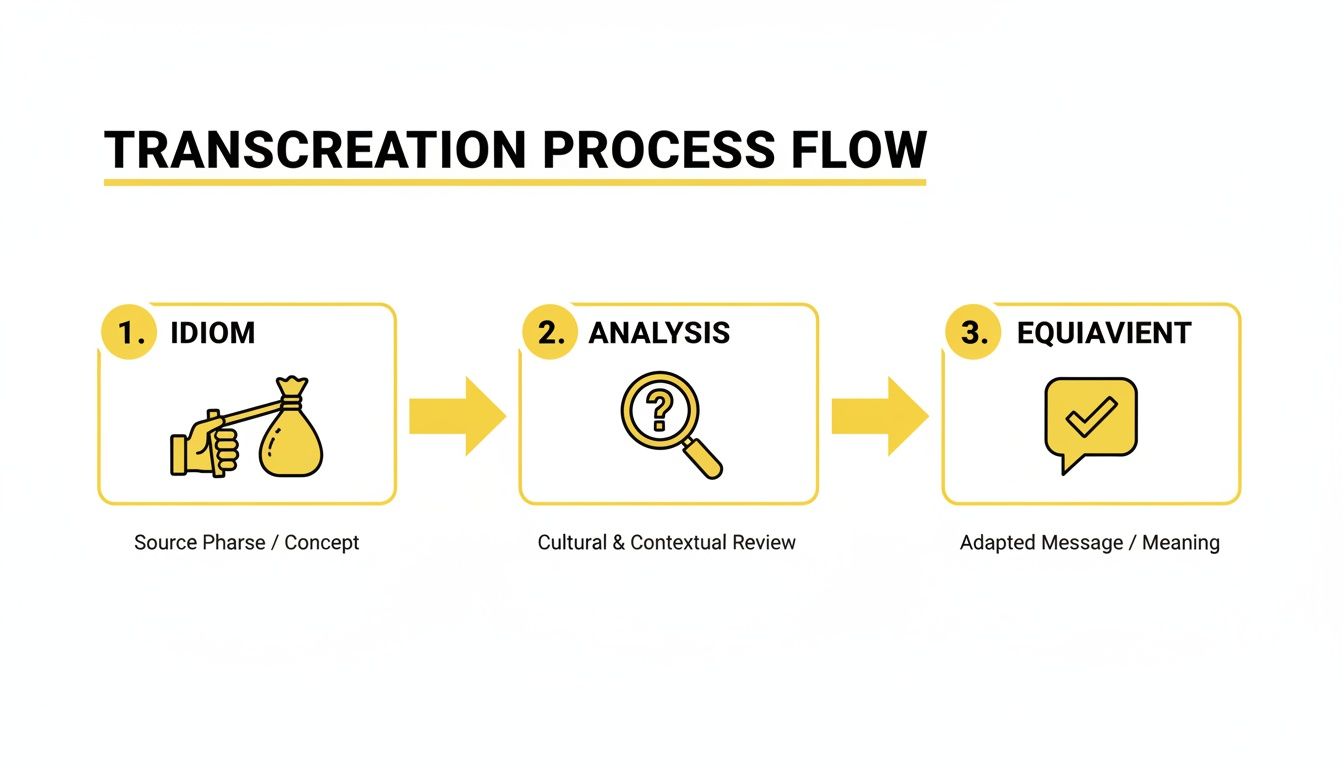
The image above nails the core idea of transcreation—it's not about literal, word-for-word translation but finding the right cultural equivalent. This is a crucial part of the editing phase. If you want to go deeper on this, check out our guide on advanced subtitling and translation techniques.
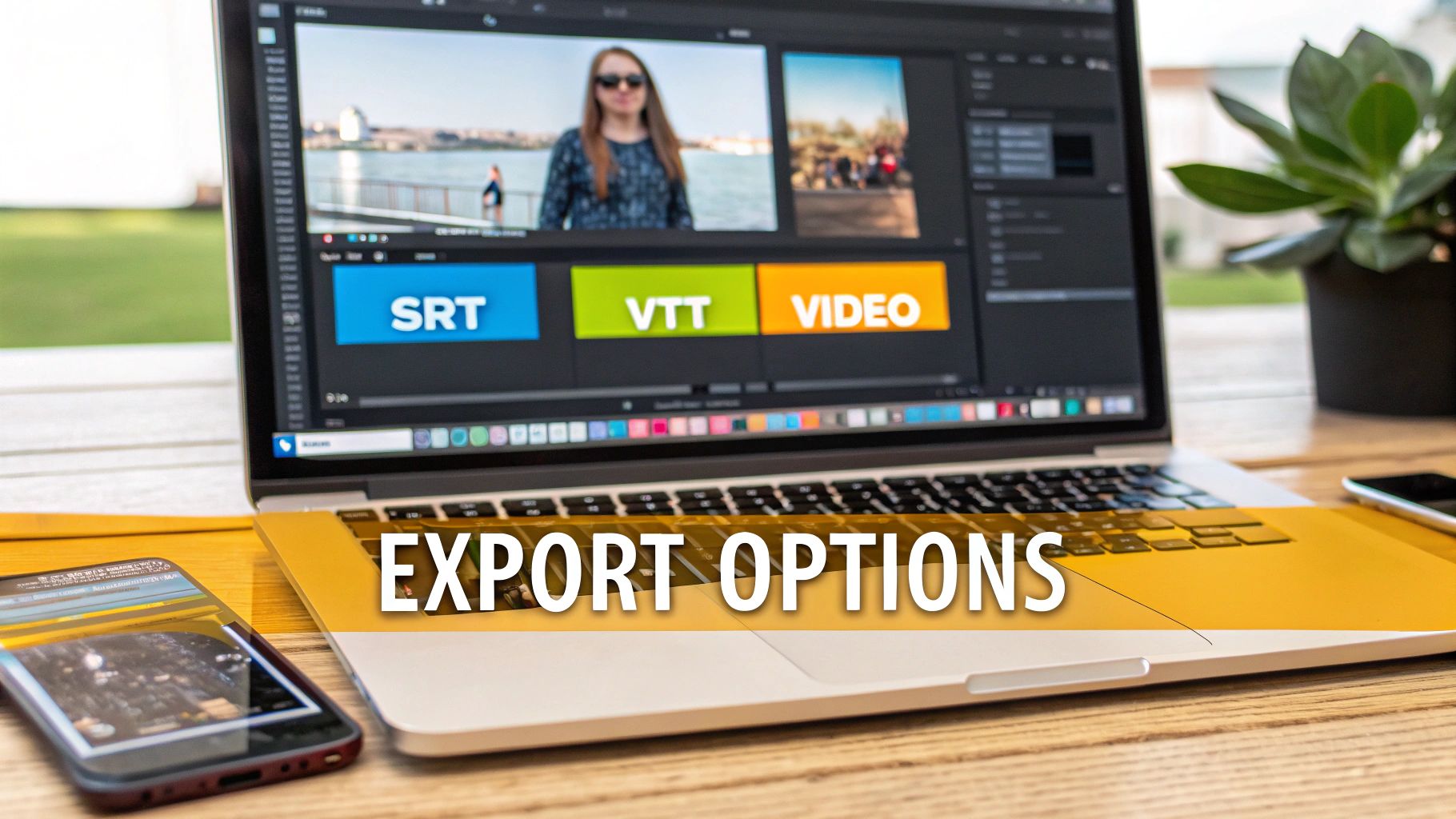
Once you’ve got your subtitles looking perfect, it’s time to export. You can "burn-in" the captions directly onto the video, creating a single file that’s ready to upload. Or, you can download a separate SRT or VTT file to use in another video editor. To really level up your final product, it’s worth exploring different tools and techniques for creating multilingual videos, which can make a huge difference in reaching a wider audience.
Don't Skip the Polish: Why Quality Assurance and Editing Matter
Let's be real: a first-draft translation is never the final product. It doesn't matter if it came from a top-tier AI or a seasoned linguist. The magic that takes a good translation from portuguese to english and makes it truly great happens during the quality assurance (QA) and editing phase.
Skipping this step is like baking a cake and forgetting the icing. It's just not finished. This is where you move beyond simple word-for-word accuracy and start looking at the bigger picture: the grammar, the tone, and the cultural resonance. Little mistakes or slightly clunky phrasing can instantly erode your credibility with a native English-speaking audience.
Building Your Review Checklist
Going in with a plan is always better than winging it. A simple checklist ensures you catch everything and maintain a high standard across all your content.
Before you hit publish, run every translation through these checks:
- Grammatical Accuracy: Are the verb tenses right? Is the punctuation on point?
- Consistent Terminology: Make sure key terms, brand names, or specific jargon are translated the same way every single time they pop up.
- Cultural Nuance: Did you just translate an idiom literally, or did you adapt it so it actually makes sense in English? This is a huge one.
- Flow and Readability: Read the final text out loud. Seriously, do it. Does it sound natural, or does it feel stiff and robotic?
The overall polish is what separates amateur content from professional work. It's why people invest in things like professional audio editing services—quality matters in every format.
The Human Touch Makes All the Difference
When you're dealing with video, this review process gets even more hands-on. Inside a tool like TranslateMom, the Studio Workspace is your command centre for this fine-tuning. Once the AI has done its initial pass on the English subtitles, you can get in there and perfect every single line.
The "Split View" feature is a lifesaver here. It shows you the original Portuguese right next to the English translation. This makes it incredibly easy to see if the original meaning and context are still intact.
From this view, you can instantly tweak the text by clicking on any line in the Subtitle Editor. You can also drag the subtitle timings on the visual waveform to get them just right, or even use the "Suggestions" feature to have a teammate review your changes.
But the final, crucial step? Have a native English speaker give it a once-over. They’ll catch those subtle things that are grammatically correct but just sound a bit off. That human touch is what ensures your message lands exactly as you intended.
Exporting Your Translated Content for Any Platform
You’ve done the hard work and perfected your translation from portuguese to english. Now for the final step: getting it out there for the world to see.
How you export your content really boils down to where it’s going to live. Different platforms have their own quirks and requirements, especially when it comes to subtitles.
It's a choice between two main paths: embedding the subtitles directly into the video file or keeping them as a separate file. Each has its place.
Burn-In vs. Separate Files
For platforms like Instagram or TikTok where viewers can't turn captions on or off, the "Burn-in" option is your go-to. This literally bakes the English subtitles into the video frame, so they're always visible no matter what. It’s foolproof.
On the other hand, for a platform like YouTube or if you're working with professional editing software like Premiere Pro, separate subtitle files are the way to go. These files, usually in .SRT or .VTT format, offer a ton more flexibility. Viewers can choose to watch with captions, and search engines can actually read the text, which is a nice little boost for your video's discoverability.
A good translation tool makes this choice simple. For example, in TranslateMom, you just pick either Export Video (to burn them in) or Download Subtitles (for the separate files).
Choosing the right export format is a bigger deal than it sounds. Burnt-in captions make sure your message lands on social media, while separate files give viewers control and help your SEO on places like YouTube.
Platform-Specific Exporting
Let's break down the best move for each platform, assuming you're using a workflow designed for this.
- TikTok & Instagram: Always go with the burn-in option (Export Video). You'll get a single MP4 file with your styled English captions ready to upload. Easy.
- YouTube: The clear winner here is Download Subtitles as an .SRT file. It's the industry standard, and it lets YouTube offer your English translation as an optional caption track.
- Professional Editors: Just download the subtitle file in whatever format you need (SRT, VTT, etc.). You can then drop this timed text file right into your project timeline in Final Cut Pro or Premiere Pro.
Answering Your Top Portuguese to English Translation Questions
Jumping into the world of translation can feel like a maze. Whether you're a creator trying to go global or a business adapting your message, you've probably got questions. Here are the most common ones we hear about translating from Portuguese to English.
How Long Does Translation Actually Take?
Honestly, it all comes down to what you’re translating and how you’re doing it. A simple text document? An AI tool can knock that out in minutes. But for a 30-minute video packed with dialogue, you're looking at a few hours, even with a smart hybrid workflow.
If you go the fully human route, a professional translator might need a day or two for just a few pages of dense, technical material. This is where tools like TranslateMom really shine—they give you an instant AI draft so you can jump straight into the important part: refining and editing in the Studio Workspace.
How Should I Handle Portuguese from Brazil vs. Portugal?
This is a big one. The two main variations of Portuguese can be quite different. The simple answer? Know who you're talking to. If your audience is in Brazil, make sure your source text is in Brazilian Portuguese.
Most modern AI tools are smart enough to recognize both major dialects. Still, nothing beats having a native speaker from your target region give it a final once-over. They’ll catch those subtle little phrases and cultural nuances that an automated system just can't.
Remember, cultural context is just as important as the dialect itself. A joke that's hilarious in Lisbon might completely miss the mark in São Paulo. That final human touch is what makes marketing and creative content truly connect.
For video creators, this is easy to manage. Inside TranslateMom, once you have your initial translation, you can pop into the Subtitle Editor and tweak any region-specific words line-by-line before hitting export.
Ready to get your next translation project done with both speed and accuracy? With TranslateMom, you can subtitle, translate, and even dub your videos in minutes. Give it a try for free today at https://www.translate.mom.