If you're creating video content in Indonesian, you're sitting on a goldmine. Tapping into the English-speaking market is a massive opportunity to grow your audience, connecting you with diaspora communities and new international markets that would otherwise miss out. Thankfully, professional-grade translation indonesian english is no longer just for big production houses.
Why Is Everyone Translating Indonesian Videos into English?
Have you noticed more Indonesian content popping up with English subtitles? It’s not just you. This isn't some fleeting trend; it’s a direct response to a connected world. Creators, educators, and brands are all jumping on this to reach brand-new audiences and open up doors for engagement that just weren't there before.
Connecting with a Global Audience
The main reason for this push is simple: bridging the communication gap. English proficiency in Indonesia is still growing, and there's a huge Indonesian diaspora scattered across the globe. By translating your content, you're not just adding text to a screen—you're making your message accessible. For businesses, that means new customers. For creators, it means more viewers.
This isn't just a hunch; the numbers back it up. Take California, for example, which has a large and growing Indonesian-speaking community. The demand for Indonesian to English translation is so high that it’s been flagged as a priority. The California Census Language and Communication Access Plan actually points to Indonesian as a key language needing support for its Limited English Proficiency (LEP) population, which is in the millions.
Pro-Level Translation is Finally Within Reach
It wasn't long ago that localizing video was a clunky, expensive nightmare. Now, AI-powered tools like TranslateMom have completely changed the game, putting the power of a pro studio right in your hands. This guide will walk you through exactly how to take your Indonesian video and get it ready for an English-speaking audience, step-by-step.
Forget needing a huge budget or a dedicated production team. Tools like TranslateMom do the heavy lifting for you—from the first transcription to getting the final subtitle style just right. High-quality translation is now something any creator or small business can do.
Here's the workflow we'll cover:
- Getting Your Content In: Easily upload your video files or just paste a link from YouTube or TikTok.
- Automatic Translation: Instantly get an English subtitle track from your original Indonesian audio.
- Polishing and Editing: Jump into a studio editor to perfect the accuracy and timing of every single caption.
- Styling and Branding: Make your subtitles look exactly how you want, matching your brand’s vibe.
- Exporting for Any Platform: Download your finished video, ready to go for social media, YouTube, or any professional use.
Starting Your First Indonesian to English Translation Project
Diving into your first translation indonesian english project might seem daunting, but thankfully, modern tools have made getting started easier than ever. The goal here is to get from your original Indonesian video to a solid first draft of English subtitles as quickly as possible. This gives you a strong foundation to build on.
To handle the heavy lifting, we'll use a tool like TranslateMom. The whole process starts inside the platform by creating a 'New Task'—think of this as the central hub for each video you're working on.
Getting Your Video into the System
You have two simple ways to bring your Indonesian video into the system. The first is a classic direct file upload; just drag and drop your video file (up to 5GB) right into the browser. Even faster, you can paste a URL from platforms like YouTube, TikTok, or Twitter. The application will automatically import the video for you.
Pro Tip: Once you're on the "New Task" screen, press F on your keyboard to instantly open the file picker.
Once the video is loaded, you’ll define the project settings:
- Source Language: Set this to Indonesian.
- Target Language: Set this to English.
- Choose a Service: For this workflow, you’ll select Translation.
In just a few moments, the AI kicks in. It transcribes the Indonesian audio, translates it into English, and generates a fully timed subtitle track. This initial automated pass is the heart of the process, giving you a complete draft that's ready for the most important part: editing and polishing. If you're curious about the transcription part of the process, our guide on how to get a transcript of a YouTube video has some extra details.
This flow chart gives a great visual of how we turn an Indonesian video into something ready for an English-speaking audience.
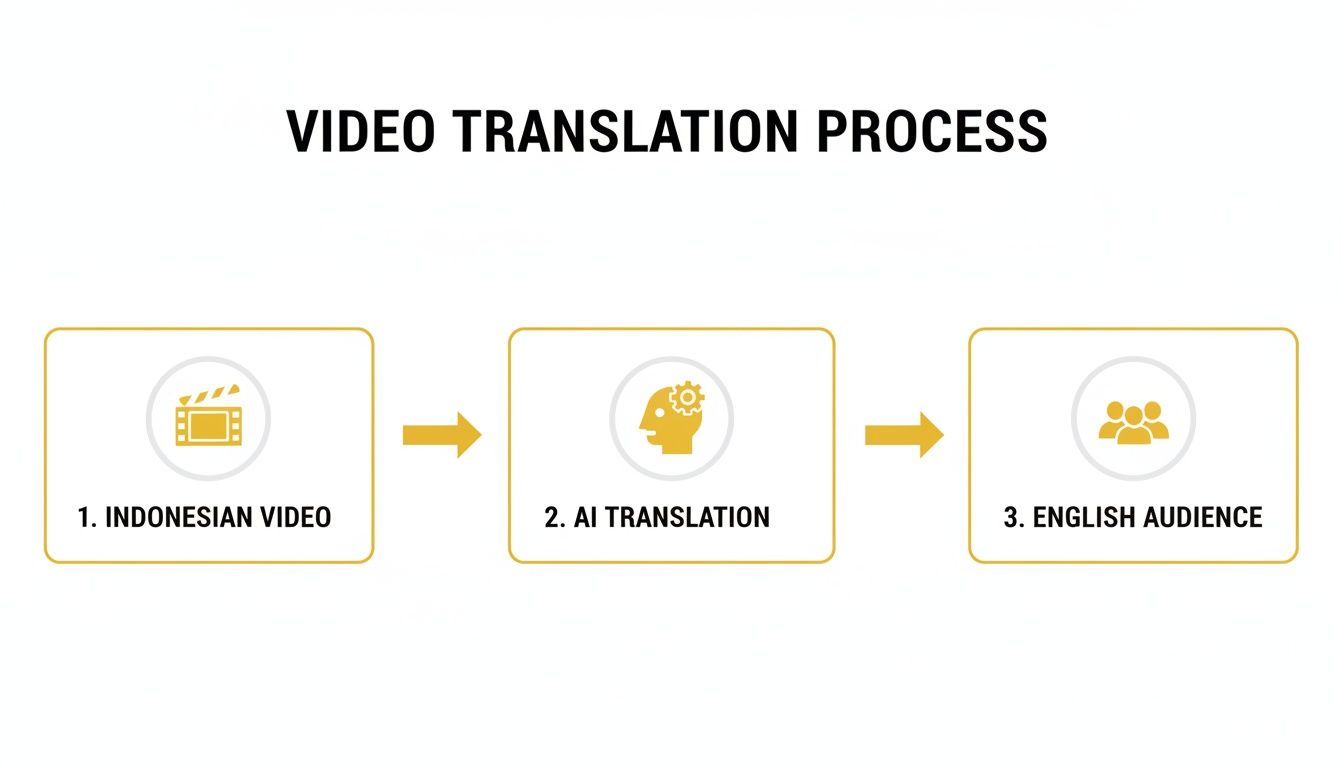
The graphic really shows how technology bridges the gap, automating what used to be the most time-consuming part of the job.
From Raw Translation to Refined Subtitles
Look, this first AI-generated draft isn't the final product. But it's an incredibly powerful starting point. It takes care of the grunt work—the transcription and the initial translation—freeing you up to focus on the subtleties, cultural nuances, and perfect timing.
This is where your expertise comes in to elevate a good translation into a great one. The next phase is all about jumping into an editor to perfect this draft.
The real game-changer here is the sheer speed and efficiency. Instead of burning hours transcribing and translating from scratch, you get a fully synchronized subtitle file in minutes. This lets you pour your time and energy into quality control and creative refinement, which is exactly where it should be. For creators needing to pump out high-quality localized content consistently, this workflow is a lifesaver.
Polishing Your English Subtitles: From Good to Great
An automated translation gets you on the playing field, but the real art of any translation indonesian english project is in the editing. This is where you elevate a decent translation into something that feels completely natural and accurate to a native English speaker. It's the critical step that separates a video that’s merely understood from one that truly connects with your audience.
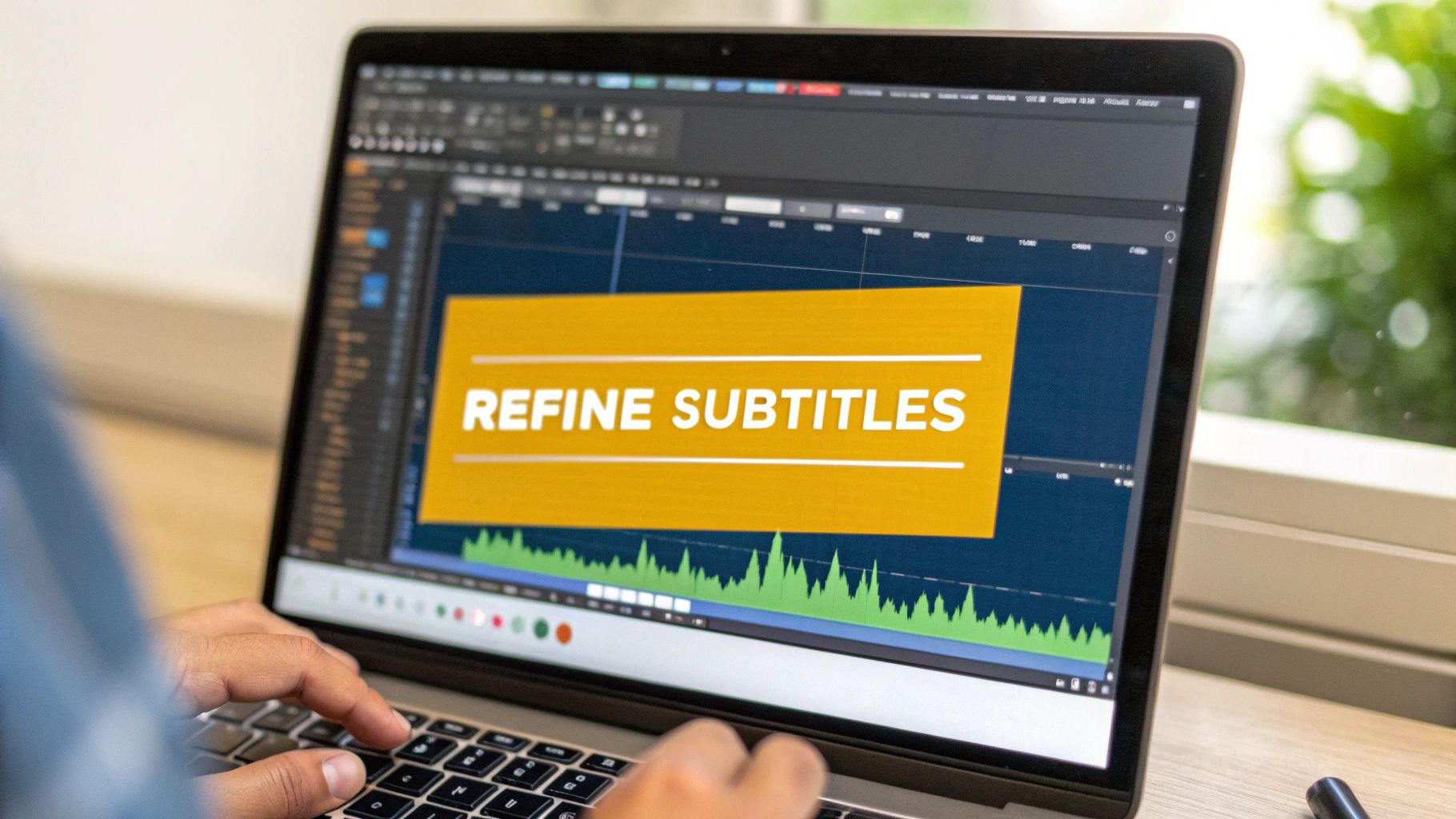
You just can't skip this part, and using a professional-grade editor is a must. A tool like TranslateMom’s “Studio” is built for this exact purpose, giving you specialized features that a simple text editor can't touch.
Comparing Languages Side-by-Side
One of the most valuable features for this kind of work is a Split View. This puts your original Indonesian text right next to its English translation, line by line. This direct comparison is everything when it comes to catching those subtle nuances and correcting idioms that just don't translate literally.
Take an Indonesian phrase like "masuk angin." A machine might spit out "enter wind," which means absolutely nothing in English. However, seeing the original phrase right there, a human editor can instantly see the context and change it to "feel unwell" or "catch a cold," which is exactly what the speaker meant. This is how you achieve a professional, human-touch translation. For more on this, check out our guide on the differences between closed captions and subtitles.
Nailing the Timing with an Audio Waveform
Getting the words right is only half the battle; timing is just as important. Subtitles that pop up too early or hang around too long are distracting and can completely ruin the viewing experience. This is where a visual audio waveform becomes your best friend.
The waveform gives you a visual map of the dialogue, showing you precisely where someone starts and stops talking. Forget guesswork. You can literally drag the start and end points of each subtitle to align perfectly with the audio.
- Cut the Dead Air: Easily spot silent gaps and make sure your captions disappear when the speaker is done.
- Match the Rhythm: Align the subtitles to the natural cadence of speech—a big deal since Indonesian and English sentence structures can be so different.
Perfect timing makes your subtitles feel like a natural part of the video, not something tacked on. Viewers shouldn't even notice them; they should just effortlessly absorb the content.
The tools in a professional editing environment like TranslateMom’s Studio are designed to make this process as smooth as possible.
Key Subtitle Editing Functions in TranslateMom
Here’s a quick rundown of the essential tools in the Studio editor that help you take your Indonesian-to-English subtitles from raw to ready.
| Feature | What It Does | Why It's Important for Indonesian-English |
|---|---|---|
| Split View | Displays original Indonesian and translated English text side-by-side. | Allows for direct comparison to ensure cultural nuances and idiomatic expressions are translated accurately, not just literally. |
| Waveform Editor | Provides a visual representation of the audio, allowing you to drag start/end points of captions. | Guarantees perfect timing by matching subtitles precisely to spoken words, which is crucial as sentence structures differ between the languages. |
| In-line Editing | Lets you click and type directly in the subtitle list to make corrections. | Offers a fast and intuitive way to adjust phrasing, fix grammatical errors, and improve the natural flow of the English translation. |
With these features, you have everything you need to refine, polish, and perfect your translations, ensuring they make a real impact on your English-speaking viewers.
Styling Subtitles to Match Your Brand
Good subtitles do more than just translate words—they should feel like a natural part of your video's identity. When you're wrapping up a translation indonesian english project, styling your subtitles is that final, crucial touch. It's what takes your content from just "functional" to truly professional and polished.
This whole process is about finding a look that's easy to read while perfectly matching your brand's unique feel. Think of it this way: your subtitles are an extension of your brand, and you always want to be consistent.
Customizing Your Captions for Readability
Inside a tool like TranslateMom, you’ll find the Style tab. This is basically your creative command centre for all things visual. It gives you complete control over how your subtitles look and lets you see the changes happen in real-time.
As you make adjustments, you'll see them instantly on the video player. You can tweak things like:
- Font Family and Size: Pick a font that matches your brand's personality and adjust the size so it's clear on any screen. A handy tip is using the
+and-keys for quick size changes. - Colour and Outline: You'll want to choose colours that pop against your video but don't scream for attention. Adding a simple outline or a soft shadow can make a huge difference in legibility.
- Background Opacity: Putting your text inside a semi-transparent box is a lifesaver. It guarantees your words are readable, even when the video footage behind them is busy or bright.
If you want to dive deeper into building a cohesive look, it's worth exploring the broader principles of effective brand design.
Creating Dynamic Karaoke Style Captions
For grabbing attention on fast-moving platforms like TikTok and Instagram, you can't beat dynamic captions. The "Karaoke" style, where words are highlighted as they're spoken, is super engaging and really helps keep viewers hooked.
In TranslateMom, you can switch this on right from the Style tab. The app’s smart sync technology automatically handles the word timings. This means even if you go back and tweak the text, the animation stays perfectly synched with the audio, giving your content a high-energy, professional feel that's perfect for short-form video.
Your brand isn't just a logo; it's the entire visual experience you provide. Customizing your subtitles ensures every piece of content, regardless of language, feels distinctly yours.
To really complete the branded experience, head over to the Brand tab. Here, you can upload your logo and place it as a watermark on the video. You can resize it and stick it in any corner, locking in that brand consistency across every translated video you create. It’s a small step that reinforces your identity and helps protect your content as it gets shared online.
Exploring Advanced Translation Workflows
Once you've got the basics of subtitling down, you can really start to play with more advanced techniques to give your video an edge. Moving past standard captions unlocks some seriously cool ways to connect with new audiences and adds a polished, professional feel to your translation indonesian english projects.
One of the most powerful tools in the arsenal is AI Dubbing. This feature completely swaps the original Indonesian audio for a new, AI-generated English voiceover. Inside TranslateMom, it's as easy as choosing the Dubbing service when you first set up your project. What you get is a fully localized video, which is a game-changer for viewers who'd rather listen than read.
This is a big deal when you're trying to reach audiences in Indonesia, a country with a relatively low English proficiency score. The national EF EPI score was just 471 in 2023, with some areas like Java sitting a bit higher at 493. So, dubbing your content into English can be an amazing educational tool, while subtitling English content into Indonesian directly serves the local market. You can dig into the linguistic data shaping these strategies if you're curious.
Creating Content for Language Learners
Another fantastic feature, especially if you create educational or highly technical content, is Dual Language Mode. This setting stacks the original Indonesian and translated English subtitles right on top of each other in the video.
I've found this side-by-side view is a lifesaver in a few situations:
- Language Learning: It lets viewers instantly compare sentence structure and vocabulary, turning your video into a powerful study aid.
- Technical Accuracy: When every single word matters, showing both languages leaves zero room for misinterpretation.
- Cultural Nuance: It gives bilingual viewers the best of both worlds—they can appreciate the original phrasing while getting the translated meaning.
Offering both dubbed audio and dual-language captions lets you cater to everyone's learning style. Some people absorb info best by listening, while others need to see the text. Giving them both options makes your content way more versatile and inclusive.
Integrating AI into Your Post Production
These advanced workflows show a real shift in how we should think about video production. Translation isn't just some final task you tack on at the end anymore; it's becoming part of the creative process itself. Weaving AI-powered tools into your workflow makes everything run smoother. If you want to dive deeper, checking out some AI video editing guides can give you great ideas on modern post-production.
Whether it’s a marketing video, an online course, or a quick social media clip, these advanced features elevate your project from a simple translation to a genuinely localized experience. It shows you’re serious about your new audience, and that helps you build a much stronger, more engaged community around your content. This kind of thoughtful approach ensures your message hits just as hard in English as it did in Indonesian.
How to Export Your Final Translated Video
You’ve put in the work to get your Indonesian to English subtitles just right. Now for the final step: getting your video out into the world.
How you export your video is a critical choice that really depends on where your audience will be watching. Let's break down the two main ways to do this.
Burning Subtitles Directly into Your Video
If you're posting to platforms like Instagram, TikTok, or Twitter (X), your best move is to burn in the subtitles.
This means the English captions become a permanent part of the video itself. When you choose to "Export Video" in a tool like TranslateMom, it renders a new video file with your styled subtitles permanently baked into the video, ready for upload.
This is the go-to method for social media since those platforms aren't great with separate caption files. It ensures everyone sees your subtitles exactly as you designed them—custom fonts, karaoke effects, and all.
Downloading Separate Subtitle Files
The other option is to download only the subtitle file, usually as an SRT or VTT file. This is the professional standard for platforms like YouTube or for bringing your captions into editing software like Adobe Premiere Pro.
So, why go this route?
- Accessibility: Viewers can toggle captions on or off, which is a must-have for accessibility.
- Control: YouTube actually reads the text in these files, which can give your SEO a little boost. It also lets viewers use YouTube's auto-translate feature, using your high-quality captions as a solid starting point.
- Flexibility: It keeps your original video file clean. This way, you can attach different language files for different audiences without having to re-render the entire video each time.
Pro Tip: Got a plain text transcript that needs to be a caption file? You don't have to time it all out by hand. Learning how to convert a TXT file to SRT can save you a massive amount of time, especially if you’re working with scripts you already have.
Ultimately, it comes down to where you're posting. If your audience is scrolling on social media, burn those subtitles in. For YouTube and professional video workflows, a separate SRT file is the way to go.
A Few Final Questions
Still have a couple of questions about the Indonesian to English translation process for your videos? Let's clear up some of the most common things people ask.
How Good Is AI at Translating Indonesian?
Honestly, modern AI does a fantastic job with the first draft. It almost always gets the core meaning right.
But it's not perfect. For a truly professional result, you absolutely need a human to give it a once-over. They’ll catch the subtle cultural nuances, slang, and specific jargon that an algorithm just can't grasp. This final touch is what makes the translation feel natural and really connect with your English-speaking audience.
What's the Difference Between Burned-In Subtitles and an SRT File?
Good question. Burned-in subtitles are literally part of the video image—they’re permanently stamped on. This is what you want for platforms like Instagram or TikTok where viewers can't turn captions on or off themselves. In TranslateMom, you choose the Burn-in (Export Video) option to get a new video file with the text embedded.
An SRT file is a totally separate text file. You upload it alongside your video on sites like YouTube, giving viewers the option to toggle the captions. It's also the standard for making your content accessible.
Can I Just Translate a Video from a YouTube Link?
Yep, absolutely. That’s exactly what modern tools are built for.
With a platform like TranslateMom, you can kick off a New Task by just pasting in a URL from YouTube, TikTok, or even X (formerly Twitter). The app pulls the video in for you, so you don't have to waste time downloading and re-uploading anything.
How Do You Handle Different Indonesian Dialects?
AI models have been trained on huge amounts of data, so they're surprisingly good at understanding the most common regional variations.
However, if your video features a really specific or less common dialect, the best move is to have a native speaker review the initial transcription and translation. That's the only way to be certain you're capturing all the local flavour and keeping the translation culturally on point.
Ready to get your videos in front of a global audience? Give TranslateMom a try and see just how simple the whole localization workflow can be when it's all in one place. Get started at https://www.translate.mom.