
Crea una web animada que responde al cursor con Claude Code e IA
6 min Machine translated Tech & science
Cuando llevo el cursor hacia la derecha, pueden ver que el gato mira hacia la derecha, y al llevarlo a la izquierda, mira hacia la izquierda.
Este es un sitio web totalmente animado que se controla con el ratón que creé con Claude Code y con la ayuda de imágenes de ChatGPT.
Y pueden ver que ahí hay varios sitios web, más de cientos, que he creado con el mismo proceso que voy a compartir con ustedes ahora mismo en este video.
Pueden ver todos estos sitios web. Están creados completamente con IA solo con la ayuda de Claude Code.
Si también quieren aprender cómo pueden crear este tipo de sitios web increíbles, no se vayan hasta el final de este video, y podrán ver cómo podemos hacerlo muy fácilmente.
Pero antes de empezar, Aquí está ScrollTide, mi biblioteca de plantillas basadas en scroll.
Solo tienes que ir a ScrollTide, copiar cualquier indicación y pegarla en cualquier creador de código con IA, y replicará todo el sitio web para ti en minutos.
Así que asegúrate de probarlo. Volvamos al video.
Primero, iremos a Pinterest para buscar inspiración para nuestro diseño.
Buscamos en la pantalla inicial, y aquí veo un diseño de un gato.
Y en el lado derecho, veo otro gato. Me gusta más, así que vamos a abrirlo.
Vamos a ampliar la vista, y después, hagamos una captura de pantalla.
Tras hacer la captura, volvamos a ChatGPT y peguemos la imagen aquí.
Necesito que hagas este gato con fondo negro y mantengas al gato en el centro y crea un gato ligeramente diferente, pero solo con esta emoción, y con una taza en la mano, como en la referencia y con una proporción de 16:9.
Y después de dejarlo procesar, ChatGPT dio un error, así que editemos el prompt.
Copiémoslo sin más, volvamos a pegarlo aquí y peguémoslo otra vez, y hagamos un cambio.
Quiero que hagas una versión ligeramente diferente de este gato, y que el resto siga igual.
Y volvamos a copiar y pegar la imagen del gato.
Ahora ChatGPT nos ha generado esta imagen, y se ve bastante bien, y cumple nuestro propósito, así que nos quedaremos con esta.
Ve a Gemini para poder crear un video de esto.
Y escribamos este prompt. Anima esta imagen y haz que mueva la cabeza de izquierda a derecha, y que también mueva los ojos de izquierda a derecha con un movimiento suave y delicado, y sin acercar ni alejar la imagen, y con un movimiento sutil.
Solo usaremos la función de creación de videos.
Gemini creó el video correctamente para nosotros.
El gato mira de izquierda a derecha y viceversa, y el movimiento es fluido.
Así que vayamos a este sitio web, Video Trim Online.
Abramos el primer sitio web, arrastremos y soltemos el video aquí, y seleccionemos solo la parte del video que queremos.
Y después, iremos a Claude Code y copiaremos la ruta local del video que acabamos de descargar y la pegaremos en el chat de Claude Code y escribiremos esta instrucción.
Queremos crear una sección principal animada de un ratón usando este video con este video, en el que aparece un gato mirando de derecha a izquierda.
Así que analiza los fotogramas y crea la sección principal para mí.
Cuando el cursor esté a la derecha, debe mirar a la derecha, y cuando esté a la izquierda, debería mirar a la izquierda.
Tiene marca de agua de Gemini en la esquina inferior derecha, así que quitémosla también.
Crearemos este sitio web con React y Vite, y tomemos como referencia el diseño de la sección principal.
Así que iremos a mi sitio web, scrolltide.co, y aquí tengo un sitio web de perros.
Le haremos una captura de pantalla y volveremos a Claude Code y la pegaremos aquí.
Y escribiremos esto, y queremos crear los componentes de las secciones principales como los de esta imagen de referencia adjunta.
Así que constrúyelo bien y mantén un tema de colores contrastantes para los componentes de nuestra sección principal.
Usaremos el modelo Opus 5.5 para esto, y pondremos el nivel de esfuerzo en alto y omitiremos los permisos, y lo estoy escribiendo y crearé un proyecto nuevo en esta carpeta porque tengo varios proyectos en esta carpeta, así que lo estoy indicando explícitamente.
No tienes que hacer eso, y pulsemos enviar, y veamos qué resultado da . Veamos cómo queda.
Iremos al puerto de localhost, y veremos que Claude Code creó de una sola vez todo este sitio web.
Solo le dimos una imagen de referencia, un video de cómo queríamos que fuera, y una pequeña descripción de cómo queríamos que funcionara.
Y creó todo este sitio web para nosotros con un solo prompt.
Se puede ver que el gato está mirando hacia la derecha y mirando hacia la izquierda mientras avanzamos por el video.
Y puedes verlo aquí en mi sitio web, scrolltide.co.
Hay cientos de plantillas disponibles para que solo tengas que copiarlas y pegarlas en tu creador de IA, y ya está.
Y puedes crear cualquiera de estos sitios web sin seguir todo el proceso que acabamos de hacer.
También tenemos una sección de componentes con varios componentes 3D que puedes añadir a distintas secciones de tu sitio web y personalizarlos según lo necesites.
También tenemos shaders que puedes usar como fondos para tus distintas páginas.
También tenemos distintas secciones. Estas son las secciones estáticas que hemos creado.
También hemos creado algunos elementos de interfaz para paneles de control, y también he preparado un ebook completo para ti.
Échale un vistazo también. Contiene todos los pasos desde el principio hasta el final, e incluye todo el proceso Desde la concepción hasta la construcción completa.
Y consta de 374 páginas, y lo actualizamos constantemente.
Además, si quieres un sitio web único hecho para ti por nosotros, solo tienes que ir a la página de contacto de nuestro sitio web, y también puedes escribirnos a support@scrolltide.co, y también puedes rellenar este formulario.
Me llega directamente a mí, y te responderé directamente por correo electrónico.
Eso es todo por este video completo. Espero que lo hayas disfrutado.
Asegúrate de dar like al video y suscribirte a mi canal.
Hasta entonces, paz.
End of transcript · 1,036 words · machine translated
When I take my cursor to the right-hand side, you can see the cat is watching towards the right, and when I take it to the left, it is watching towards the left.
This is a fully animated mouse scrub-based website that I built using Claude Code and with the help of ChatGPT images.
And you can see there are multiple websites, more than hundreds of them, that I've made using the same process that I'm about to share with you in this video right now.
You can see all these websites. These are completely built with AI with the help of Claude Code only.
So if you also wanna learn how you can make these amazing kind of websites, just stay tuned till the very end of this video, and you will be able to see how we can make it very easily.
But before we start, here is ScrollTide, my library of scroll-based templates.
You can just go over to ScrollTide, copy any prompt, and paste it into any AI code builder, and it will replicate the whole website for you in minutes.
So make sure you give it a try. So let's get back to the video.
First, we'll be heading over to Pinterest to find an inspiration for our design.
We are just searching the home screen, and I can see here a cat design.
And at the right-hand side, I can see another cat. I like it better, so let's open it up.
Let's just enlarge its view, and after that, let's just take a screenshot of it.
After taking a screenshot, let's head back to ChatGPT and paste in the image here.
I need you to make this cat with black background and keep the cat in the center and make a slightly different cat, but with this emotion only, and with a cup in hand as it is in the reference and in 16 by 9 ratio.
And after we let it run, ChatGPT threw an error, so let's edit our prompt.
Let's just copy it up, paste it in here again, and paste again, and make a change.
I need you to make a slightly different version of this cat, and rest of it remains the same.
And let's just copy and paste the cat image again.
Now ChatGPT has generated this image for us, and it looks pretty good, and it fulfills our purpose, so we'll be going with this.
Head over to Gemini so that we can create a video of this.
And let's write this prompt. Animate this image and make its head move from left to right, and also the eyes moving from left to right in a soft and gentle motion, and no zoom in or zoom out, and subtle motion.
We'll be just using the create video function in it.
Gemini has created the video successfully for us.
The cat is watching from left to right and vice versa, and the motion is smooth.
So let's just go over to this website, Video Trim Online.
Let's just open the first website here, drag and drop the video here, and let's just take only that part of the video that we want.
And after that, we'll be heading over to Claude Code and copying the local path of the video that we just downloaded and pasting it in the Claude Code chat and writing this prompt.
We wish to make a mouse cub animated website hero section using this video, and the video has a cat looking from right to left.
So analyze the frames and build the hero section for me.
When we have the cursor to the right, it should look at the right, and when it is left, it should look to the, towards the left.
Also, it has a Gemini watermark at the bottom right corner, so remove that too.
We will build this website using React and Vite, and let's just have a reference for the hero design.
So we'll be heading over to my website, scrolltide.co, and I have a dog website here.
We'll be taking a screenshot from it and heading back to Claude Code and pasting it in here.
And we'll be writing this, and we wish to build the hero sections components like this in the reference image attached.
So build it out properly and keep a contrasting color theme for the components of our hero section.
We'll be using Opus 5.5 model for this, and we'll be setting the effort to high and bypass permissions, and I'm writing it down and create a new project in this folder because I have multiple projects in this folder, so I'm just stating it out explicitly.
You don't have to do that, and let's just hit send, and let's see what it comes back with. Let's see how it looks.
We'll be heading over to the localhost port, and we can see Claude Code one-shotted this whole website.
We only gave it a reference image, a video that we wanted it to be, and a little bit of description how we wanted it to function.
And it has created this whole website for us in a single prompt only.
You can see the cat is looking towards the right and looking towards the left as we scrub through it.
And you can see it here on my website, scrolltide.co.
There are hundreds of templates out there ready for you to just copy and paste it in your AI builder, and you are good to go.
And you can build any of these websites without following the whole process that we just did.
We also have a component section that are having multiple 3D components that you can add to different sections of your website and customize them as per your need.
We have shaders as well that you can use as backgrounds for your different, different pages.
We also have different sections. These are the sta- static sections that we have created.
We have some UI dashboard elements created for you as well, and I have also curated a full ebook for you.
Do check as well. It contains all the steps from the very start to the very end, and it includes the whole process from ideation to the whole build.
And it consists of 374 pages, and we are updating it constantly.
Also, if you want a one-of-a-kind website built for you from us, you can just head over to the contact page on our website, and you can also email us at support@scrolltide.co, and you can fill out this form as well.
It comes directly to me, and I'll be answering you directly over email.
So that's it for this complete video. I hope you enjoyed it.
So make sure you like this video and subscribe to my channel.
Till then, peace.
 4:14 Una IA se niega a decir Jesucristo tras deletrear strawberry
 5:57 Misión Génesis, parte 2: afirmaciones sobre 8G, estelas y la marca
 7:26 Misión Génesis, red 8G y Proyecto Enoc: afirmaciones explicadas
 3:03 Una conversación con ChatGPT sobre vigilancia, control y secretos del océano
 1:07 Anthropic, los riesgos de la IA y la carrera entre EE. UU. y China
 2:15 Comentarios de Trump sobre el 6G y afirmaciones sobre estelas químicas y salud
 4:35 Buzz Aldrin y la Antártida: relatos de científicos desaparecidos y seres extraños
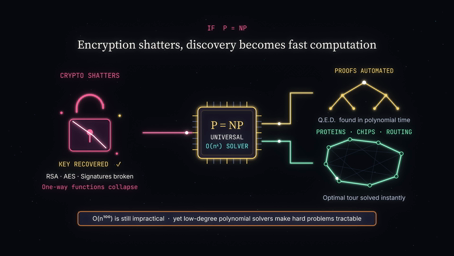 2:44 P versus NP: obstáculos de prueba y agentes de IA con Lean 4
 2:40 Un descifrador accede a la Reserva Federal y la red eléctrica
 1:37 Cómo el nopal puede ayudar a eliminar arsénico del agua
 1:30 Afirmaciones sobre el CERN y la comunicación con otras dimensiones
 4:07 Gravedad cuántica a partir de conos de luz y diamantes causales
 iPhone app Translate videos on your iPhone Paste a TikTok, Instagram or X link, add subtitles in your language and save the video to Photos.

TranslateMom transcribes and translates videos from X, TikTok, YouTube and Instagram. Paste a link and you get a page like this one, in your language.