Ever thought about taking your French podcast or video and turning it into natural-sounding English? It's actually much easier than you might think these days. The whole process boils down to a few key actions: getting a French transcript, translating it to English, and then generating a brand new AI audio track to replace the original French. It’s a method we call dubbing, and it’s a game-changer for reaching a massive English-speaking audience.
Why Bother With High-Quality Audio Translation?
Look, subtitles are fine, but swapping out the audio for high-quality English creates a completely different, much more immersive experience. Think about it—dubbed content lets your audience just watch and connect with what you're saying without having to split their focus by reading captions. This is a huge deal for visual stuff like tutorials, documentaries, or vlogs where you really want people paying attention to the screen.
When you offer a professional French translation to English audio, it sends a strong message. It shows you're serious about your new audience. You’re not just making your content technically available; you’re making it genuinely enjoyable and easy to get into.
Tapping into Bilingual Markets Like Canada
Let's take a real-world example, like Canada. You've got a massive amount of incredible French content, especially coming out of Québec, but the country is officially bilingual. The 2021 Census found that nearly one in five Canadians can speak both English and French—the highest that number has ever been. That's a huge, built-in audience just waiting for content that speaks their language. You can dig into the data yourself in this detailed report from Statistics Canada.
Dubbing your audio is the most direct way to serve this dynamic market, and others like it, by completely removing the language barrier.
How the AI-Powered Workflow Actually Works
This kind of professional-grade dubbing used to be exclusive to big studios with deep pockets. Not anymore. Tools like TranslateMom put this power right into your hands with a simple, browser-based workflow.
Here’s a quick look at the process:
- Get started: Kick off a New Task by uploading your video file directly, or even easier, just paste a link from a platform like YouTube, TikTok, Twitter (X), or Instagram.
- Set it up: Tell the tool that your Source Language is French and the Target Language is English. Then, you just select the Dubbing service.
- Tweak and perfect: The platform will generate a translation that you can fine-tune right in the Studio workspace. This is your chance to correct any tricky nuances, adjust the timing, and make sure everything lands perfectly for a new culture.
- Export your final video: Once you're happy with it, you can "Burn-in" the new English audio, which creates a final video file that’s ready to publish.
This entire approach lets creators like you produce professionally dubbed content in a tiny fraction of the time it used to take, opening up a world of new viewers and opportunities.
Preparing Your French Audio for Flawless Translation
Before you jump into the translation itself, let's talk about the source file. The quality of your original French audio is, without a doubt, the single biggest factor that will determine your project's success. A clean, clear recording is the bedrock of an accurate, natural-sounding English dub.
Think of it this way: garbage in, garbage out.
The absolute first thing to tackle is background noise. That low hum from an air conditioner, distant traffic, or even the tapping of your keyboard can throw off transcription AI. This leads to frustrating errors that snowball through the translation and dubbing process. Recording in a quiet room with a decent microphone isn't just a suggestion—it's essential for professional results.
If you're working with audio that's already been recorded and has some noise issues, don't panic. You can often salvage it. We've put together some tips on how to remove background noise from audio that can really help clean things up.
Technical and Content Best Practices
With your recording space sorted, a couple of technical choices can make a huge difference. Always, and I mean always, export your source audio in a high-quality format. MP3 is fine for listening, but for this kind of work, you want an uncompressed format like WAV or a high-bitrate MP4. These formats retain far more audio detail, giving the AI more clean data to analyze.
It’s not just about the tech, though. How you speak is just as important.
- Speak Clearly: Make a conscious effort to enunciate your words. No mumbling!
- Keep a Steady Pace: Don't rush. Speaking too fast can make words slur together, which is a nightmare for transcription software.
- Use Natural Pauses: A little bit of space between sentences gives the transcription engine clear breaks to work with.
A clean audio file isn't just a "nice-to-have"—it's a necessity. It directly impacts the accuracy of the initial transcription. The fewer mistakes the AI makes in transcribing the French, the less cleanup you'll be doing later on.
Handling Regional Dialects and Expressions
Here’s something a lot of people overlook: French is not a monolith. Regional differences, particularly Québec French, can introduce some unique hurdles.
If you're creating content for a Québécois audience, you have to remember that Québec French is the mother tongue for 77.1% of the province's population and has its own distinct vocabulary and cadence. You can dig into the data on Quebec's linguistic landscape from Statistics Canada to see just how significant this is.
Standard European French models can stumble over these regional expressions and accents. When you’re dealing with regional dialects, plan to spend a bit more time editing. You'll want to make sure local idioms are translated for their meaning, not just word-for-word. This human touch is what makes your french translation to english audio feel authentic and connect properly with a global audience.
Generating and Refining Your English Audio Dub
Alright, you've got your prepped French audio file. Now for the fun part: creating the actual English dub. This is where your content stops being a local gem and starts becoming a global asset. Using a solid tool makes this whole process way less of a headache, breaking down a pretty complex job into clear, manageable steps.
Let's run through the complete french translation to english audio workflow, using TranslateMom as our example.
It all kicks off on the New Task screen. This is where you feed your content into the system. You can either drag and drop your video file right into the browser, or—my personal favourite for speed—just paste a link from YouTube, TikTok, or Instagram.
Once your video is in, it's time to tell the AI what you want. This setup is super important.
- Source Language: Just pick ‘French’ from the list.
- Target Language: Choose ‘English’ for your final audio.
- Choose a Service: You’ll want to select the ‘Dubbing’ option here to create the new AI audio track.
After you hit go, the platform starts doing its magic, cooking up an initial English transcript and translation for you.
To give you a clearer picture, here’s a quick breakdown of how we handle this process at TranslateMom.
TranslateMom Dubbing Workflow at a Glance
| Phase | Action | TranslateMom Feature | Pro Tip |
|---|---|---|---|
| 1. Import | Upload your French video file or paste a link. | New Task screen with drag-and-drop or link import. | Press F on the New Task screen to instantly open the file picker. |
| 2. Setup | Define the source and target languages. | Simple dropdown menus for language selection. | Double-check your language selections; it's a simple step that's easy to overlook. |
| 3. Generation | The platform automatically transcribes, translates, and generates the initial dub. | AI-powered dubbing service. | Let the AI do the heavy lifting first. Don't start editing until this is done. |
| 4. Refinement | Edit the English script for accuracy and natural flow. | Studio Editor with text editing and Split View. | Use Split View to see the original French text next to your translation for easy reference. |
| 5. Syncing | Adjust the timing of the audio to match the video perfectly. | Visual audio waveform and timeline controls. | Drag the start/end points on the waveform to visually match speech patterns. |
| 6. Voice | Select the best AI voice for your content. | Library of AI voices with different accents and tones. | Preview several voices to find one that matches the original speaker’s energy. |
This workflow ensures you move smoothly from your original French file to a polished, professional-sounding English version.
Entering the Studio Editor
This is where you, the human, step in. The AI gives you a fantastic head start, but your eye for detail is what will make the final product truly great. You'll land in the Studio Editor, which is built for fine-tuning.
Your first task? Go through that auto-generated English script with a fine-tooth comb. The AI is incredibly smart, but it can stumble on nuances like idioms, slang, or cultural references that don't have a direct equivalent. This is your chance to clean up any clunky phrasing and make sure the tone is spot-on.
The real goal here isn't just a literal translation; it's a cultural one. A common phrase in Québécois French might sound totally bizarre to an American audience. Your edits are what close that gap.
This quick infographic sums up why that initial audio prep we talked about is so important for getting good results in the editor.
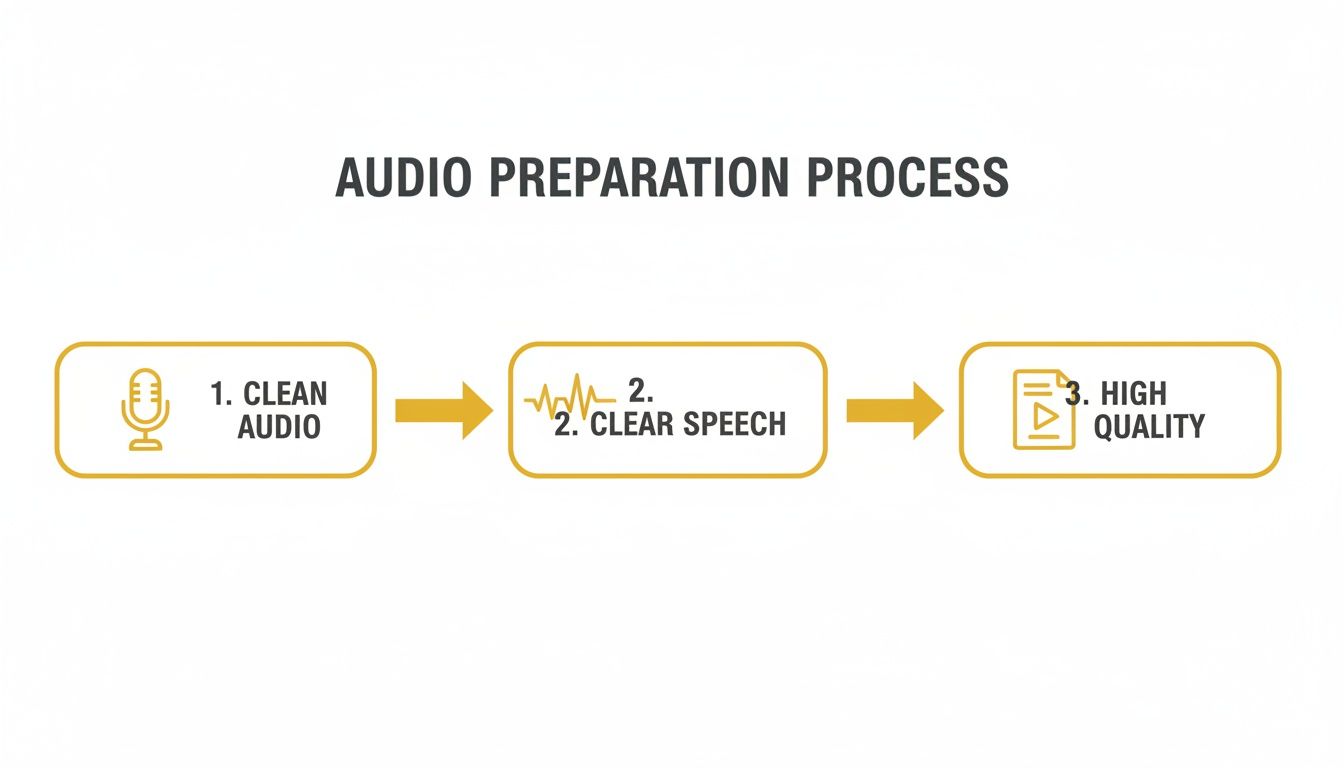
As you can see, starting with clean audio and clear speech is the foundation for everything that follows. It makes the AI's job easier and, in turn, makes your editing work a whole lot smoother.
Synchronizing Audio with Precision
Once the script is polished, it’s all about the timing. In TranslateMom's Studio Editor, you'll see a visual audio waveform right under the text. This is a game-changer because it lets you literally see the speaker's rhythm and pauses.
You can drag the start and end points of each text block to line up the new English audio perfectly with what's happening on screen. You can trim captions to cut out dead air or stretch them to match someone speaking more slowly. For really big projects that need a whole crew and high-end gear, you might even think about hiring a pro. Knowing how to välja rätt produktionsbolag can make a huge difference in quality.
Last but not least, you get to pick the voice. Modern tools give you a whole library of AI voices with different styles, genders, and accents. Take a moment to browse and preview a few to find the one that best captures the original speaker's vibe. This final touch is what sells the illusion and makes the dub feel authentic, wrapping up your french translation to english audio project. If you want to dive deeper into the tech behind this, check out our recent breakdown of the best audio translation tool in 2025.
Mastering the Finer Details of Audio Localization
Getting an accurate translation is one thing, but creating one that actually connects with your audience? That’s where the real magic happens. This is the part where you go from just using a tool to becoming a localization pro, focusing on the small details that make a french translation to english audio feel completely natural.
It all starts by looking past the words themselves. Really listen to the AI voice's tone. Does it match the emotion on the speaker's face? Does it fit the vibe of the scene? A flat, monotone voice during a super exciting moment is a surefire way to pull your viewer out of the experience.
Refining the Script for Cultural Nuance
Literal, word-for-word translations are probably the biggest red flag of a lazy dub. French idioms and cultural inside jokes almost never translate directly into English.
Think about the French expression "coûter les yeux de la tête." If you translate that literally, you get "costs the eyes of the head"—which just sounds weird in English. The real meaning, and the right way to localize it, is "costs an arm and a leg."
This is where a human touch is absolutely essential. Your job is to translate the meaning and feeling behind the words, not just the words themselves.
Inside TranslateMom’s Studio, the Split View feature is your secret weapon for this. It shows you the original French script and your English translation right next to each other, line by line. This makes it super easy to catch clunky phrases and polish the script before you even think about generating the final audio.
Why High-Quality Localization Matters in Canada
Getting these details right is especially important in a place like Canada, where linguistic diversity is a huge part of the national identity. More than 9 million Canadians report having a mother tongue other than English or French, so the need for top-notch localization is bigger than ever.
For creators, this means you can't just phone it in. And with 85.3% of French speakers outside Quebec identifying as bilingual, there's a huge audience that will appreciate (and expect) great French-to-English audio. You can read more on these trends in this analysis of Canada's linguistic diversity.
Syncing and Polishing the Final Audio
Once your script is culturally on point, it’s time for the final technical polish. Use the visual waveform in the editor to get the lip-sync just right. You want the English audio to start and stop exactly when the person on screen does. It’s a small detail that makes a massive difference in how professional the final video feels.
Another pro move is to fine-tune the audio mix. Is the new dubbed voice way louder than the background music? A good mix makes the new audio feel like it belongs in the video, not like it was just slapped on top. These final tweaks are what separate a good translation from a truly great one.
For a deeper dive into these concepts, check out our guide on the fundamentals of subtitling and translation.
Exporting and Sharing Your Translated Content
Alright, you've put in the work. The script is refined, the timing is perfect, and your French translation to English audio is ready for its debut. Now comes the best part: getting it out there for your audience to see on platforms like YouTube, Instagram, or TikTok.
Thankfully, the final stretch is pretty straightforward. Inside a tool like TranslateMom, you have a couple of solid export options, and your choice really just depends on how you want to present the final product.
Choosing Your Final Output Format
The most direct route is the "Burn-in" (Export Video) feature. Think of this as the all-in-one solution. It creates a brand-new video file, permanently embedding your new English audio, the styled captions, and even your brand logo directly into the video.
What you get is a single, clean MP4 file that’s good to go. No fuss, no extra steps—just upload it directly to your social channels.
But maybe you want to give your audience more flexibility. In that case, you can simply download the subtitle files separately. This is a great move if you want to keep the original French audio but provide the English translation as optional closed captions.
- SRT (SubRip Text): This is the OG of subtitle formats. It's compatible with pretty much every video platform you can think of.
- VTT (WebVTT): A bit more modern, this format allows for more advanced styling and is perfect for web-based video players.
Downloading the SRT or VTT file lets you upload it right alongside your video on YouTube. Your viewers can then choose to turn captions on or off, which is a huge win for accessibility and user experience.
A Final Pre-Export Checklist
Before you hit that final export button, it pays to do one last quick sanity check. Trust me, it’s worth the extra minute to make sure everything is polished.
Hop back into the TranslateMom Studio and confirm your video resolution matches the original file's quality. Then, pop over to the Brand tab in the sidebar and double-check your logo placement.
If you’ve added any cool text animations from the Style tab, like karaoke-style highlighting, give the video one final playback. This quick once-over ensures your content looks professional and is ready to make an impact.
Got Questions About French to English Audio?
When you're first diving into translating your content from French to English, a few questions always pop up. It's totally normal. Getting a feel for what modern tools can (and can't) do is key to getting results you're genuinely proud of.
One of the first things people ask is about accuracy. Let's be real: AI has gotten incredibly good. For clean source audio, you can see accuracy rates hit over 95%. But that number isn't a given. Things like thick regional accents, a noisy background, or a ton of slang can definitely throw a wrench in the works for the initial transcription.
That's precisely why the human touch is still the most important part of the process. The AI does the heavy lifting, but you provide the final polish.
Can I Pick the Voice for My English Audio?
Absolutely. Gone are the days of being stuck with one or two robotic voices. Modern tools like TranslateMom come with a whole library of AI-generated voices.
You can browse through different male and female options, each with its own style and tone. This is huge because it means you can find a voice that actually fits the original speaker's vibe and the mood of your content. My advice? Always listen to a few previews before you commit.
What’s the Real Difference Between Dubbing and Subtitles?
This one is all about the user experience you want to create. They both translate your content, but they do it in very different ways.
Subtitles: Think of these as on-screen captions that translate what's being said. Your audience still hears the original French audio but reads the English translation. This is great for preserving the speaker's original voice and emotion, but it does mean your viewer has to split their attention.
Dubbing: This is where you completely replace the French audio with a new English voice track. It creates a much more immersive experience, making it feel like the video was originally shot in English. It's perfect for audiences who just want to sit back and watch without reading.
So, How Long Does This All Take?
This is the best part—AI has made this process shockingly fast. For a typical social media video, say around five or ten minutes long, the automatic part of the job (transcribing, translating, and generating the first audio draft) inside a tool like TranslateMom is often done in just a couple of minutes.
Where you'll spend most of your time is on the fine-tuning. This is when you jump into the Studio Editor to check the script, tweak any phrases that don't sound quite right, and make sure the new audio syncs up perfectly. For most short videos, you can easily get the whole thing done from start to finish in under an hour.
Ready to turn your French content into professional-sounding English audio? With TranslateMom, you just drop in a link to your video, polish the translation in a simple editor, and export a high-quality dubbed video in minutes. Start translating your first video today.