When you set out to translate song lyrics, you quickly realise it’s about so much more than just swapping words. To truly connect, you have to capture the song's original heart and soul—its emotion, rhythm, and cultural vibe. This is where the focus shifts from a direct translation to what we call localization, which adapts the poetic flow and meaning to feel natural in a new language. A clunky, word-for-word translation can completely ruin the music.
Why Literal Translations Fail in Music
If you treat song lyrics like a simple document and just translate them directly, you're missing the point. That approach completely ignores the very elements that make a song so powerful in the first place: its unique rhythm, the rhyme scheme, and all those cultural idioms that don't have a direct equivalent. A line that sounds poetic and beautiful in one language can easily become awkward and even meaningless when translated word-for-word.
The real artistry is in localization. This is all about adapting the content so it feels authentic and resonates with a new audience. For music, that means making some creative choices to keep the core message intact while ensuring the new lyrics actually fit the melody and beat of the song.
Translation vs. Localization for Song Lyrics
Thinking about these two approaches is crucial when your goal is to share your music with a global audience on platforms like YouTube or TikTok. A direct translation might be technically correct, but a fully localized version is what truly captures the spirit and emotion of the original.
Here's a quick look at how they stack up.
Translation vs Localization for Song Lyrics
| Aspect | Direct Translation | Localization |
|---|---|---|
| Focus | Word-for-word accuracy | Emotional and cultural relevance |
| Rhythm & Flow | Often ignored, resulting in awkward phrasing | Prioritized to fit the original melody |
| Idioms | Translated literally, losing meaning | Replaced with equivalent cultural expressions |
| Outcome | Technically correct but emotionally flat | Resonates with the new audience authentically |
As you can see, localization is about making the song feel native to the new language, not just understood.
A successful lyric translation feels like it was written in the target language from the very beginning. The goal isn't just to be understood, but to be felt.
Modern tools are a huge help in bridging this gap. For example, a platform like TranslateMom can give you a high-quality AI translation to start with. From there, you can jump into its professional "Studio" environment to manually tweak and perfect it. Inside the editor, a Split View lets you see the original and translated text side-by-side, making it much easier to adjust phrasing to match the song's meter and flow.
This guide will walk you through a clear workflow, from prepping your audio to creating incredible lyric videos that truly honour the artist's original vision.
Getting Your Audio and Lyrics Ready for Translation
Before you can even think about translating song lyrics, you have to get your source material in order. I can't stress this enough: a great translation absolutely depends on two things—a crystal-clear audio file and a perfectly accurate, time-stamped transcript of the original lyrics.
It really is a "garbage in, garbage out" situation. If the audio is muddy or the starting transcript is off, every step that follows will be built on a shaky foundation.
Your first job is to hunt down the best quality audio you can find. Any background noise, static, or even instruments bleeding into the vocal track can trip up transcription AI, leading to mistakes. If you're stuck with a less-than-ideal file, it's worth taking a few minutes to clean it up. We've got a whole guide on how to remove background noise from audio that can make a world of difference.
Sourcing Your Media and Transcript
Once you have your clean audio, it's time to bring it into your translation workspace. Inside TranslateMom, everything starts at the New Task screen. You have two ways to bring your media in: either drag and drop a video file directly into the browser or paste a link from a major platform like YouTube, X, or TikTok.
Once a video is uploaded, you enter the setup phase where you choose your settings. You'll need to select the Source Language (the language currently spoken in the video) and then pick a service. To get your initial lyrics, you'll want to choose Transcription.
After the upload, the platform will work its magic and generate an initial transcript for you. Think of this AI-generated text as a fantastic head start, but not the finish line. You absolutely have to go through it line by line, listening to the original audio. Check for misheard words, fix the punctuation, and catch those little nuances that only a human ear can pick up on.
This initial transcript becomes your single source of truth. Every subsequent step, from timing to translation, depends on its accuracy. Taking the time to perfect it now prevents cascading errors later.
With a perfect source transcript locked in, you're finally ready to start the actual translation. In TranslateMom, this is where you’ll select your Target Language, then choose the Translation service. This tells the AI to process your verified lyrics and generate a first-draft translation, giving you a solid base to start building on and creatively refining.
Choosing Your Translation Strategy With AI Tools
Okay, you've got your source material prepped and polished. Now comes the real creative fork in the road.
Are you going for a literal, word-for-word translation? Or are you aiming for a poetic adaptation that keeps the song's original rhythm and soul alive? This single decision shapes how a whole new audience will feel your music.
AI tools are a massive help here, but think of them as a starting point, not the final word. They can give you a literal translation in seconds, which is a fantastic foundation to build on. From there, you get to be the artist, deciding which lines work as-is and which need a little more finesse to really sing.
Blending AI Precision with Human Artistry
The best workflows mix machine efficiency with a human touch. In a tool like TranslateMom, this is baked right into the process. After uploading your audio and choosing the Translation service, you are taken to the Studio workspace, where the real magic happens.
The key feature here is the Split View in the subtitle editor. This layout is a game-changer. It puts your original, verified lyrics on one side and the AI-generated translation right next to them. You can hit play and watch both versions side-by-side, instantly spotting where a literal translation stumbles over the song's natural meter.
This visual guide shows just how simple it is to get your lyrics ready for this stage—from the raw audio to a clean transcript ready for upload.
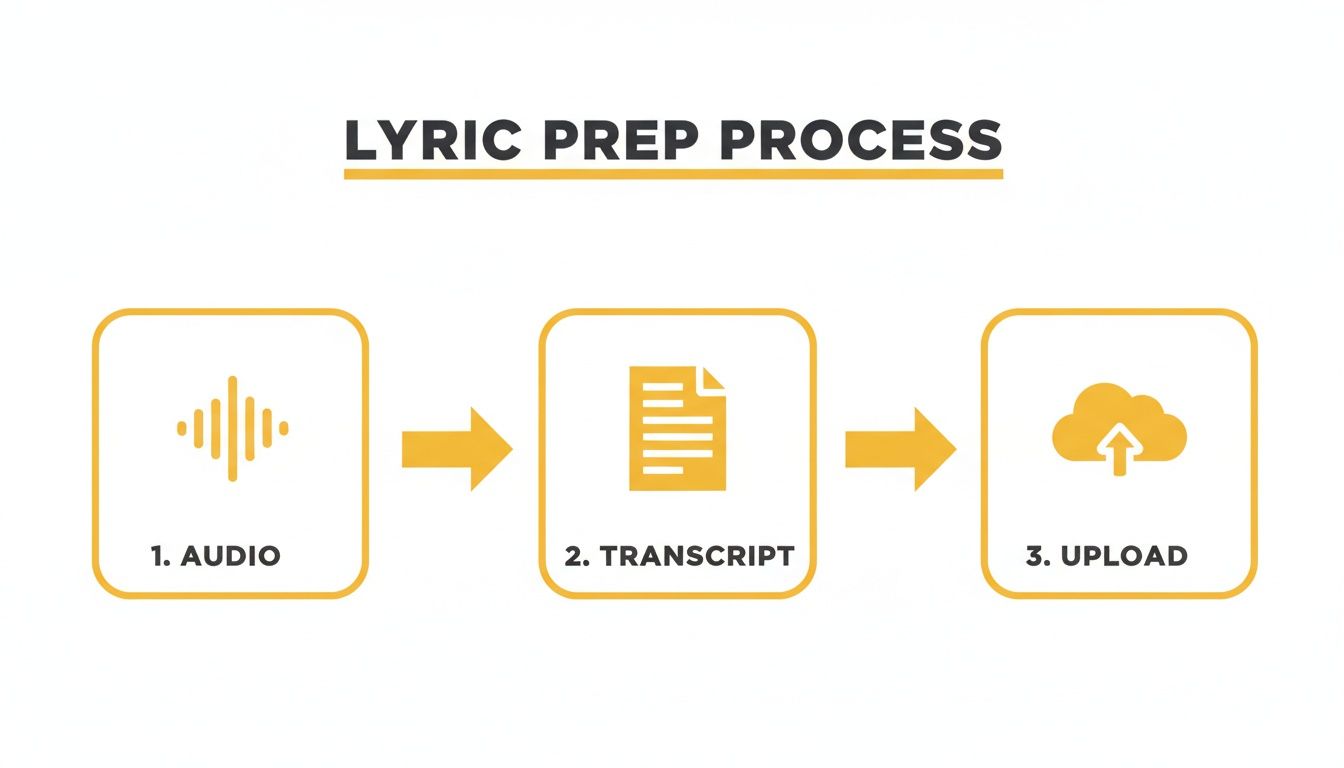 Following this workflow means that by the time you're translating, you're starting with a perfect source text. Trust me, this is critical for a quality result.
If a line needs to be precise, you can just accept what the AI gives you. But for those more poetic moments, you can click on any line in the translation column and rewrite it directly in the editor until it feels just right. It's the perfect balance of speed and creative freedom.
The goal isn't to let the AI do all the work. It's to use it as a tireless assistant that handles the grunt work, freeing you up to focus on the real artistry—the rhymes, the rhythm, and the emotion.
Why Specialized Models Matter
The quality of that first AI-generated translation is everything. Generic translation models just don't get the nuances of music.
Some fascinating research on K-pop lyrics found that the semantic similarity between the original Korean and translated English lyrics dropped from 0.65 to 0.30 when untranslated English bits were removed from the training data. What does that mean? It means specialized lyric models can preserve meaning 44% better than the generic ones.
As you figure out your strategy, knowing the features of copycat247 can really help you choose the right tool for the job. You need a platform that not only gives you a solid first draft but also lets you refine it easily. A Split View for comparison and direct editing is non-negotiable.
If you're looking to dive deeper, check out our guide on finding the best audio translation tool. This mix of AI power and human oversight is how you truly translate song lyrics in a way that connects.
Nailing the Sync and Style for Your Lyric Videos
A perfect translation is only half the battle. If the lyrics are hard to read or pop up at the wrong time, all that hard work goes to waste. Once you’ve got the words right, the real magic happens: turning that static text into a dynamic part of the video that flows with the music.
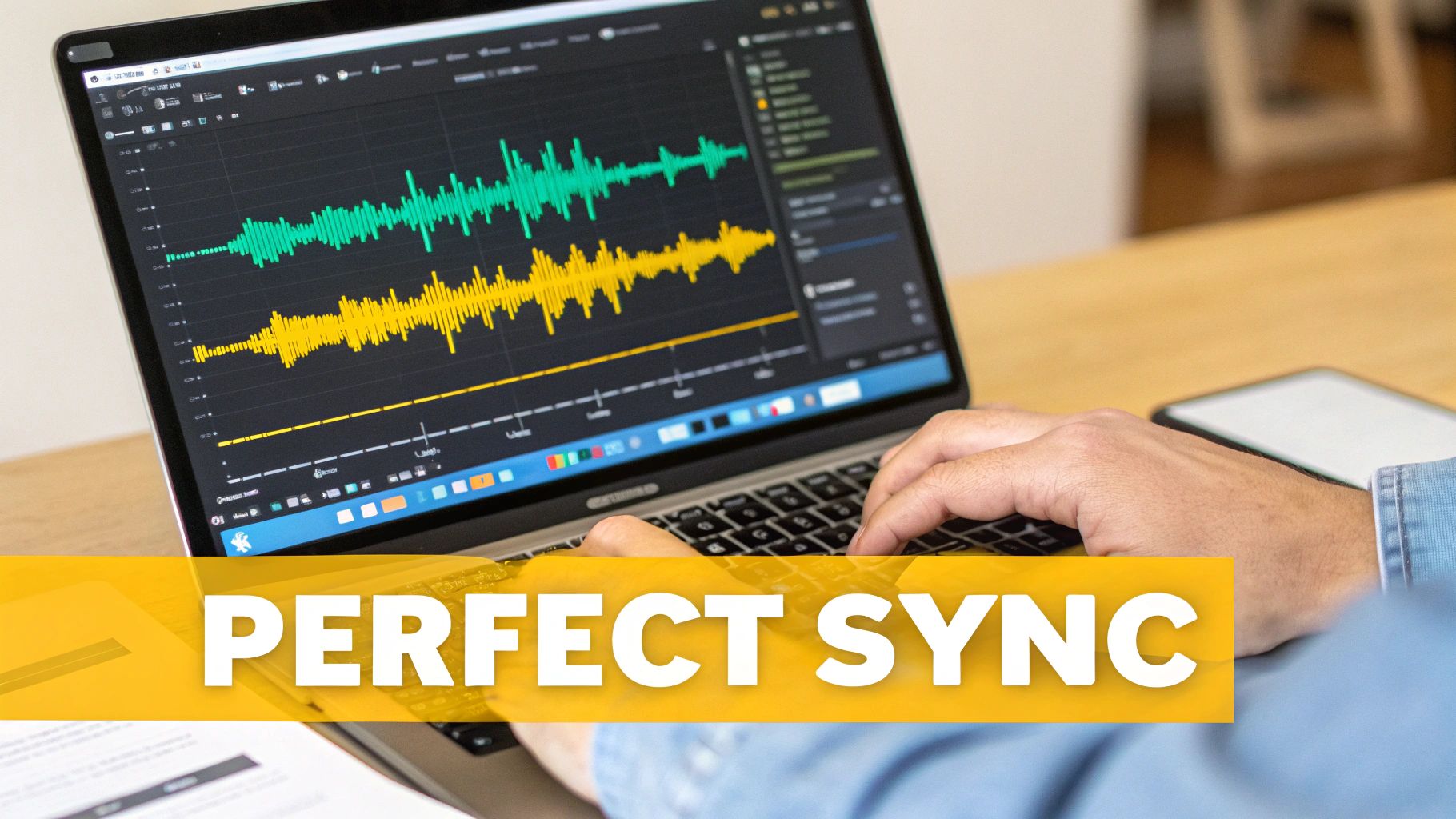
This all comes down to two things: syncing the lyrics perfectly with the vocals and styling them to look great. For this kind of detailed work, you need a dedicated workspace, which is why a tool like TranslateMom’s Studio is so handy.
Mastering Precision Timing in the Studio
The core of great syncing is the interplay between the video, the audio waveform, and your subtitle editor. Inside TranslateMom's Studio, the Subtitle Editor lays out every single line of lyrics with precise start and end times. But the real game-changer is the visual Waveform of the audio.
Think of the waveform as your map. You can literally see the music—the peaks where the singing starts and the valleys of silence. This lets you align your subtitles visually with incredible accuracy. To tweak the timing, you just drag the edges of a subtitle block right on the waveform until it matches the singer's voice perfectly.
- Kill awkward delays: Drag the start time to line up exactly with the first sound of a word.
- Clean up the endings: Pull the end time to match the moment a vocal phrase fades out, so text doesn't hang around during an instrumental.
- Focus on one thing at a time: The video player automatically pauses when you click to edit text, letting you concentrate without the track looping in the background.
This level of control is non-negotiable, especially for complex genres. Take K-pop, for instance, where artists frequently mix languages. A study of K-pop singles from 2015-2022 showed that English words crept in by about 6% each year. By 2022, over 50% of lyric lines had some English in them. For global fans, that makes precise, dual-language subtitling absolutely essential. You can dig into the linguistic trends in K-pop lyrics if you're curious.
Designing Captions That Pop
Once your timing is locked in, it’s time for the fun part: styling. The Style tab in the Studio gives you a live preview of your captions as you make changes. No guesswork—you see exactly how they’ll look on the final video.
You can tweak everything from the font family and size to the color, outline, and shadow. This ensures your lyrics are always easy to read. For content that needs to grab attention on social media, the karaoke feature is a must.
Karaoke-style captions, where words are highlighted as they are sung, can dramatically increase viewer engagement and retention on platforms like TikTok and Instagram Reels.
Setting this up is surprisingly simple. In the Style tab, you can select presets or manually configure animations where words highlight as they are spoken. TranslateMom's Smart Sync tech takes it from there, automatically figuring out the word-level timings. And if you go back and edit a lyric, the app intelligently readjusts the animation to stay in sync.
If you want to dive deeper into these techniques, check out our complete guide to subtitling and translation. This is how you translate song lyrics from just words on a screen into a truly captivating experience for your audience.
Navigating Copyright and Legal Considerations
Alright, you've put in the creative work and your translation is ready to go. But before you hit publish, we need to talk about the legal stuff. This isn't just boring fine print—it's about protecting yourself and respecting the original artist.
The original song, from the lyrics to the melody, is a copyrighted piece of art.

When you create a translation, you’re making what’s legally known as a derivative work. That means to legally share it, you technically need a green light from the person who holds the original copyright, whether that's the songwriter, a publisher, or the record label.
Understanding the Risks and Best Practices
What happens if you just post it anyway? Well, you're rolling the dice.
Platforms like YouTube have powerful, automated systems that sniff out copyrighted content. This can lead to all sorts of headaches: copyright strikes, your video getting yanked down, or even your whole channel being suspended. And don't count on "fair use" to save you; it's a very narrow legal defence that rarely applies to lyric translations meant for entertainment.
So, what's the right move? The only truly safe path is to get permission. This often involves digging into a licensing agreement for music, which can feel like a maze for an independent creator, but it's the only way to be 100% in the clear.
If you can't secure official permission, the absolute bare minimum you must do is provide clear and prominent attribution. Credit the original artists, songwriters, and publishers in your video description. This doesn't take the place of legal permission, but it shows good faith.
Think of attribution as your first line of defence. It makes it clear you aren't trying to steal the spotlight or pass the work off as your own. While it won’t stop a copyright claim, it’s a sign of respect to the creators and helps you maintain a good reputation. It's about honouring the art that inspired you.
Tying It All Together: Final Checks and Export
Before you send your creation out into the world, it's time for one last, careful quality check. This isn't just about proofreading; it's your final chance to catch those tiny mistakes that can pull a viewer right out of the experience.
Think of it as the final dress rehearsal. You need to step into the audience's shoes.
Watch the entire video, from the first note to the last, with your new subtitles turned on. Pay super close attention to the timing and flow. Do the lyrics pop up exactly when they’re sung? Did any sneaky typos, grammar issues, or clunky phrases make it past your last round of edits? You'll be surprised what you notice only when you see the whole thing in context.
The Last Mile: A Deep Review
The demand for high-quality, professional subtitles is exploding. In places with diverse populations, creators who nail multilingual content have a massive leg up.
Just look at California, where courts handled over 630,000 language interpretations in 2021-22. A staggering 89% of that was for Spanish. This isn't just a court statistic; it's a clear signal of a huge audience actively looking for content in their native language. With polished translations, you can connect directly with this market. You can dive deeper into the data in California's language access report.
When you're doing this final review in TranslateMom, a couple of features can be lifesavers.
- Version History: Ever make a change and immediately regret it? If you spot a major error you just introduced, you can jump back to a previous version of your subtitles right from the "History" dialog. No starting from scratch.
- Collaboration: Working with a team? The "Suggestions" feature lets you flag specific lines for someone else to look at, making sure every single edit gets a second pair of eyes before you export.
Choosing Your Export Format
Alright, you’ve polished your lyrics to perfection. Now it’s time to get your video out there. TranslateMom offers two main ways to do this, and each one is built for different platforms.
| Export Option | Best For | Why It Works |
|---|---|---|
| Burn-in (Export Video) | TikTok, Instagram Reels, X | This bakes your subtitles right into the video file (a new MP4). It’s the best way to guarantee your styled captions look perfect on platforms that don’t handle separate subtitle files. |
| Download Subtitles | YouTube, Vimeo, Pro Editing Software | This gives you a separate text file (SRT or VTT). It’s all about flexibility. Viewers on YouTube can toggle captions on or off, and you can import the file into tools like Premiere Pro. |
For most social media lyric videos, burning in the subtitles is your best bet. It locks in your styling and timing, ensuring every single viewer gets the exact same, polished experience you designed, no matter what device they're on.
Song Translation FAQs
Diving into song translation brings up a lot of questions. Here are a few I hear all the time.
Can I just use a free online translator?
You could, but you'll probably regret it. Free tools are great for getting the gist of something, but they completely miss the boat on rhythm, cultural nuance, and the poetic soul of a song. They just can't handle it.
A proper video localization tool like TranslateMom gives you the control you need. Its Studio Workspace, for instance, lets you fine-tune the timing using a visual waveform and edit text in a side-by-side view to make sure everything lines up perfectly with the music.
What’s the hardest part of translating lyrics?
Hands down, it's the creative balancing act. You're constantly juggling the literal meaning of a word with its musical and poetic function.
How do you translate a clever pun that only works in the original language? What about a rhyme scheme that falls apart in the new one? This is where the real work is—finding creative solutions to keep the song's original heart and emotional punch intact.
The real goal is to make the new lyrics sound like they were written for the music from day one. That takes a blend of language skill and pure artistic feel.
Do I need permission to post a translated lyric video on YouTube?
Yes, you absolutely do. In the eyes of the law, a translation is a "derivative work." That means you need the green light from whoever holds the copyright to the original song.
While not everyone gets caught, posting without permission is a gamble. It puts you at risk of copyright strikes or even losing your channel. At the very least, always credit the original artist in your video description. It's just good practice and shows respect for their work.
Ready to create amazing, perfectly-timed lyric videos for fans all over the world? Get started with TranslateMom and unlock a professional-grade studio right in your browser. https://www.translate.mom