When you're trying to translate Brazilian Portuguese to English, it's about so much more than just swapping words. Anyone who's tried knows that a literal, word-for-word translation just falls flat. To really get it right, you have to dig into the cultural context, the regional slang, and those tricky idiomatic expressions that most machine translation tools trip over. The goal isn't just to change the language; it's to make sure the original feeling and message actually connect with an English-speaking audience.
Bridging The Gap Between Brazilian Portuguese And English
Translating from Brazilian Portuguese is its own unique beast. While English and Portuguese share some history, the way they're structured and used in daily life is worlds apart. A great translation isn’t just about getting the grammar right—it’s about being fluent in the culture, too.
Navigating Linguistic Differences
One of the first hurdles you'll hit is the verb system. Portuguese has this incredibly rich way of conjugating verbs that packs in a ton of nuance, something English often needs extra words to convey. Think about the difference between the informal 'você' and the formal 'o senhor/a senhora'. There's no clean, one-to-one equivalent in English, so you have to understand the relationship between the speakers to choose the right tone.
And then there are the idioms. Oh, the idioms. A phrase like "chutar o balde" (literally "to kick the bucket") actually means to give up on everything or throw in the towel. It has nothing to do with the English idiom that uses the exact same words! Automated tools almost always get these wrong, leaving you with translations that are either confusing or unintentionally hilarious.
To get a better handle on these nuances, I've put together a quick table highlighting some of the most common challenges you'll face.
Brazilian Portuguese vs. English Translation Challenges
| Challenge Area | Brazilian Portuguese Characteristic | English Language Equivalent/Issue | Solution Approach |
|---|---|---|---|
| Formality | Use of 'você' (informal) vs. 'o senhor/a senhora' (formal) to show respect/distance. | No direct equivalent; relies on tone, word choice ("Sir," "Ma'am"), or context. | Analyse the speaker-audience relationship. Is it a casual vlog or a formal business presentation? Adjust word choice accordingly. |
| Verb Tenses | Rich subjunctive mood expresses doubt, desire, or hypotheticals in a single verb form. | Often requires multi-word phrases like "I wish that..." or "If I were to..." to convey the same meaning. | Focus on the intent behind the subjunctive. Don't just translate the verb; translate the feeling of uncertainty or desire. |
| Idioms | Culturally specific phrases like "pão-duro" (literally "hard bread") meaning a stingy person. | Direct translation makes no sense. The English equivalent would be "cheapskate" or "tightwad." | Maintain a glossary of common idioms. When in doubt, look it up or ask a native speaker. Never trust a literal translation. |
| Sentence Structure | More flexible word order is common; adjectives often follow the noun. | Stricter Subject-Verb-Object structure; adjectives typically precede the noun. | Re-structure sentences to sound natural in English rather than mimicking the Portuguese word order. |
As you can see, a successful translation requires more than just a dictionary; it demands a deep understanding of both cultures.
The Role of AI and Human Insight
Let's be clear: modern AI translation tools are incredibly powerful and have come a long way. But they're not perfect. A recent study even showed that while many AI models are getting better with Brazilian Portuguese, they often struggle to pick up on the subtle differences that separate it from European Portuguese. This is where you, the human, come in. The best approach is a hybrid one.
For content creators, especially with video, this means letting an AI-powered tool do the heavy lifting—like the initial transcription and translation. But that final polish? That needs a human touch to catch the cultural nuances and make sure everything flows naturally.
To truly bridge the gap, you need to understand the source material inside and out. It can even be helpful to get a bird's-eye view of the content landscape by looking through something like this Portuguese content index on saro2.ai. The more context you have, the better your translation will be. This is exactly why specialized tools built for this workflow are so crucial for creators who need to get it right every single time.
Choosing The Right Translation Tools For Your Content
Picking the right tool to translate Brazilian to English language content really boils down to what you're working with. A simple paragraph of text has completely different needs than a full-length video you're prepping for a global audience. The real trick is matching the tool’s power to your specific project goals.
For those quick, informal text jobs—like getting the gist of an email or figuring out a social media comment—the free online translators usually get the job done. They’ll give you a literal, word-for-word translation that communicates the basic idea. But the second you need any kind of nuance, context, or technical precision, you'll see where they fall short.
When To Upgrade To A Specialized Platform
The moment you add video or audio to the mix, the game completely changes. Multimedia content needs more than just a block of translated text; it demands a whole set of integrated features to handle timing, presentation, and accuracy. This is exactly where free tools tap out and a professional platform becomes a necessity.
Think about these real-world situations where a specialized tool isn't just nice to have, it's essential:
- Subtitling a YouTube Video: You need pinpoint control over when each subtitle appears and disappears on screen.
- Creating Social Media Clips: You want those engaging "karaoke-style" captions that highlight words as they're spoken to keep your viewers hooked.
- Localizing E-learning Content: You might need AI dubbing to generate a whole new English audio track, or maybe bilingual subtitles for language learners.
- Working with a Team: You’ll need features for leaving feedback, making suggestions, and tracking versions to keep quality high.
Before you commit, it's helpful to see a direct comparison of what you get with different types of tools.
Comparing Translation Tool Capabilities
| Feature | Free Online Translators | TranslateMom (Specialized Platform) |
|---|---|---|
| Best For | Quick, informal text snippets | Video, audio, professional documents |
| Subtitle/Caption Editing | Not available | Full interactive editor with waveform sync |
| AI Dubbing | Not available | Natural-sounding AI voice generation |
| Timing Control | N/A | Precise start/end point control on a visual timeline |
| Collaboration | Limited to copy/paste | Built-in review, commenting, and version history |
| Output Formats | Plain text only | Multiple subtitle files (.srt, .vtt), new video/audio files |
The takeaway is clear: while free tools are great for simple text, anything involving media requires a platform built for that specific purpose.
Beyond Text Translation: A Full Studio Experience
Professional-grade tools like TranslateMom are built to be complete localization environments, not just simple text converters. Instead of spitting out a chunk of text and calling it a day, they give you a "Studio" workspace where you can perfect every single part of your video's new language track.
For example, inside the TranslateMom Studio, you can actually:
- Edit Subtitles Interactively: Just click on a subtitle line, and the video player instantly pauses, letting you fine-tune the text right there.
- Use the Visual Waveform: See the audio peaks and valleys? You can drag the start and end points of a caption to line it up perfectly with the spoken words, so the timing never feels awkward.
- Compare Languages Side-by-Side: Flip on the Split View to see the original Brazilian Portuguese text right next to your English translation. It's a lifesaver for making sure nothing gets lost.
- Generate AI Dubbing: Simply choose "Dubbing" as your service, and the platform will create a new, natural-sounding English audio track for your video.
The crucial difference is that you're moving from a passive text generator to an active editing environment. It puts you, the creator, in the driver's seat, with final control over the timing, style, and accuracy of your localized content. That's how you get a professional result every time.
By understanding these distinctions, you can make a smarter choice that will save you a ton of time and seriously elevate the quality of your work. If your projects involve audio or video, checking out the capabilities of the best audio translation tool is a vital first step toward getting your localization right.
A Practical Workflow For Localizing Brazilian Video Content
Alright, let's get our hands dirty and walk through how you actually translate Brazilian to English language video content. Having a solid workflow is everything—it’s the difference between a smooth project and a chaotic mess. Using a specialized tool like TranslateMom turns this into a series of clear, manageable steps.
It all starts on the New Task screen. You’ve got two simple ways to get your video into the system. You can literally just drag and drop a file from your computer, or if it’s already online, paste a link from YouTube, TikTok, or Instagram. Easy.
Once your video is in, you tell the platform what to do. You’ll set the "Source Language" to Brazilian Portuguese and your "Target Language" to English. From there, you just pick what you need:
- Transcription: This gives you captions in the original Brazilian Portuguese.
- Translation: This is what we're here for—it creates English subtitles from the audio.
- Dubbing: This creates a brand new AI-generated audio track in English.
Diving Into The Studio Editor
This is where the magic happens. The Studio workspace is built for getting the details just right, giving you total control over the final product. The screen is split into a couple of key areas: a video player that shows you exactly how your subtitles will look in real-time, and a powerful subtitle editor right next to it.
In the editor, every single subtitle line is laid out chronologically. Click on one, and the video pauses right there, letting you tweak the English text on the fly. For a sanity check, you can pop open the Split View. This shows the original Portuguese text right next to your English translation, so you can be sure nothing gets lost in translation.
The most powerful feature here, in my experience, is the visual audio waveform. It lets you visually drag the start and end times of each subtitle to match the spoken words perfectly. No more awkward pauses or captions that pop up too early.
This simple workflow shows when you might need a basic tool versus a more advanced one for video.
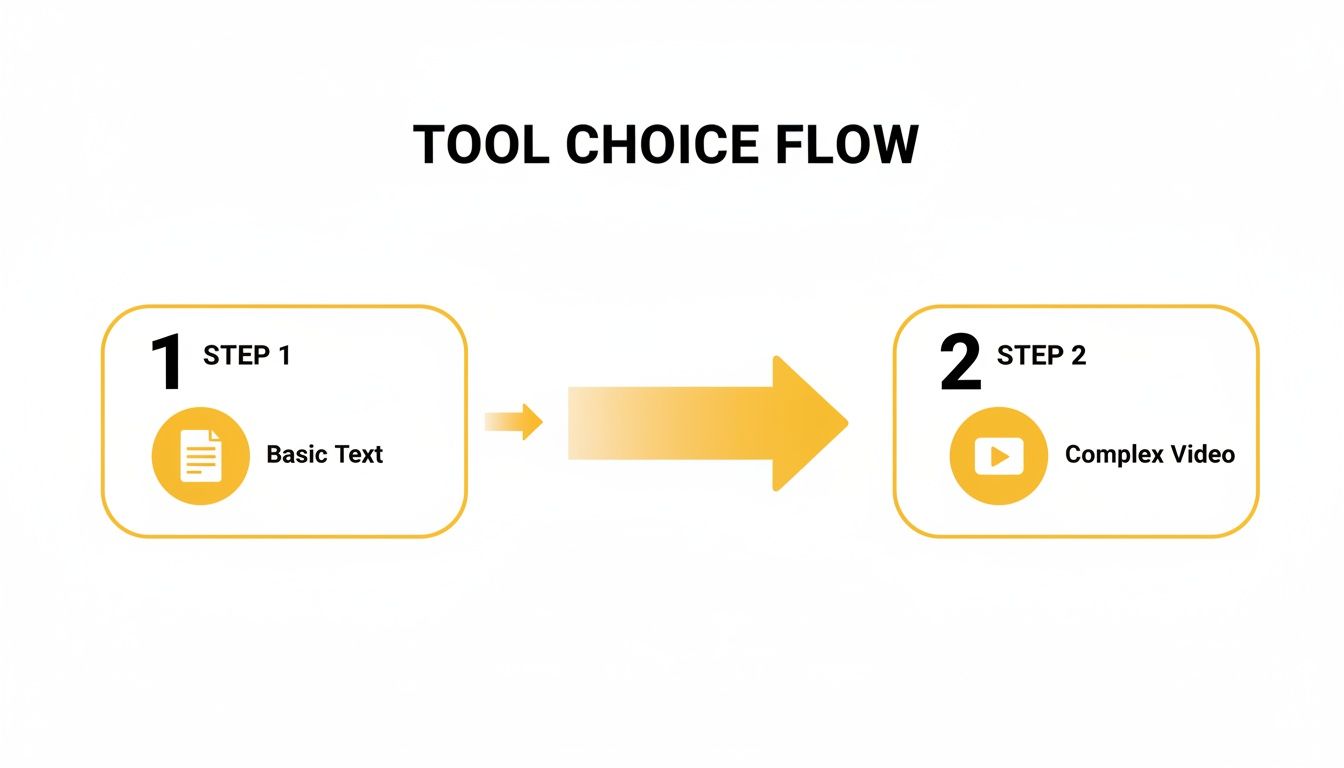 As you can see, text is one thing, but once you get into video, you need an integrated system to keep things from getting complicated.
Advanced Capabilities and Fine-Tuning
One thing you'll quickly learn is that some languages take up more space than others. It's a well-known quirk that Brazilian Portuguese translations can expand text by up to 30%, which can make subtitles feel crowded.
For those of you using TranslateMom to dub YouTube lectures or TikToks into English, the platform's smart voice detection automatically handles this text expansion. It creates cleaner, more readable subtitles without you having to go in and manually shorten every line. This is a huge time-saver, especially for long videos.
If you want to zoom out and look at the bigger picture, exploring a detailed guide on localizing video content can give you some great strategic insights. It’s a good complement to the hands-on steps here.
And of course, getting comfortable with the features of a good AI video translator will make your workflow faster and the final quality much higher. Combining practical skills with a solid strategy is how you produce professionally localized content that truly connects with a new audience.
Styling Your Subtitles For Maximum Impact
Getting the translation right is a huge part of the job, but it's not the whole story. If your subtitles are a mess—hard to read, clashing with the video, or just plain ugly—your message is going to fall flat. When you're figuring out how to translate Brazilian to English language for video, you have to think like a designer, too. It’s all about crafting a smooth, professional viewing experience that doesn't pull your audience out of the moment.
Honestly, the look of your subtitles can make or break viewer engagement. I've seen great content torpedoed by bad styling choices like tiny fonts or colours that blend into the background. It just screams "amateur." This is exactly why you need a tool that gives you serious control over the visuals, letting you move past basic text and into pro-level design.
Customizing Subtitles for Readability and Brand Alignment
Inside the TranslateMom Studio, the Style tab is where the magic happens. Think of it as your command centre for getting the look and feel of your captions just right, with a live preview so you see every change as you make it.
You get to fine-tune everything:
- Font: Pick a font family that not only matches your brand's vibe but is also super easy to read on screens of all sizes.
- Colour: Play with the text, outline, shadow, and background opacity to make sure your subtitles pop against any background. No more unreadable text over a bright scene.
- Size: A quick tap of the
+or-keys lets you bump the font size up or down instantly. It’s that simple. - Background: Add a semi-transparent box behind your subtitles. This is a lifesaver for busy videos where the text would otherwise get lost.
Every tweak you make shows up right away in the Special Player, so what you see is exactly what your audience gets. It takes all the guesswork out of the process. And while styling is key, it's also good to know the difference between your options. We've got a great guide on closed captions vs subtitles that breaks down the technical details and when to use each.
Creating Dynamic Social Media Content
Let's face it, for platforms like TikTok and Instagram, plain old static subtitles just don't cut it anymore. You need something that grabs attention. This is where Karaoke style captions are a game-changer, and TranslateMom is brilliant at this. It lets you create those cool animations where words light up right as they're spoken.
This dynamic effect is an absolute powerhouse for engagement. It guides the viewer's eye, punches up key phrases, and makes your content way more watchable for people scrolling with the sound off—which is a huge chunk of social media users.
The best part? The app’s Smart Sync feature keeps the word timings perfectly aligned even if you go back and edit the text, so the animation always stays buttery smooth.
Advanced Presentation Features
Beyond the standard styling options, there are a couple of other features in TranslateMom that can really elevate your final product.
First up is the Brand tab. Here, you can upload your own logo or watermark. You can easily resize it and drag it anywhere on the screen, which is perfect for keeping your branding consistent across all your videos.
Second, if you're creating educational or language-learning content, you have to try Dual Language Mode. It's a fantastic feature that stacks the original Brazilian Portuguese and the translated English subtitles together. This gives viewers an instant, side-by-side comparison that’s incredibly helpful for picking up new vocabulary and sentence structures.
Ensuring Your Translation Is Accurate And Culturally Relevant
Getting that first pass of a translation done is a great start, but it's really only half the job. The real magic happens in the final polish, where you make sure the text doesn't just make grammatical sense but actually feels right to a native speaker. An automated system is brilliant at swapping words, but it often completely misses the subtle human touches that make content connect.
This is a massive deal when you translate Brazilian to English language content. Brazilian Portuguese is wonderfully expressive, packed with slang (gírias), unique idioms, and cultural inside jokes. Take a simple phrase like "fique tranquilo." A direct translation gives you "stay calm," which is technically correct but often misses the point. Depending on the situation, a far more natural and fitting translation might be "don't worry about it" or even a casual "it's all good." Nailing these small details is what separates a clunky, robotic translation from one that feels genuinely authentic.
Refining Your Translation With Precision Tools
To really get this right, you need an environment built for this kind of detailed review. This is where the features of a professional tool really start to shine and save you a ton of headaches.
Inside TranslateMom’s Studio, for example, the Split View is a total game-changer for this process. It lays out the original Brazilian Portuguese subtitles right next to your new English translation. Having that side-by-side comparison makes it ridiculously easy to catch those awkward, overly literal phrases and tweak the tone until it flows naturally.
And if you’re working with a team? Forget emailing files back and forth. You can use built-in features to keep the entire review cycle clean and simple:
- Suggestions: Anyone on the team can "suggest" an edit for a specific line without messing up the current translation. It keeps feedback organized and easy to manage.
- History: The app keeps a running log of all your changes. If you go down a rabbit hole with edits and decide the old version was better, you can jump back to a previous save in a single click.
The whole point of this final polish is to go beyond simple accuracy and hit what I call "cultural fluency." You're not just hunting for mistakes; you're making sure the original speaker's personality and intention come through loud and clear in English.
The Power of the Human-AI Hybrid Approach
The data backs this up. Recent translation studies are consistently showing how powerful it is to combine AI's incredible speed with a human's expert eye. A great example is some medical research on the Hammersmith Infant Neurological Examination (HINE) translation, which achieved fantastic reliability by using this exact hybrid model.
For those of us using TranslateMom—whether we're podcasters or part of a marketing team—this approach is what makes the 29 AI dubbing languages (including Portuguese) and over 100 subtitle options so effective. The system has already crunched through 5 million hours of content, letting us create high-quality, watermark-free exports in formats like TXT or VTT. It’s a real-world validation of how well this blend of tech and human expertise works. You can discover more insights about these reliability metrics if you want to dig deeper.
This final review is your chance to take a good automated translation and turn it into a great, culturally savvy piece of content that truly connects with your new audience.
Getting Your Translated Content Out There
You've done the hard work—translating, polishing, and styling your content. Now it's time for the final push: sharing it with the world. How you export your project from TranslateMom is a crucial decision that determines where and how your audience will see it.
Thinking about your destination platform from the start will save you a ton of headaches. If you're aiming for visual-heavy platforms like Instagram, TikTok, or X (formerly Twitter), you'll want a video file where the subtitles are literally part of the picture.
Picking the Right Export Format
Inside TranslateMom, you’ve got a couple of options, each built for a specific purpose. Choosing the right one makes sure your video looks great and works perfectly on your chosen platform.
Burn-in (Export Video): Think of this as permanently stamping your subtitles onto the video. It bakes everything—your perfectly styled captions, karaoke effects, even your logo—directly into a new MP4 file. This is your go-to for social media. It guarantees your captions look exactly how you designed them, on any device, because they're part of the video itself.
Download Subtitles (SRT/VTT): This option gives you a simple, lightweight text file. Formats like SRT (SubRip Text) and VTT (WebVTT) are the gold standard for platforms like YouTube or professional editing software like Premiere Pro. These files contain all your translated text along with the precise timing cues.
For social media, where videos often autoplay on mute, always use the Burn-in option. But for platforms like YouTube, an SRT file is non-negotiable—it makes your content searchable, which is a massive boost for your video's SEO and accessibility.
Smart Ways to Share Your Work
Exporting is just the first part of the delivery process. Smart distribution is what gets you the views.
When you upload that SRT file to YouTube, you're not just adding captions; you're handing the platform a full transcript of your video. YouTube's algorithm then indexes all that text, helping your video show up in search results for keywords in both English and Portuguese. It's a simple step with a huge payoff.
And for those in a professional production pipeline, downloading the VTT or SRT file is a lifesaver. You can import your timed captions directly into your editing software, giving you total control for any final tweaks before you send it off for broadcast or final online distribution.
Got Questions? We've Got Answers
Diving into translation, especially when you're trying to accurately translate Brazilian to English language content, can definitely bring up a few questions. Let's tackle some of the ones I hear most often.
How Long Does It Take To Translate A Video?
This really boils down to the video's length and the tools you're using. If you're working with something like TranslateMom, the initial AI-powered translation is incredibly fast—a typical 5-minute video is usually done in less than a minute.
The real work, and where the magic happens, is in the human review. This is where you'll spend your time fine-tuning cultural nuances, swapping out slang, and making sure the subtitle timing is perfect. For a straightforward video with clear audio, you could be done with your review in just 10-15 minutes.
Can I Just Use A YouTube Link?
Yep, you absolutely can. Modern tools are designed to make this as painless as possible. With TranslateMom, for instance, you just grab the URL from YouTube, TikTok, or Instagram and paste it into the New Task screen. The app pulls the video in directly, so you don't have to waste time downloading and re-uploading anything.
What's The Best Way To Handle Idioms And Slang?
This is where a human touch is non-negotiable. Automated translation is a fantastic starting point, but it often gives you a literal, word-for-word version of an idiom that just sounds bizarre in English.
The best workflow is a partnership between you and the AI. Let the tool do the heavy lifting first. Then, jump into the review. Using a feature like TranslateMom's Split View is a game-changer here, as it lets you see the original Portuguese and the English translation right next to each other.
This makes it easy to spot a clunky literal translation of a phrase like "chutar o balde" and swap it out for a natural-sounding English equivalent, like "to throw in the towel." It's that final, thoughtful edit that makes the difference between a translation that's just "correct" and one that truly connects with the audience.
Ready to take your Brazilian Portuguese content global? Give TranslateMom a try and see how much faster and more accurate your video translation workflow can be. You can get started for free.