Converting your English audio into a natural Punjabi voice is one of the most effective ways to connect with a massive, and often overlooked, audience. Using modern AI, you can swap the original English speech in your videos with a genuine-sounding Punjabi voiceover. This simple change makes your content instantly accessible and, more importantly, culturally resonant for nearly one million Punjabi speakers in Canada alone.
Why English to Punjabi Voice Is Your Next Big Move

If your content strategy stops at English, you're leaving a huge opportunity on the table. The Punjabi-speaking community isn't just large; it's young, digitally savvy, and incredibly active on platforms you're already using, like YouTube, TikTok, and Instagram.
Sure, subtitles are a decent first step, but they can't create the same immersive feel as a native voiceover.
Tapping into a Growing Digital Audience
The hunger for localized content is exploding. Punjabi has quickly become one of Canada's most prominent languages, sitting right behind English and French. The 2021 Census data revealed that around 942,000 Canadians speak Punjabi, pointing to a substantial and fast-growing community.
What's really crucial for creators is the demographic. The median age for Punjabi speakers in Canada is just 33 years old. This is a youthful, tech-forward audience that spends a lot of their time consuming online video. They aren't just passive viewers; they are the core users of the platforms where your content lives.
By offering an authentic English to Punjabi voice experience, you stop being just another foreign creator and become a familiar, trusted voice in their daily feed. This builds loyalty in a way that simple text on a screen never could.
Creating a Native Viewing Experience
Great dubbing is about so much more than just translating words. It's about capturing the original emotion, tone, and cultural nuances. When viewers can listen in their own language, they connect with your message on a much deeper, more personal level. It's that emotional connection that drives up key metrics like watch time and shares.
Thankfully, AI-powered tools have made this whole process incredibly straightforward. Platforms like TranslateMom give you a complete "Studio" where you can manage the entire project from start to finish.
- Import Your Media: From the "New Task" screen, either drag and drop a video file or paste a link directly from YouTube, TikTok, or Instagram.
- Pick Your Services: Choose the "Dubbing" service, then set the source language to English and the target language to Punjabi.
- Fine-Tune and Edit: The AI gets to work, generating a new audio track and perfectly synced subtitles. You can then jump into the editor to tweak anything that needs a final polish.
This workflow ensures your content doesn't just feel translated—it feels like it was created specifically for a Punjabi audience right from the start. When you invest in a quality voiceover, you're really investing in a genuine connection with a vibrant and expanding community.
Curious about the tech behind it? You might want to check out our guide on the best AI video translator to see how it all works.
Getting Your Video Ready for a Flawless Punjabi Dub
The secret to a great-sounding English to Punjabi voice conversion actually starts way before you even touch any software. The quality of what you put in directly impacts the quality of the final dubbed video. Think of it like cooking – the better the ingredients, the better the final dish.
The absolute most important thing? Clean audio. The AI first has to listen to and transcribe your English speech before it can even think about translating and dubbing it into Punjabi. If the source audio is a mess, you're going to get errors. Muffled dialogue, overpowering background music, or people talking over each other will just confuse the AI, leading to some really awkward or plain wrong Punjabi translations.
So, before you do anything else, give your video's audio a listen. Is the speaker's voice crisp and easy to make out? If it’s a bit rough, you might want to do some basic audio cleanup. You don’t need to be a professional sound engineer; even a few simple tweaks can make a world of difference. For some easy pointers on getting a better recording from the get-go, have a look at our guide on improving audio recording with just an iPhone.
Simplify Your Script for a Smoother Translation
Right after audio clarity comes the script itself. English is packed with idioms, slang, and cultural inside jokes that just don't have a direct one-to-one equivalent in Punjabi. A literal translation of a phrase like "it's raining cats and dogs" would just sound completely bizarre.
The best approach here is to go through your script and swap out any of that complex language for something simpler.
- Spot the Idioms: Look for any phrases that aren't meant to be taken literally, like "bite the bullet" or "break a leg."
- Rephrase for Clarity: Change these into more direct, universally understood sentences. Instead of "let's hit the road," just say "it's time to leave."
- Hunt for Ambiguity: Make sure your sentences are straightforward and can’t be easily misinterpreted.
This prep work is absolutely crucial. When you simplify your English script, you're basically handing the AI a clear, easy-to-follow map. This helps it create a Punjabi voiceover that isn't just accurate, but also sounds natural and culturally right.
Spending a few extra minutes polishing your audio and script now will save you from the headaches of robotic or confusing dubs later. This little bit of effort upfront ensures your final video connects genuinely with your new Punjabi-speaking audience, making it feel like it was created just for them.
How to Generate Your Punjabi Voiceover in Minutes
Alright, you've prepped your video, and now for the fun part: creating a natural, professional-sounding Punjabi voiceover. This is where the magic happens, and it's surprisingly straightforward. You're in the driver's seat the whole time.
Let's walk through how this works inside a tool like TranslateMom.
Right from the get-go, you'll land on the New Task screen. You've got two easy ways to get your video into the system. You can either drag and drop the file directly from your computer or, if your content is already online, just paste a link from YouTube, TikTok, or even Twitter (X). The platform will pull it in for you.
Setting Up Your Dubbing Project
Once your video is uploaded, it's time to give the AI some instructions. Getting this part right is key to making sure the output is exactly what you want.
- Source Language: First, tell the system your video's original audio is in English.
- Target Language: Next, select Punjabi as the language you want the new voiceover in.
- Choose a Service: You'll see a few options here. Be sure to pick Dubbing. This tells the AI to create a completely new audio track in Punjabi, not just to generate subtitles.
After you've locked in those settings, the system takes over. It gets to work transcribing the English audio, translating that text into Punjabi, and then generating the synthetic English to Punjabi voice. For complex projects, creators sometimes use advanced text-to-video tools to help automate parts of this process, but for a direct dub, we're all set.
This quick diagram shows why that initial prep work matters so much.
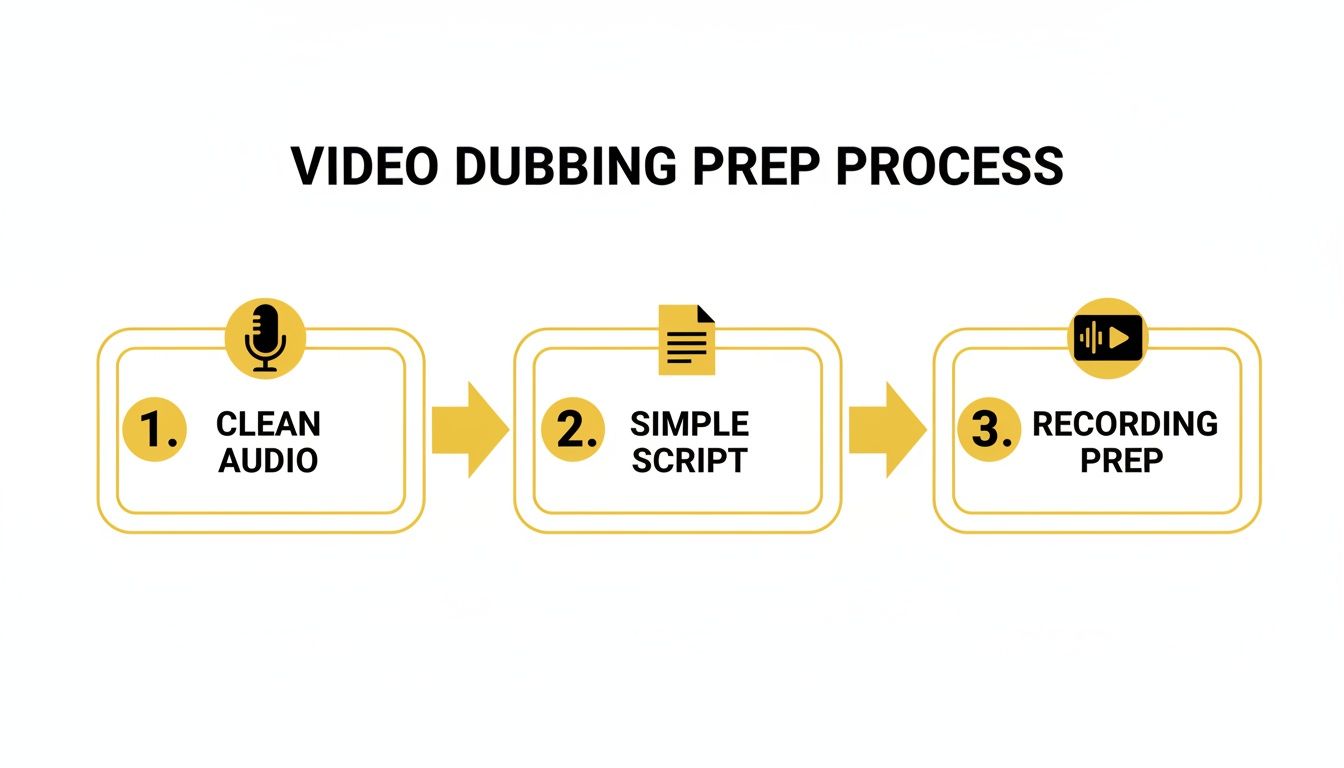
Starting with clean audio and a clear script gives the AI the best possible foundation to build upon, resulting in a much more natural-sounding final product.
To give you a bird's-eye view, here's a quick reference table for the workflow we just covered.
TranslateMom English to Punjabi Dubbing Workflow
| Stage | Action Required | Key Tip |
|---|---|---|
| 1. Upload | Drag and drop your video file or paste a direct URL. | For faster processing, use a compressed video file if you have one. |
| 2. Configure | Set Source Language to English and Target Language to Punjabi. | Double-check that you've selected "Dubbing" and not a subtitle-only option. |
| 3. Generate | Click the button to start the AI generation process. | Processing time depends on video length, so grab a coffee for longer clips! |
This simple three-stage process is designed to get you from an English video to a Punjabi-dubbed draft in just a few clicks.
Entering the Studio Workspace
After a few moments, you'll be dropped right into the Studio Workspace. Think of this as your editing suite. The platform has already done the heavy lifting—your video now has a brand new Punjabi audio track and a full set of synchronized Punjabi subtitles laid out on the timeline.
You essentially have a complete first draft of your dubbed video ready to go. The next part of the process is all about refining it to meet your quality standards.
The initial result is often incredibly close to perfect, but the real power of TranslateMom is in the fine-tuning. The editor gives you precise control to tweak the script, adjust timing, and polish everything until it shines. If you're curious how this compares to other platforms, our guide on the best audio translation tool in 2025 offers a great side-by-side look.
From here, you're ready to start making those final adjustments and getting your project ready for the world.
Editing and Syncing Your Punjabi Audio and Subtitles
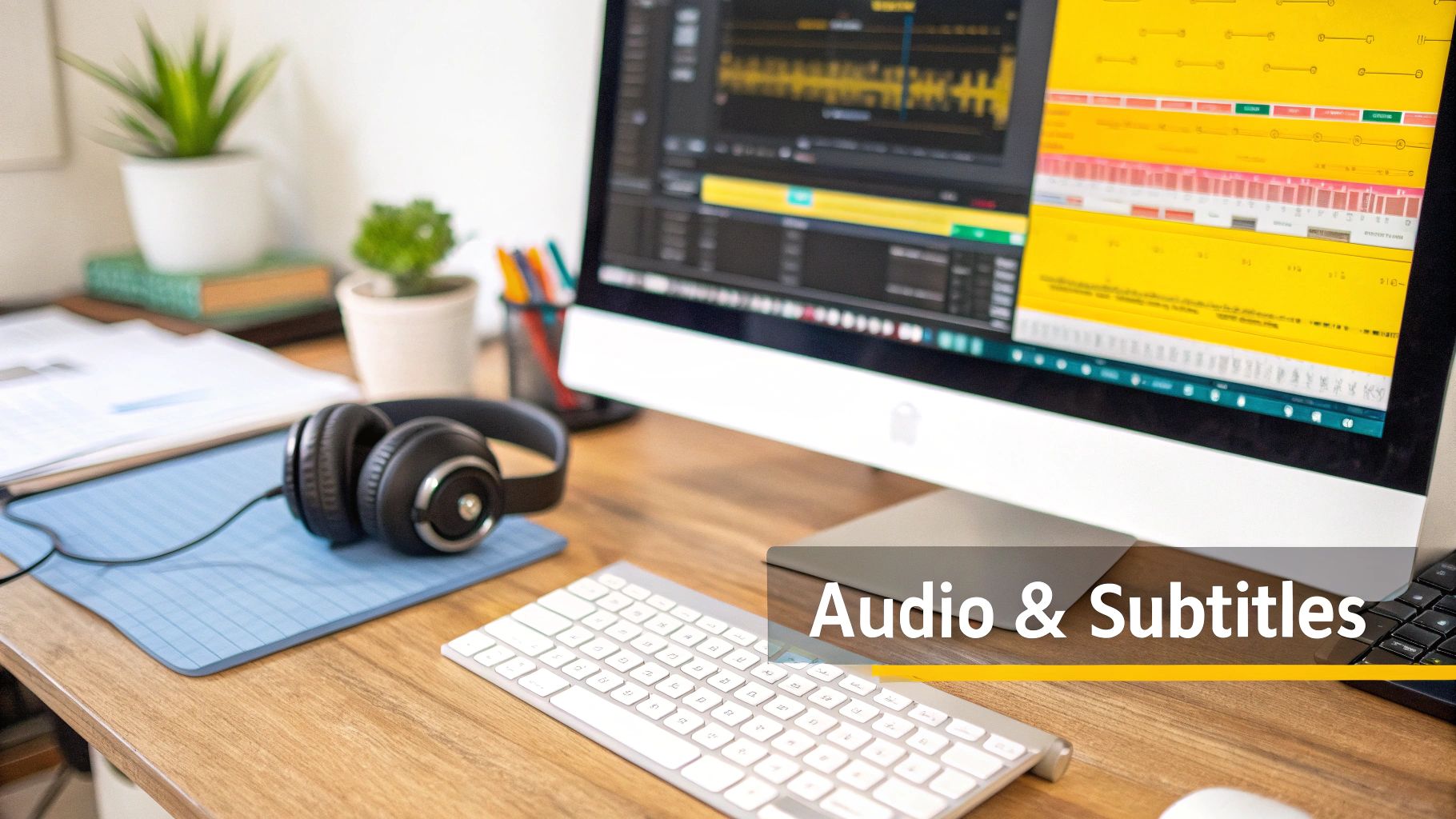
Once the AI works its magic and generates your initial English to Punjabi voice track, you’ll find yourself in the TranslateMom Studio. This is where the real craftsmanship begins. The AI gives you a fantastic head start, but your personal touch is what will make the final product feel genuinely human and culturally on-point.
Think of the Studio as your professional-grade editing suite. You’ve got a special video player on one side showing you a live preview of your subtitles, and a scrolling list of every single subtitle line on the other, just waiting for your review.
Refining the Punjabi Text for Accuracy
First things first, you’ll want to give the translated Punjabi text a once-over. The AI translation is incredibly powerful, but it can occasionally miss those subtle cultural nuances or specific turns of phrase that a native speaker would catch.
When you click on any text line in the editor, the video automatically pauses. This lets you type and make corrections without fumbling to find your spot again.
This is where the Dual View feature becomes your best friend. With one click, you can pop open a split-screen that shows the original English text right next to your Punjabi translation. It makes comparing the two, line-by-line, an absolute breeze, ensuring the original meaning and tone are perfectly carried over.
This level of detail is crucial, especially if you're targeting audiences in Canada. The 2021 Census reported nearly 942,000 Punjabi speakers in the country—a massive, tech-savvy community that appreciates content that feels authentic, not just algorithmically translated. You can dig into the full numbers from Statistics Canada on linguistic diversity if you're curious.
Mastering Audio and Subtitle Synchronization
A flawless translation is only half the puzzle. It also has to feel right, syncing perfectly with the video. The timing of the Punjabi audio and subtitles needs to land at just the right moment. For this, TranslateMom's visual Waveform editor is a game-changer.
The waveform gives you a picture of the audio, so you can literally see where someone starts and stops talking. You can just grab the start and end points of each subtitle and drag them to line up perfectly with the audio cues. It’s surprisingly intuitive.
By visually matching the subtitle timing to the peaks and valleys in the audio waveform, you eliminate awkward pauses and ensure the dubbed voice feels perfectly in sync with the on-screen speaker's actions and expressions.
This kind of granular control lets you tighten up the pacing and get rid of any "dead air," making the final video feel polished and professionally produced. It’s this attention to detail that separates an amateur dub from content that truly connects with a new audience.
Using the Studio Tabs for Final Polish
The sidebar in the Studio is packed with a few tabs that give you total creative control over the final look and feel of your video.
- Style Tab: This is where you can get creative with your subtitles. Change the font, tweak the size, and play around with different colours to match your video's aesthetic.
- Brand Tab: Want to keep things on-brand? You can upload a custom logo or watermark here and place it anywhere you want on the video frame.
- AI Tab: If you're struggling with a tricky phrase, the built-in AI tools can offer alternative ways to rewrite or rephrase your captions for a better flow.
These tools are all about giving you the power to go beyond a simple translation. You can fine-tune every element until your video is branded, polished, and ready to make a real impact.
Pro Tips for a Professional-Sounding Voiceover
Okay, so you've got your initial **English to Punjabi voice** dub. It sounds pretty good, but now it's time to add that professional polish that makes your content truly stand out.These next few steps are all about the details—the small tweaks that take a project from "good enough" to something you're genuinely proud to share. We'll dive into visual style, branding, and a few workflow hacks to make your life easier.
First things first, though. The quality of your final Punjabi voiceover heavily depends on the quality of your original recording. A clean, crisp source file gives the AI the best possible material to work with. If you can, I highly recommend investing in a quality USB microphone. You'd be surprised what a difference it makes.
Take Your Captions to the Next Level
Let's be real: social media feeds are noisy. Grabbing someone's attention as they scroll requires more than just a great voiceover. This is where you can get creative inside TranslateMom’s Style tab.
Forget boring, standard subtitles. You can create captions that are dynamic and impossible to ignore.
A personal favourite for short-form content is the Karaoke-style caption. You’ve seen it on TikTok and Reels—words light up as they’re spoken. It’s incredibly engaging and, thankfully, the app figures out all the word-level timing for you. It's a high-impact visual with almost zero extra effort.
Another powerful option is the Dual Language Mode. This neatly stacks the original English and the translated Punjabi subtitles. It’s a fantastic feature for any content aimed at language learners, letting them see a direct, real-time comparison between the two.
Speed Up Your Workflow with Shortcuts and Branding
When you're juggling multiple videos, every second counts. Getting comfortable with a few keyboard shortcuts in the TranslateMom Studio will make your editing process so much faster. No more digging through menus for simple adjustments.
Here are a few I use all the time:
- Quickly Adjust Font Size: Just tap
+and-to make your subtitle text bigger or smaller on the fly. - Reorder Subtitle Lines: Use
[or]to nudge a subtitle row up or down the timeline. - Play and Pause: The
Spacebar is your best friend for quick previews.
The final touch before you export is branding. Head over to the Brand tab and upload your logo or watermark. You can place it anywhere on the video, adding a professional stamp that makes your content instantly recognizable wherever it gets shared.
By bringing these elements together—smart styling, a faster workflow, and consistent branding—you're not just creating an AI-dubbed video. You're producing a polished, engaging piece of content that reinforces your identity and helps your Punjabi videos truly connect with your new audience.
Got Questions About AI Dubbing?
Jumping into AI-powered English to Punjabi voice conversion for the first time? It's totally normal to have a few questions. Let's walk through some of the most common ones I hear, so you can get started with confidence.
Does the AI Voice Sound Robotic?
This is probably the biggest hesitation people have, and I get it. The good news? The answer is a hard no—at least with the tools available today. Early text-to-speech definitely had that flat, robotic vibe, but modern AI is a whole different ball game. These models are trained on massive libraries of real human speech, so they can nail realistic intonation, pacing, and even emotional nuance.
But the real magic happens when you step in to direct the performance. The initial AI track is a fantastic starting point, but inside a tool like TranslateMom, you get to be the director. You can fine-tune the timing using the visual waveform, tweak the translated script for a more natural flow, and make sure every word lands perfectly with the on-screen action. The final result feels genuinely human, not like a machine read a script.
How Good Is the Translation, Really?
AI translation has made some incredible leaps forward, especially with models like GPT-4o. For most content—think tutorials, vlogs, or marketing videos—the automated translation is surprisingly on point. It gets the grammar, syntax, and common phrases right most of the time, giving you a really solid draft to work from.
Of course, no AI is flawless. It can sometimes stumble over subtle cultural idioms or really specific industry jargon. This is exactly why a human touch is still crucial.
My advice is to always treat the AI’s output as a high-quality first draft. TranslateMom's Dual View, which puts the English and Punjabi text side-by-side, makes it incredibly easy for a native speaker to give it a quick once-over, polishing it for 100% accuracy and cultural resonance.
What if I Mess Something Up While Editing?
Don't sweat it—your work is always safe. Any professional browser-based tool worth its salt automatically saves your progress to the cloud. If your browser decides to crash or you accidentally close the tab, you can just hop back in and pick up exactly where you left off.
On top of that, most platforms have built-in version control. TranslateMom, for instance, keeps a "History" of all your subtitle edits. If you make a change you don't like or accidentally delete something important, you can restore a previous version of your work with a single click. It gives you the freedom to experiment and get things perfect without the fear of losing all your hard work.
Ready to create a professional Punjabi voiceover for your next video? With TranslateMom, you can upload your content and get a high-quality AI dub in just a few minutes. It's the fastest way to connect with a whole new audience. Start your first project at https://translate.mom.