If you've ever tried to translate a Cantonese video, you know it's not as simple as plugging it into a standard tool. To get it right, you need a workflow that gets the language's unique vibe and cultural quirks. A straight machine translation will almost always miss the mark, which is why a mix of smart AI and a human touch is essential to capture what's really being said.
The Unique Challenges Of Cantonese Translation
Translating Cantonese isn't like working with Spanish or French. It’s a dynamic, tonal language packed with complexities that can easily stump generic software. Unlike its cousin, Mandarin, Cantonese is famous for its rich slang and cultural idioms that just don't have a direct one-to-one match in English. For a closer look at what separates these two major Chinese languages, check out our guide on translating from English to Chinese Mandarin.
This is exactly why a robotic translation feels so off. The real goal is to create something that feels natural and actually connects with both the Cantonese-speaking and English-speaking crowds.
Why Standard Tools Stumble
One of the biggest hurdles is code-mixing—the everyday habit of dropping English words into Cantonese sentences, which you'll hear all the time in Hong Kong. A phrase like "我哋去食 a quick lunch" (We're going to eat a quick lunch) trips up most automated systems because they can't handle the switch, often spitting out a clunky translation of the English part.
Then you have romanization systems like Jyutping. They're useful for writing out Cantonese sounds with the Roman alphabet, but they're no replacement for understanding the actual Traditional Chinese characters, which carry all the contextual meaning.
Here's the thing about Cantonese: tone is everything. A single syllable can have up to nine different tones, and a tiny change in pitch can completely flip a word's meaning. Get it wrong, and your translation goes from a clear statement to total nonsense.
Recent studies back this up. Cantonese, spoken by over 85 million people around the globe, is a tough nut for AI to crack. The HKCanto-Eval benchmark put large language models to the test, and even the best ones had accuracy issues. While some proprietary models hit between 73.1% and 88.5%, GPT-4 struggled with Cantonese-specific words not found in Mandarin. It's clear that specialized tools are a must. You can dig into more of these AI translation challenges in the full research paper.
At the end of the day, getting a handle on these obstacles is the first step. It's what allows you to build a translation workflow that uses the best of both worlds: powerful AI tools and the critical eye of a human editor.
Preparing Your Cantonese Video For Translation
Any good translation job starts long before you hit the "translate" button. If you want a great Cantonese-to-English result, you absolutely need clean, clear source media. It’s a simple concept: if the AI can't properly hear what’s being said, its chances of spitting out a decent transcription plummet.
Think of it as "garbage in, garbage out." Things like background noise, loud music drowning out the speakers, or muffled audio are the biggest enemies here. Before you even think about uploading, give your audio a quick review. Whenever you can, try to record in a quiet space with a decent microphone. If you need some pointers, we've got some great advice on how to get great audio recordings with just an iPhone.
Getting Your Video Into The System
Once your media is prepped and ready, it's time to bring it into the system. With a tool like TranslateMom, this part is dead simple. You'll start at the New Task screen, where you have a couple of easy options to get your video loaded.
- Direct File Upload: You can just drag and drop your video file right into the browser window. It handles big files—up to 5GB. For an even faster start, just hit the
Fkey on your keyboard to pop open the file picker. - Link Import: If your video is already living online somewhere, you can just paste the URL. It works with major platforms like YouTube, TikTok, Instagram or X (formerly Twitter). The app takes care of the import, so you don't even have to download the file first.
This first step is straightforward, but getting it right is key. In fact, when prepping your Cantonese video, you might find some of the same organizational ideas useful as those for how to effectively capture, translate, and organize Bilibili notes from educational content.
Setting The Right Language Foundation
After your video is in, you’ll need to configure the translation settings. This is probably the single most important decision you'll make in the whole workflow.
You have to tell the system exactly what it's working with. Make sure you select your Source Language and Target Language correctly. By choosing "Cantonese" as the source, you're telling the AI which specific linguistic model to fire up for that first transcription pass.
In TranslateMom, you’ll select your languages and then choose your service: Transcription (captions in the original language), Translation (subtitles in a new language), or Dubbing (a new AI audio track). For this workflow, you'll select Translation. This two-step process—a clean import followed by the correct language selection—sets a solid foundation for the AI to work from, leaving you with a much more accurate starting point for your final edits.
Let the Machines Do the Heavy Lifting: Transcription and Translation
Once your Cantonese video is polished and uploaded, it’s time to let technology take over the most grueling part of the job. This is where a specialized tool can save you countless hours of manual work, giving you a solid English text baseline to perfect.
With a platform like TranslateMom, this automated stage is a slick two-part process. When you hit Translation, you're actually kicking off a pretty sophisticated workflow. First, a powerful AI model listens to the audio and spits out a full Cantonese transcription. Right after that, it takes the text and translates it into English. This isn't just a basic word-for-word swap; it uses advanced models to get the context right and give you a surprisingly natural first draft. Our guide on the AI video translator dives deeper into the tech that makes this happen.
This simple chart breaks down the essential first steps to get your video ready for automated translation.
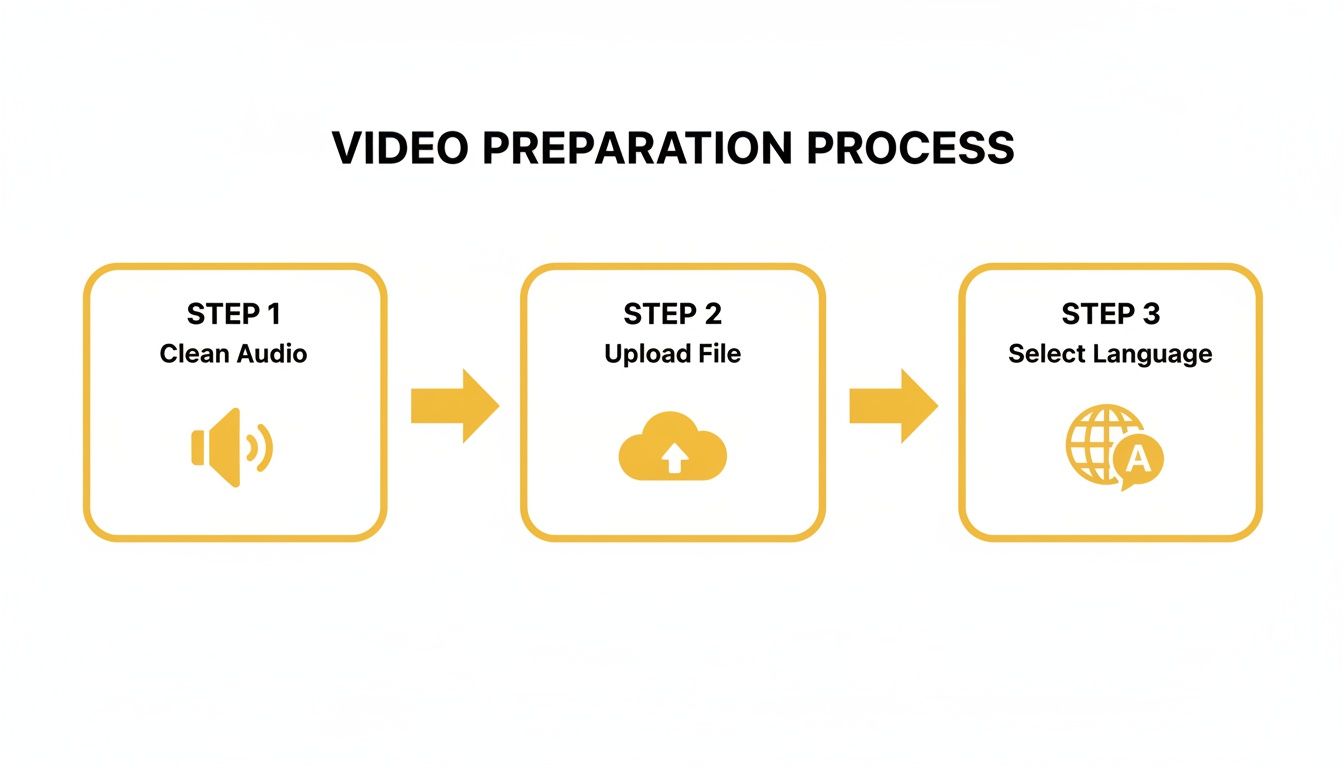
Getting these initial steps right gives the AI the best possible source material to work with, which makes a huge difference in the quality of the final output.
The Power of a Specialized Tool
So, why not just dump it into a free, generic translation website? The difference is in the models and the entire workflow. A dedicated video localization tool is built specifically for this job, which means you get a much stronger starting point.
The biggest win here is pure efficiency. This automated first pass handles about 90% of the grunt work, freeing you up to focus on what really matters—the creative, nuanced part of the translation that needs a human touch. For a different angle on how software can automate complex tasks, this piece on using an API for social media automation offers some interesting parallels.
The need for top-notch Cantonese to English translation is especially sharp in professional circles. While over 90% of Hong Kong's population speaks Cantonese daily, English absolutely dominates the written word in business.
Cantonese vs English Usage in Hong Kong Professional Settings
When it comes to written communication in Hong Kong's corporate world, English is king. This table breaks down just how prevalent it is, underscoring why accurate media translation is a must-have for any business operating there.
| Communication Type | English Usage (%) | Traditional Chinese Usage (%) |
|---|---|---|
| External Business Documents | 85.5 | 14.5 |
| Internal Business Documents | 85.8 | 14.2 |
| Formal Meeting Minutes | 88.2 | 11.8 |
Source: TESOL Union research on language use in Hong Kong.
This stark contrast highlights the linguistic reality on the ground: spoken communication is local, but written business is global. Accurate translation is the bridge between the two.
Setting the Stage for Refinement
The real magic of this automated process isn't just the speed; it's how it sets you up for the crucial editing phase. Inside the TranslateMom Studio, the AI's output isn't just a wall of text. It's laid out in a powerful editing environment.
A key feature here is the Split View. This puts the original Cantonese transcription side-by-side with the new English translation. This dual-language setup is a lifesaver, letting you compare the source to the translation line by line.
This setup is the perfect handshake between machine efficiency and human expertise. You’re not staring at a blank page. You’re starting with a nearly-finished, time-coded draft, with all the context you need to start polishing and ensuring the final English subtitles truly capture the soul of the original Cantonese.
How To Refine And Polish Your English Subtitles
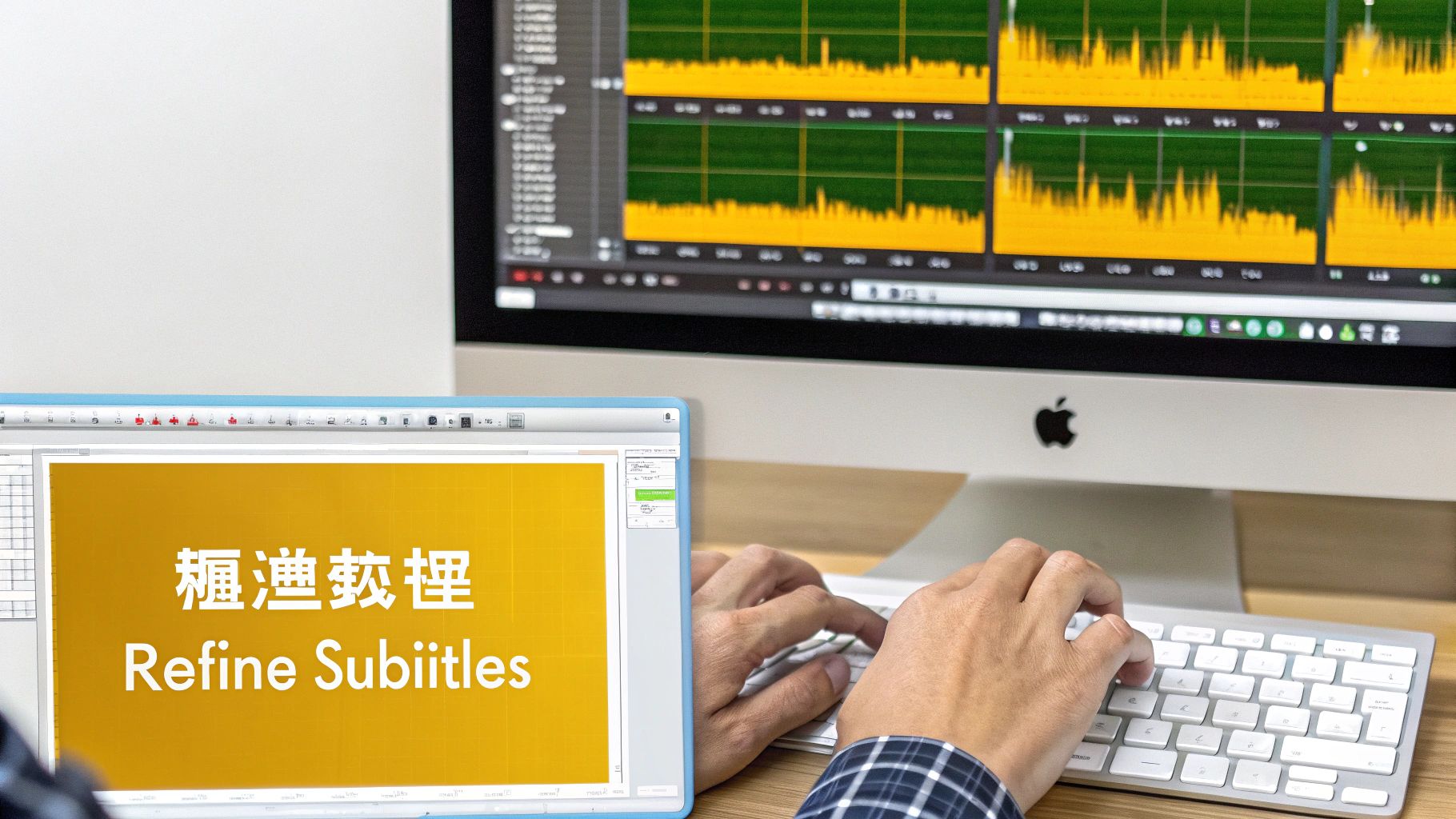
AI translation does an incredible job these days—it'll get you about 90% of the way there. But that last 10%? That’s where you come in. This is the human touch that transforms a good translation into a great one, polishing the text and perfecting the timing.
Think of the AI's output as a solid first draft. Your job is to step in as the editor, catching those slightly awkward phrases or cultural nuances that an automated system might overlook. This is how you take your content from just being understandable to being genuinely engaging.
Entering The Studio Workspace
For this critical fine-tuning work, a dedicated environment like the TranslateMom Studio is a game-changer. It’s built for precision, giving you all the tools you need in one place. This is your command centre for turning that raw text into a polished, viewer-friendly experience.
The Studio is split into three key zones: a specialized video player that accurately previews your final output, a powerful subtitle editor, and style tabs for customization. This integrated setup means you can make changes and see the results instantly, without juggling multiple apps.
Here’s a look at the TranslateMom Studio interface. The video player is on the left, and the editable subtitle list is on the right.
This dual-view layout is incredibly powerful. You can watch the video for context while simultaneously editing the text and timing to get that perfect sync.
Mastering Text And Timing Edits
The real magic happens in the subtitle editor. This is where you'll spend most of your time, ensuring the English translation flows naturally and accurately captures the spoken Cantonese.
- Direct Text Editing: Just click on any line of text to start editing. The video often pauses for you automatically, so you can focus on typing without losing your place.
- Split View for Context: One of the most useful features is Split View. Toggle it on to see the original Cantonese transcription side-by-side with your English translation. This is a must-have for making sure your edits stay true to the source.
- Precision Timing with the Waveform: The visual audio waveform is your best friend for syncing captions perfectly. You can literally see the peaks and valleys of the speech, letting you drag the start and end points of a subtitle to match the speaker. No more captions hanging around during awkward silent pauses.
For the power users out there, keyboard shortcuts are a huge time-saver. For instance, you can use
[and]to quickly nudge a subtitle line up or down in the sequence without ever touching your mouse.
Styling Subtitles For Maximum Impact
The text is one thing, but how your subtitles look can make a huge difference, especially for social media content. This is where the Style tab comes in.
Here, you can adjust everything—font, size, text colour, background opacity, you name it. But you can also get more creative with dynamic effects. For example, Karaoke-style animations that highlight words as they're spoken are super popular on platforms like TikTok and Instagram. In TranslateMom, you can apply these effects from the Style tab, and the app will automatically handle all the word-level timing for you.
This styling phase is that final layer of polish. It ensures your subtitles are not only accurate but also easy to read and visually appealing, completing the process to translate Cantonese to English in a way that truly connects with your audience.
Exporting and Publishing Your Translated Video
Once you’ve put the finishing touches on your English subtitles, it's time for the final push: getting your video out there for people to see. How you deliver it really comes down to where it’s going to be published and how you want your audience to interact with it.
The choice is a strategic one. Are you making a quick, flashy clip for social media where the subtitles are part of the look? Or is it a longer video for a platform where accessibility and user control are the name of the game?
The Burn-In Method for Social Media
One of the simplest routes is to "burn-in" your subtitles. This literally bakes your styled captions—fancy karaoke effects, custom fonts, and all—right onto the video file. If you've added a brand logo or watermark, that gets permanently embedded too.
What you get is a new MP4 video, ready to upload directly to platforms like Instagram, TikTok, or X (Twitter). This is the best way to make sure your video looks exactly how you designed it, without any platform messing with your style. It's the go-to choice when your captions are a core part of the visual experience. In TranslateMom, this is the Export Video option.
Separate Subtitle Files for Professional Platforms
The other way to go is to download the subtitle text as a separate file. This is the professional standard for platforms like YouTube and for video editors using software like Adobe Premiere Pro.
Exporting an SRT or VTT file hands the control over to your viewers. They can turn captions on or off, and platforms like YouTube can even auto-translate your English subtitles into other languages, which can seriously expand your reach. It's a must for accessibility and a better user experience on platforms that support it.
This dual approach makes a lot of sense, especially when you think about a place like Hong Kong. In the 2016 By-census, over 90% of the population aged 5 and up said they spoke Cantonese. But get this—more than 50% are also proficient in English. This means people are used to switching between languages.
Offering flexible caption options just respects that bilingual reality. You can dig deeper into this in this detailed study on language use in Hong Kong.
In the end, choosing the right export option is what makes all your hard work translating from Cantonese to English pay off, making sure you connect with your audience, no matter where or how they’re watching.
Got Questions About Cantonese Translation?
Diving into Cantonese translation, especially for video, can definitely bring up a few questions. Getting a handle on the best practices from the start helps you pick the right approach and make sure your message connects with an English-speaking audience.
Let's tackle some of the most common things creators and translators run into.
How Do I Handle Cantonese Slang in an English Translation?
Trying to translate slang word-for-word is a recipe for disaster. It almost never works. The real goal is to capture the vibe and intent behind what's being said.
A tool like TranslateMom gives you a fantastic starting point with its AI, but that final human polish makes all the difference. I like to use the Split View in the editor, which puts the original Cantonese right next to the AI's English version.
If you can't find a perfect English equivalent for a slang term, don't try to shoehorn one in. It's much better to rewrite the sentence to get the original feeling across. This is key to keeping things sounding natural and not robotic.
What’s the Best Subtitle Format for YouTube?
For YouTube, you can't go wrong with the SubRip Text (.SRT) format. It's the industry standard for a reason—it's just a simple text file, super lightweight, and works everywhere.
When you're done polishing your translation, you’ll want to download the subtitle file itself, rather than burning the text permanently into your video. In TranslateMom, you can choose Download Subtitles and pick SRT from the export options. This lets your viewers turn captions on or off, which is a much better experience on a platform like YouTube.
Can I Translate a Cantonese Video Straight From a TikTok Link?
Absolutely. Modern browser-based tools are built for exactly this. You don't have to go through the hassle of downloading the video first.
Just head to the New Task screen in a platform like TranslateMom and paste the URL. It works with links from major sites like YouTube, TikTok, Instagram, or X (formerly Twitter). The app pulls the video in for you automatically. All you have to do is set the original language to Cantonese and the target to English, and you're good to go.
How Good Is AI Dubbing from Cantonese to English These Days?
AI dubbing has come a long way. Seriously, the improvements are dramatic. While it might not have the same emotional depth as a professional voice actor (yet!), it can generate surprisingly natural-sounding English audio that actually syncs up with the original speaker’s timing.
For content where the information is the main focus—think tutorials, lectures, or news clips—AI dubbing is a super fast and affordable option. In TranslateMom, this is the Dubbing service, which generates a new AI audio track for your video. It’s a great way to open up your Cantonese videos to people who’d rather listen than read subtitles.
Ready to get your Cantonese content out there with accuracy and style? Give TranslateMom a try and get access to a full set of pro-level tools for subtitling, translation, and AI dubbing. Break language barriers today.