To get a natural-sounding Persian voiceover for your English content, you really need a tool that handles the whole process in one go. We're talking about a workflow that takes your original audio, transcribes it to text, translates that text into Persian, and then generates a high-quality voiceover. It’s all about creating a fully dubbed version that feels native to a new audience.
Why Persian Voice Dubbing Is Your Next Growth Strategy
Imagine tapping into a massive, engaged, and often underserved Persian-speaking audience. This isn't just about the technical act of translating; it's a huge growth opportunity. I've seen countless creators get a major boost in engagement simply by localizing their content and connecting with this demographic in a way that feels genuine.
And you don't need to mess around with clunky, downloadable software anymore. Modern, browser-based tools like TranslateMom make the entire process smooth and accessible. The real goal here is to bridge that language gap and make your message truly resonate with millions of potential new viewers.
The Untapped Market Potential
The demand for high-quality Persian content is absolutely massive. When you provide a professionally dubbed version of your videos or podcasts, you’re meeting your audience where they are, letting them consume your work in the language they’re most comfortable with. This goes way beyond simple subtitles—it creates an immersive, more enjoyable experience that builds a real connection.
This approach works wonders for specific types of content:
- Educational Videos: Let's be honest, complex topics are way easier to grasp when they're explained in your native tongue.
- Marketing Content: Product demos and brand stories build so much more trust when they speak the local language.
- Entertainment & Storytelling: For podcasts and vlogs, the human voice is everything. A Persian dub creates a much stronger emotional impact.
A Growing Audience in North America
And this opportunity isn't just for audiences abroad. There’s a huge market right here in North America. Take California, for example. It's a massive hub for content creators and tech, and the demand for English-to-Persian voice translation has exploded because of the state's vibrant Persian-speaking community.
U.S. Census data shows California is home to over 350,000 Persian speakers. That makes it the single largest hub for Iranian-Americans outside the Middle East. This has driven a staggering 25% year-over-year increase in localization requests for YouTube videos and podcasts aimed at Farsi speakers.
Key Takeaway: By creating a Persian voice version of your content, you're not just swapping out words. You're building a bridge to a whole new community, fostering loyalty, and unlocking a powerful growth channel that many of your competitors are probably ignoring. It's a smart, strategic move to expand your influence.
Finding The Right AI Tool For Your Voice Translations
Choosing the right platform is pretty much the most important decision you'll make when you want to translate English audio into a Persian voice. The last thing you need is a clunky tool that requires complex installations. A modern, powerful tool should be entirely browser-based, which makes life so much easier. It lets you jump into a project from any computer, anytime, without any setup headaches.
For creators on the go, getting your media into the platform has to be painless. Look for a service like TranslateMom that lets you either upload files directly or, even better, just paste a link. Being able to pull a video straight from YouTube, TikTok, or Twitter (X) is a massive time-saver. No more downloading and re-uploading—the platform handles it all for you.
Core Features For A Smooth Workflow
Beyond just getting your files in, the best tools keep everything under one roof. Your ideal platform should let you decide what you want to do right after you upload. For example, with TranslateMom, you get three clear options right after you import a video:
- Transcription: Just caption the original audio in the same language.
- Translation: Generate subtitles in a new language.
- Dubbing: This is the main event—creating a brand new AI audio track in Persian.
This kind of flexibility means you can tackle different localization jobs without bouncing between five different apps. It's all right there.
To help you sift through the options, here's a quick look at what really matters when you're choosing a tool for Persian dubbing.
Essential Features in an English to Persian Dubbing Tool
| Feature | Why It Matters for Persian Dubbing | Example in TranslateMom |
|---|---|---|
| Browser-Based Access | No software installation means you can work from anywhere, on any device. It's fast and hassle-free. | The entire workflow, from upload to export, happens in your web browser. |
| Direct URL Imports | Saves time by pulling video directly from platforms like YouTube, eliminating manual downloads. | Paste a link from YouTube, TikTok, or Twitter (X) to start a new project instantly. |
| All-in-One Services | Having transcription, translation, and dubbing in one place streamlines your entire localization process. | After uploading, you can choose to transcribe, translate (subtitles), or dub (voiceover). |
| High-Quality Persian Voices | A natural-sounding voice is crucial for audience engagement. Robotic voices are a major turn-off. | Offers a curated selection of natural Persian AI voices to match your content's tone. |
| Flexible Export Options | You need outputs that work for your specific channels, whether it's social media or a video editor. | Export a new video with burned-in subtitles or download SRT/VTT files for professional use. |
Ultimately, a tool with these features built-in just makes the entire process faster and the final product much more professional.
Evaluating Voice Quality And Export Options
Let's be real: the quality of the AI-generated Persian voice is everything. If it sounds robotic or unnatural, your audience will tune out immediately. A great tool will give you a range of voices to choose from so you can find one that actually fits the tone and energy of your original video.
Finally, think about where your dubbed video is going to live. A versatile platform should give you plenty of export options. You'll want the choice to "burn-in" the new audio and subtitles directly onto the video—perfect for quick sharing on social media. Or, you might need to download subtitle files (like SRT or VTT) to use in professional editing software.
To see how different platforms stack up, check out our guide on the best audio translation tools in 2025. It'll help you find a tool that makes sure your dubbed content is ready for any audience, on any platform.
A Practical Workflow for AI Voice Dubbing
Alright, let's get down to the practical side of things. Moving from theory to a real-world project is where you'll see just how powerful AI dubbing can be when you translate English to a Persian voice.
Imagine you've created a short educational video—maybe a tech tutorial or a product demo for your startup. You want to open it up to a Persian-speaking audience. The good news? You can get from your original English video to a fully dubbed draft in just a few clicks.
It really boils down to three core steps: upload your file, let the AI work its magic on the translation and voice generation, and then export the final result.
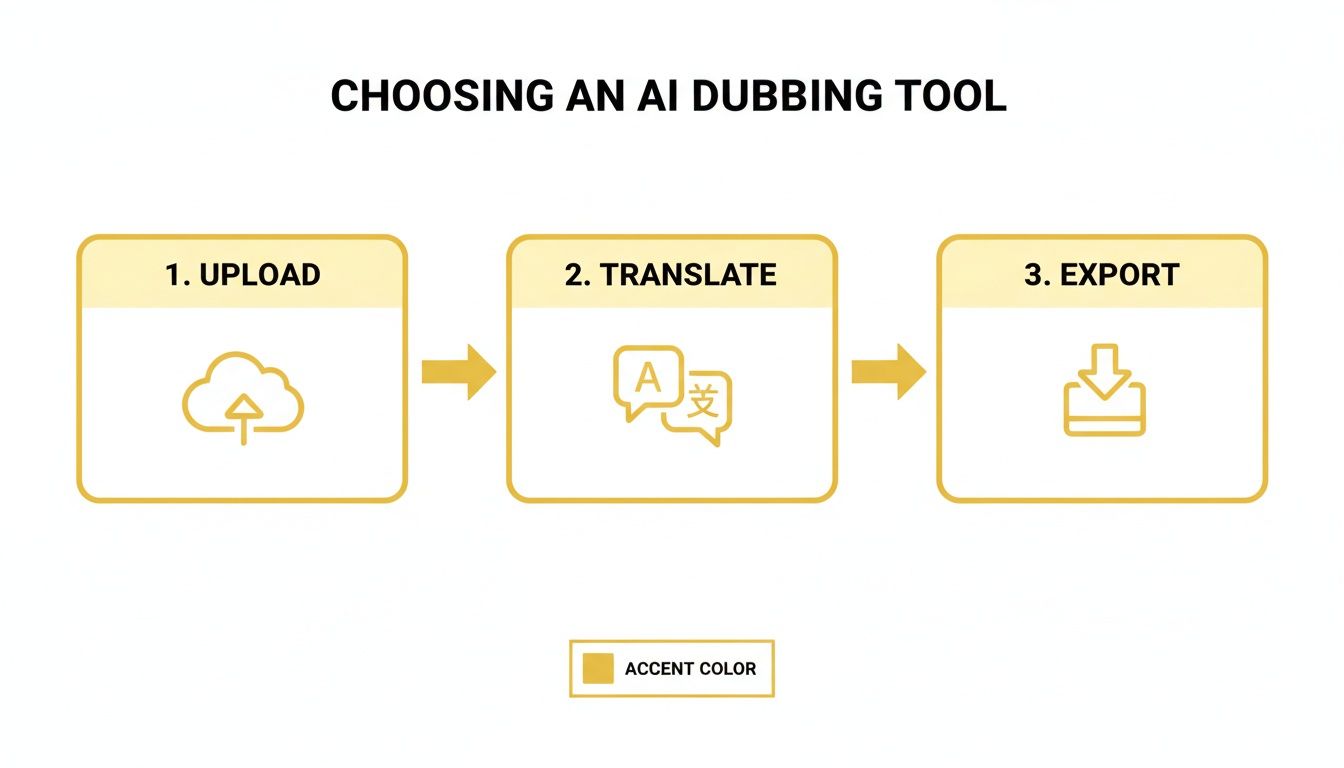
This simple flow—ingest, process, export—is the heart of a seriously efficient localization workflow.
Kicking Off Your Dubbing Project
First things first, you need to get your media into the system. In a browser-based tool like TranslateMom, you’ll start on the New Task screen. You've got a couple of easy options here:
- File Upload: Drag and drop your video file right into the browser. You can even press
Fto open the file picker instantly. - Link Import: If your content is already live online, you can paste a URL from a major platform like YouTube, Twitter (X), or TikTok. The platform handles the import for you, which is a huge time-saver.
Once your video is loaded, it’s time for the setup. This is where you tell the AI exactly what you want it to do. You’ll set the Source Language to English and your Target Language to Persian.
The final, and most important, choice is the service. Instead of just picking "Transcription" or "Translation" (which would give you subtitles), you need to select Dubbing. This is the key instruction that tells the system to create a brand new AI audio track in Persian.
From Text to Voice: The Automated First Pass
After you hit go, the AI takes over. It runs a few steps in the background without you needing to do a thing.
First, it transcribes the original English audio, turning every spoken word into text. This transcription becomes the foundation for everything else.
Next, it translates that English text into accurate Persian. This isn't a clunky, word-for-word swap; modern AI gets the context, so the translation actually makes sense. Finally, the system uses that new Persian script to generate a synthetic voiceover, creating the audio track for your dubbed video.
This whole automated process gives you a solid first draft—a complete video with a new Persian voiceover, ready for you to review. Think of it as your starting point for the fine-tuning stage, where you can make small adjustments to get that perfectly natural and engaging final product.
Meeting the Demand for Persian Content
This kind of efficient workflow is more relevant than ever. California's boom in video content creation has made English-to-Persian voice translation a massive opportunity for creators on YouTube and TikTok.
In fact, the demand for Persian translation shot up by 35% in 2024, partly driven by over 150,000 monthly searches for Farsi-subtitled tech lectures from Bay Area educators alone. Tools that can handle a quick turnaround, like TranslateMom's ability to process videos up to 4.5 hours long, are essential for creators trying to meet this growing demand. You can dig deeper into the expanding language services market by checking out recent industry reports.
By following a structured process like this, you can knock out a high-quality Persian voice dub in a fraction of the time it would take using old-school methods. The trick is to lean on a tool that does the heavy lifting, giving you a strong foundation to perfect and polish.
How To Refine Your Persian Dub For A Natural Sound
An automated dub gets you 90% of the way there, but that last 10% is where the magic happens. It’s what makes the voiceover feel genuinely human. Once the AI has done its initial pass, it’s your turn to step in and apply those crucial post-production tweaks that separate a robotic voice from a truly engaging one.
Think of it less as redoing the work and more as polishing. This is where you’ll dial in the timing, add cultural nuance, and make sure the voice itself is the perfect fit. The goal is to match the original speaker's energy and intent, and thankfully, modern editors make these adjustments pretty intuitive.
Fine-Tuning The Timing With A Visual Waveform
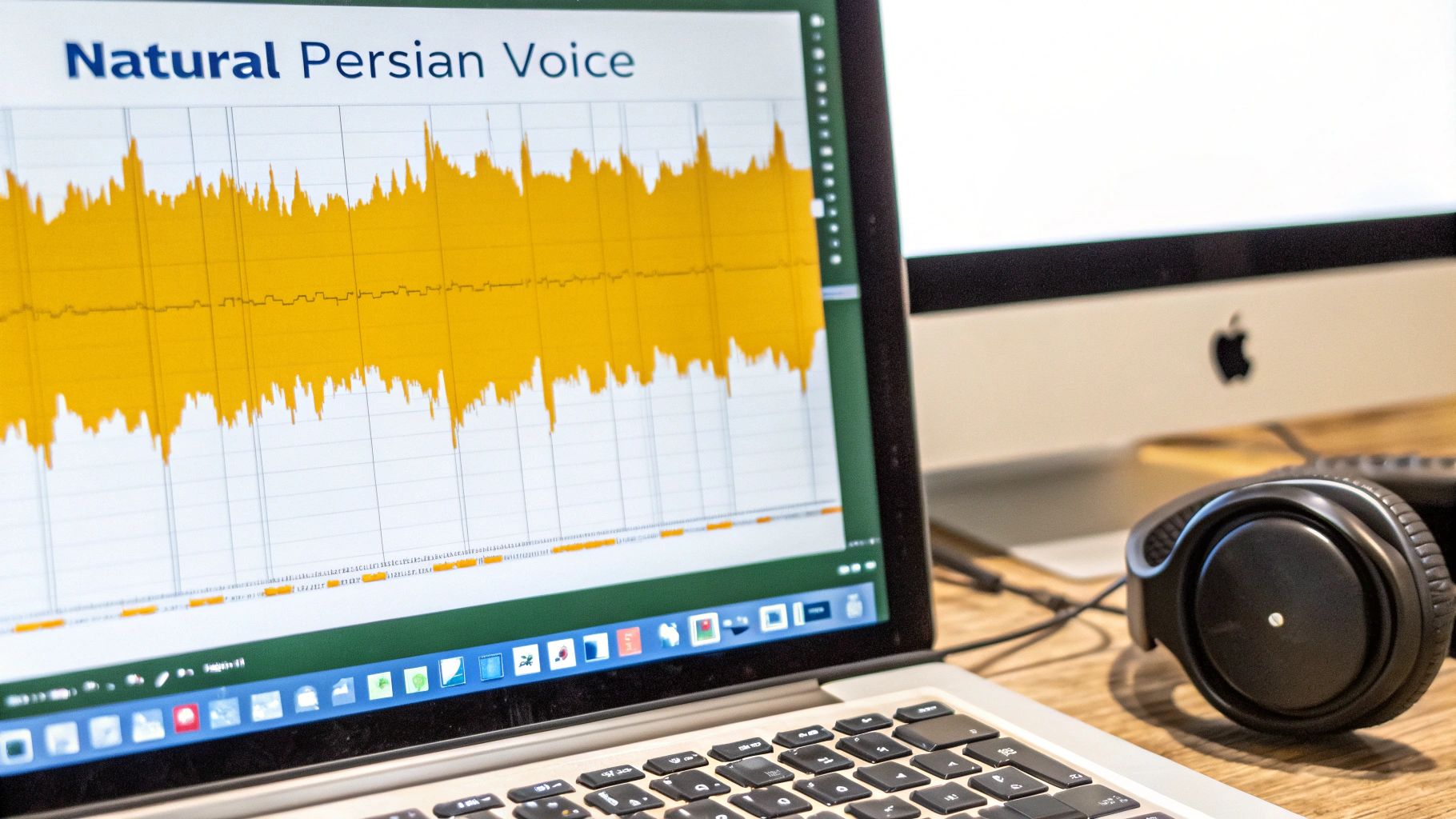
The first thing to tackle is synchronization. A common hiccup with AI dubs is that the new audio doesn’t quite line up with the original speaker’s pauses, breaths, and natural rhythm. This is where a visual audio waveform becomes your best friend.
Inside an editor like TranslateMom's Studio, the waveform gives you a visual map of the audio. You can literally see where speech starts and stops. This allows you to visually drag the start and end points of each translated line, ensuring your Persian voiceover doesn't jump in too early or hang around too long during a natural pause.
By visually matching the dub to the peaks and valleys of the waveform, you can tighten up the timing so the new voice feels seamlessly integrated with the on-screen action, mirroring the speaker's natural rhythm.
Perfecting The Translation For Cultural Nuance
Let's be real: a direct, word-for-word translation is rarely the best one. Idioms, slang, and cultural references often get lost in translation and need a bit of adaptation to really connect with a Persian audience. This is where you, the human, can add a layer of understanding that AI might miss.
To make this easier, TranslateMom's Studio has a Split View in the subtitle editor, which is a total game-changer for this part of the process. It puts the original English text and your Persian translation right next to each other, line by line.
With this side-by-side view, you can:
- Check for accuracy: Quickly catch any awkward phrasing or mistranslations.
- Adapt cultural references: Swap out English idioms for their Persian equivalents.
- Adjust for formality: Make sure the tone of the language is right for your audience.
This dual view lets you work fast while making sure the original meaning and intent come through in a way that feels native to Persian speakers.
Choosing The Right Voice And Tone
The AI voice you pick has a huge impact on how your message lands. A monotone voice for an upbeat marketing video? It just feels off. Same for a super cheerful voice in a serious documentary. Most good platforms give you a library of AI voices with different genders, ages, and tones.
When you're listening to the options, ask yourself a few questions:
- Does this voice match the original speaker's energy?
- Is the tone right for the subject matter?
- Does the voice sound clear and professional?
The social media scene in California really drives this point home. With platforms like X (formerly Twitter) and TikTok driving 45% of English-to-Persian voice translation queries, authenticity is everything. In 'Tehrangeles,' over 100,000 users actively watch Farsi-dubbed news, and that content sees a 37% jump in views when it feels genuine.
If you want to dig deeper into how these voices are getting so good, it's worth learning about the rise of AI narration and human-like neural voices. And remember, none of this matters if your source audio is a mess. A clean audio foundation is key, so if you need some pointers, check out our guide on how to remove background noise from audio.
Getting Your Persian-Dubbed Content Out There
You’ve put in the work and polished your project to perfection. Now for the final, most satisfying step: getting it out into the world.
How you export your dubbed content really comes down to one simple question: do you need a finished video file that’s ready to post, or are you looking for the individual parts to use in a bigger production? Your answer will determine the best path forward.
Thankfully, tools like TranslateMom make this choice straightforward by offering a couple of different export options, each designed for a specific workflow. Knowing which one to pick is the key to a smooth handoff from editing to distribution, making sure your content lands exactly where it needs to without any technical headaches.
The "Burn-In" Option for Quick Sharing
The most direct route is to "burn-in" your new Persian audio and subtitles directly into the video. This takes your original video, the new voiceover, and any styled captions, and combines them all into a single, brand-new MP4 file.
Think of it as your "all-in-one" solution. It’s absolutely perfect if you just want a finished product you can upload right away.
- Social Media Ready: This is your go-to for platforms like Instagram, TikTok, and YouTube. Just one file, and it just works.
- Guaranteed Consistency: Any subtitles or branding you've added are permanently part of the video. Viewers see them precisely as you designed them, no matter what device or platform they're on.
- Zero Extra Steps: Download the file, upload it. Done. No fumbling with separate audio or caption files.
Inside TranslateMom, this option is simply called Export Video. It does all the heavy lifting on the server, so you don’t need any powerful editing software on your computer. Before you upload, it's always a good idea to double-check that your video is formatted correctly for its destination. You can find some great YouTube video dimension guidelines to ensure it looks sharp.
Downloading Subtitles for Pro-Level Workflows
Sometimes, a finished video isn't what you need. Instead, you might just want the text components of your project. This is a common scenario for video editors and localization pros working in software like Adobe Premiere Pro or Final Cut Pro.
This approach gives you maximum flexibility for more complex projects by letting you download only the subtitle files.
Pro Tip: Exporting separate subtitle files is standard practice when integrating translated text into a larger video project. It’s also what you need for platforms like YouTube that let viewers toggle different language captions on or off.
From TranslateMom, you can grab your perfected Persian subtitles in a few different formats:
- SRT (SubRip Text): This is the classic. It's the most widely supported subtitle format out there, compatible with just about every video player and editing suite you can think of.
- VTT (WebVTT): A more modern format designed for web videos, which gives you more control over styling and positioning.
Choosing this route lets you layer the Persian subtitles over your original footage in your favourite editing program, giving you total creative control. This is the way to go when translating your English audio to a Persian voice is just one piece of a much larger, multi-layered video production.
Common Questions About English To Persian AI Dubbing
When you first dive into AI voice dubbing, a few questions always seem to pop up, especially if you're aiming for a professional-sounding Persian voiceover. I get these a lot, so let's walk through the most common ones.
A big one is whether you need to download and install clunky software. Thankfully, the answer is no. Modern platforms like TranslateMom run entirely in your web browser. This means you can get started right away—just drag and drop a file or paste a link from YouTube, and you're off to the races. No setup required.
Another key question I hear is about timing. Can an AI really match the subtle pauses and rhythm of a human speaker? The initial AI translation gets you most of the way there, but the real control comes from the editor.
You get a visual audio waveform that lets you manually tweak the start and end times for every single line. This is how you nail the timing, making sure the Persian voiceover syncs perfectly with the original speaker's delivery. It’s this final polish that really makes a dub feel natural.
Handling Long Videos And Different File Types
Creators often ask me about the practical limits—can you dub a full-length podcast, or is this just for short clips? Good tools are built for serious work. For instance, TranslateMom can handle videos up to 4.5 hours long, so it's just as good for in-depth lectures as it is for short social media snippets.
And what about file formats? A flexible workflow is everything. Once you've perfected your dub, you usually have two main options for getting it out:
- Burn-in (Export Video): This spits out a fresh MP4 file with the new Persian audio and subtitles baked right in. It’s the simplest way to get a video ready for a direct upload to any platform.
- Download Subtitles: You can also just grab the text files in formats like SRT or VTT. This is the go-to for pros who need to pull the captions into editing software like Premiere Pro for more advanced post-production work.
Managing Costs And Revisions
Finally, what happens if you mess up or need to make a change? We've all been there. Professional-grade tools give you a safety net. In TranslateMom, for example, the app keeps track of your edit history automatically. If you don't like a change you made, you can easily restore a previous version of your subtitles from the "History" dialog.
This means you can experiment and fine-tune your translation without worrying about losing your work, making the whole process of creating a polished Persian voiceover feel much less stressful.
Ready to connect with a global audience? With TranslateMom, you can subtitle, translate, and dub your videos into over 100 languages with just a few clicks. Start creating professional, natural-sounding voiceovers today. Get started for free at translate.mom.