Want to make your YouTube videos accessible to a global audience? Here's a simple guide on how to translate YouTube videos using TranslateMom.
Quick Video Tutorial
Watch our step-by-step video guide
Step-by-Step Guide
1. Copy YouTube Link
Find the YouTube video you want to translate
Copy its URL from your browser
2. Upload to TranslateMom
Go to translate.mom
Log in or sign up
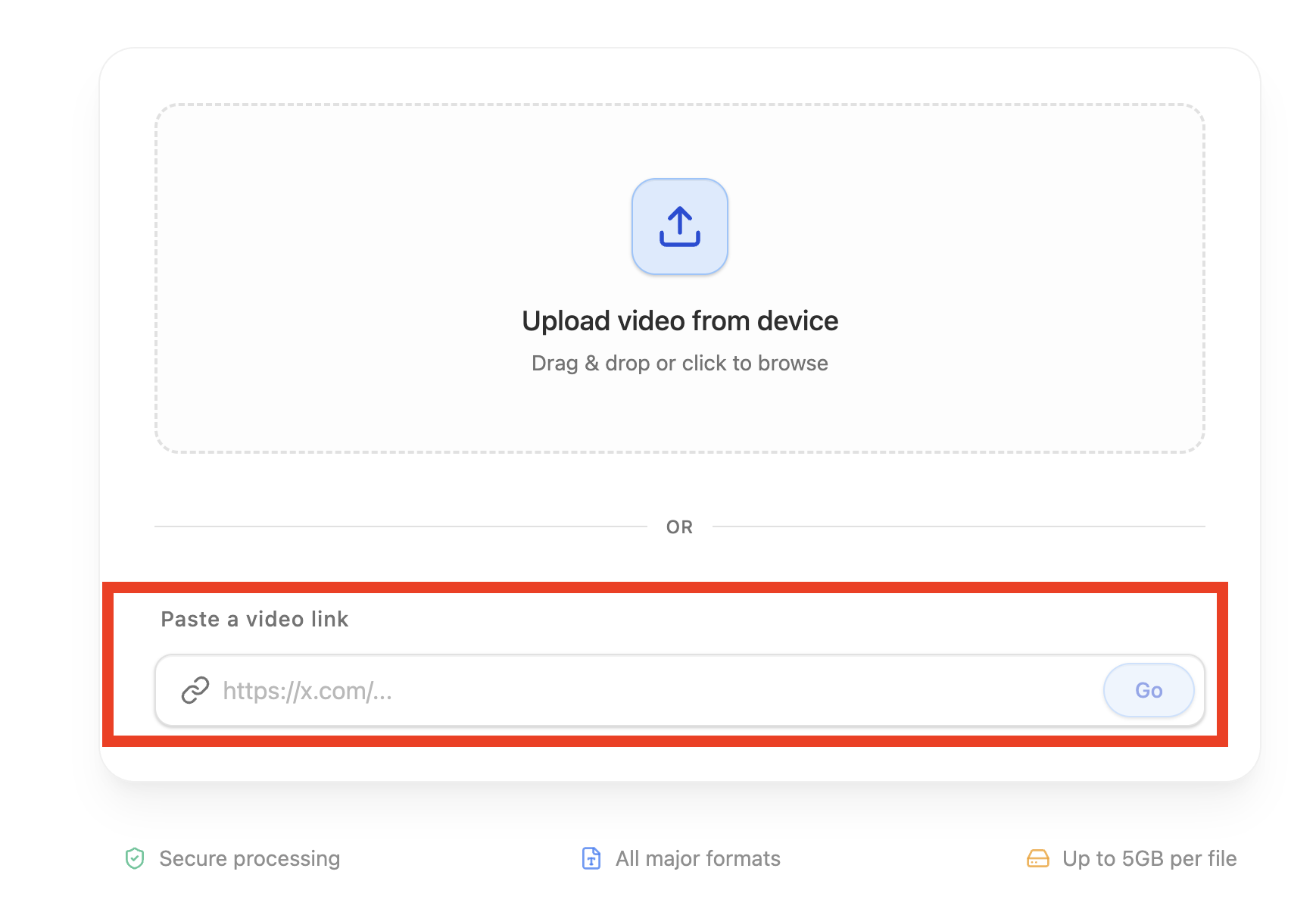
Click “Go to app” and click “New task” or visit translate.mom/app/newtask
Paste your video link into the "Enter video link" section
Click "Go"
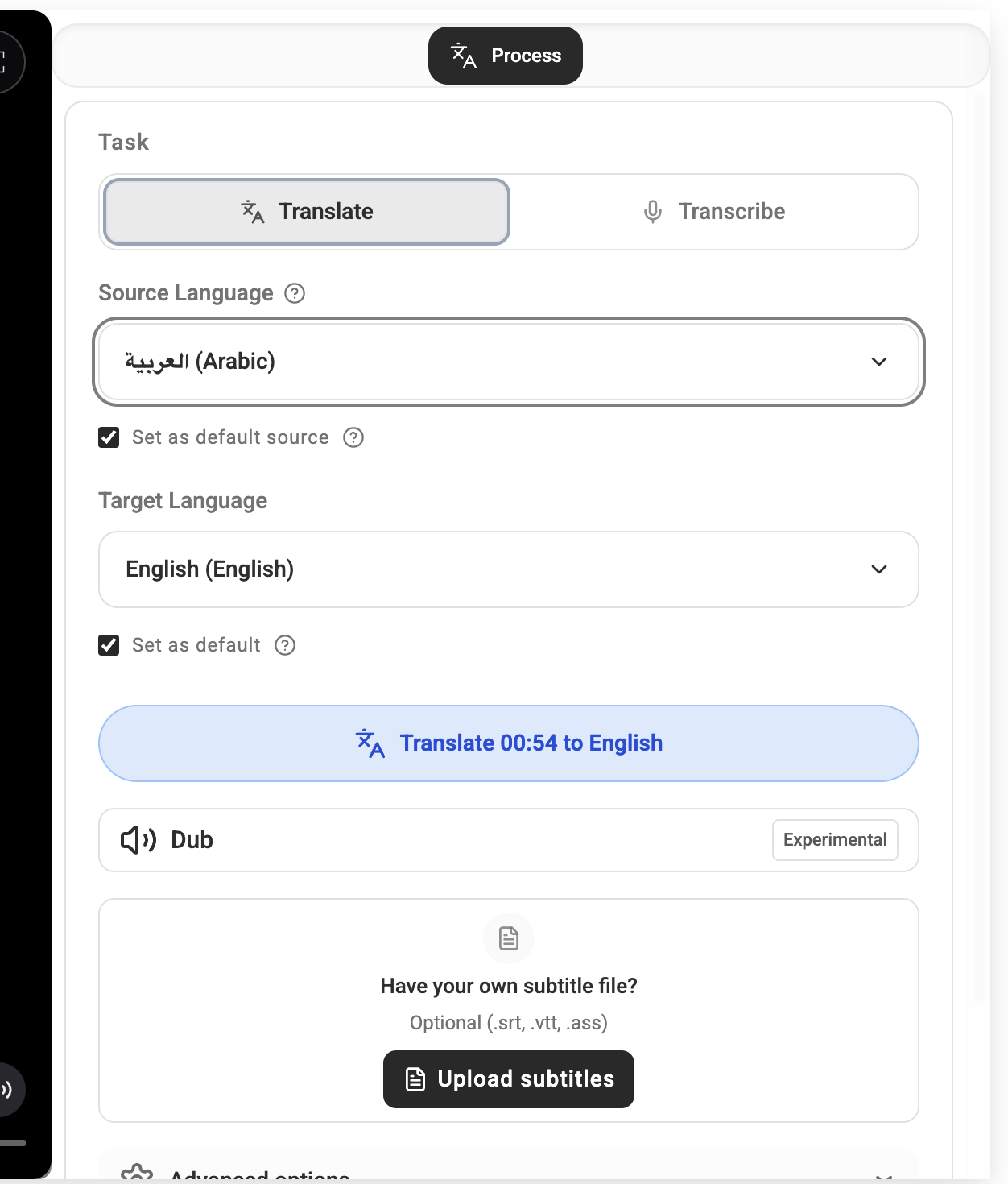
3. Choose Language & Translate
Select your target language (e.g., English)
Click "Translate"
Wait for the translation process to complete
4. Review and Share
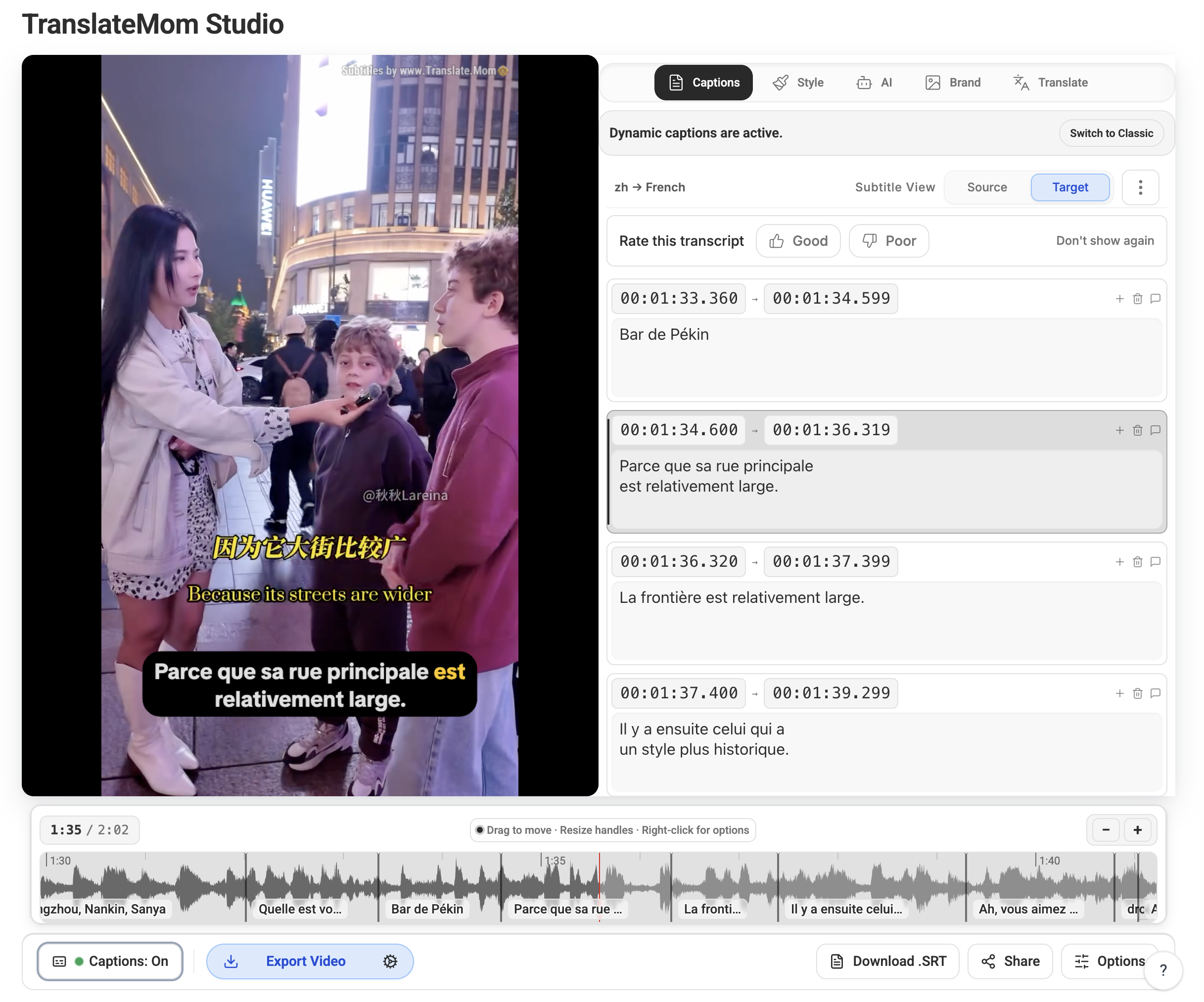
Watch the video with the new captions
Edit subtitles if needed
Share via URL or directly to social media
Download the video with embedded subtitles using the "Export" button
That's it! You've successfully translated and captioned a YouTube video. Your content is now ready to reach a wider, international audience.
Tips for Better Results
Ensure the original video has clear audio
Review the auto-generated captions
Make manual adjustments if needed
Consider your target audience when selecting languages
Need more help? Check out our other tutorials or contact me at @montakaoh on twitter.
Happy translating!
-Monta