Translate a video to English
Turn any foreign-language video into English subtitles you can read, edit, and publish.
Subtitles · Dubbing · 45+ languages
Translate any video to English or 45+ languages in minutes. Paste a link or upload a file, let AI transcribe and translate the speech, fine-tune every line in the Studio editor, and export subtitles, a burned-in caption video, or a natural AI dub.
Translate a video nowTurn any foreign-language video into English subtitles you can read, edit, and publish.
Translate one video into 45+ languages and export a subtitle file per language.
Burn translated captions into the video for X, Reels, and TikTok autoplay.
Replace the audio with a natural AI voice speaking the translated script.
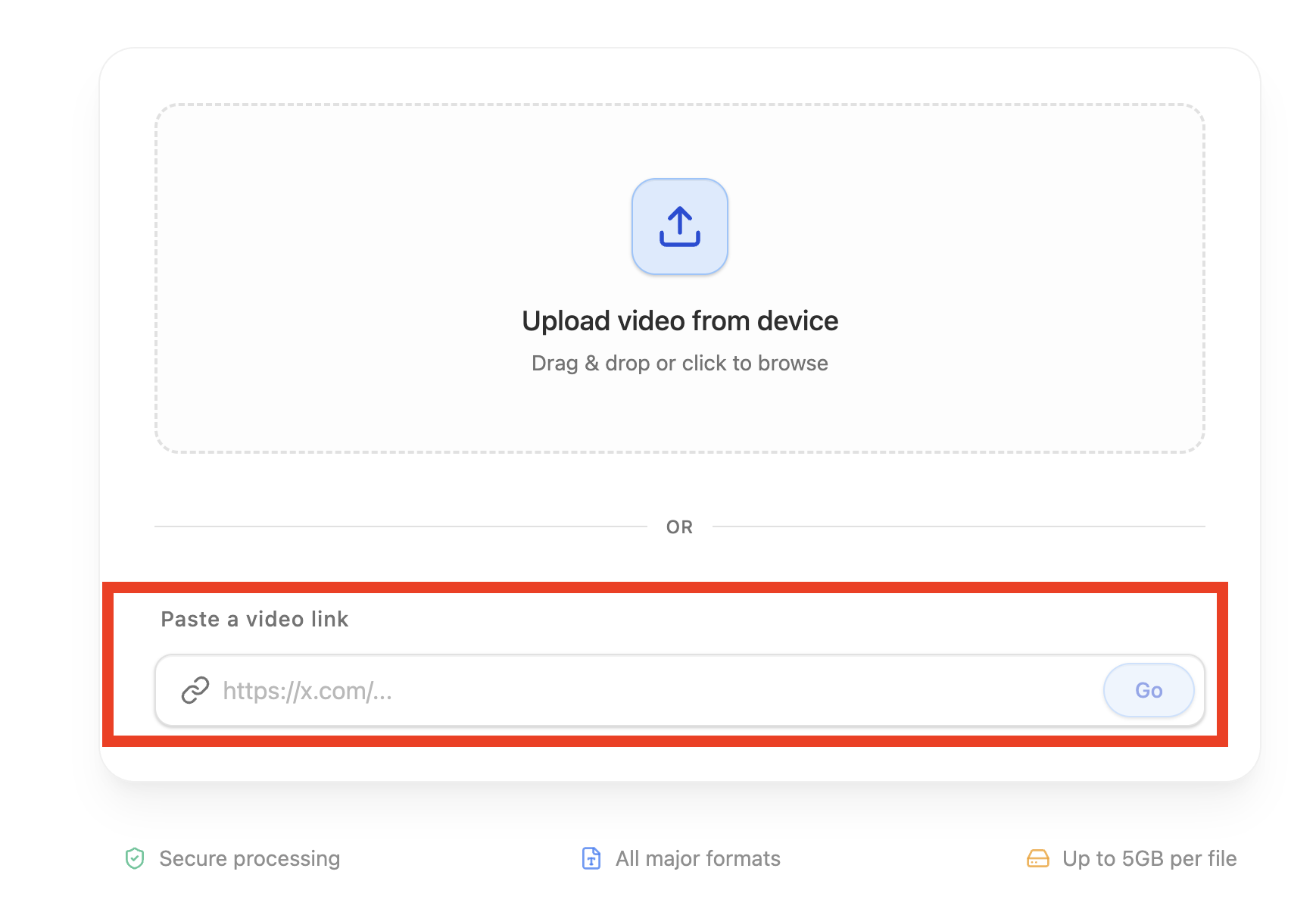
For YouTube, download the video first, then upload the file. You can also paste an X or TikTok link, or upload an audio file.
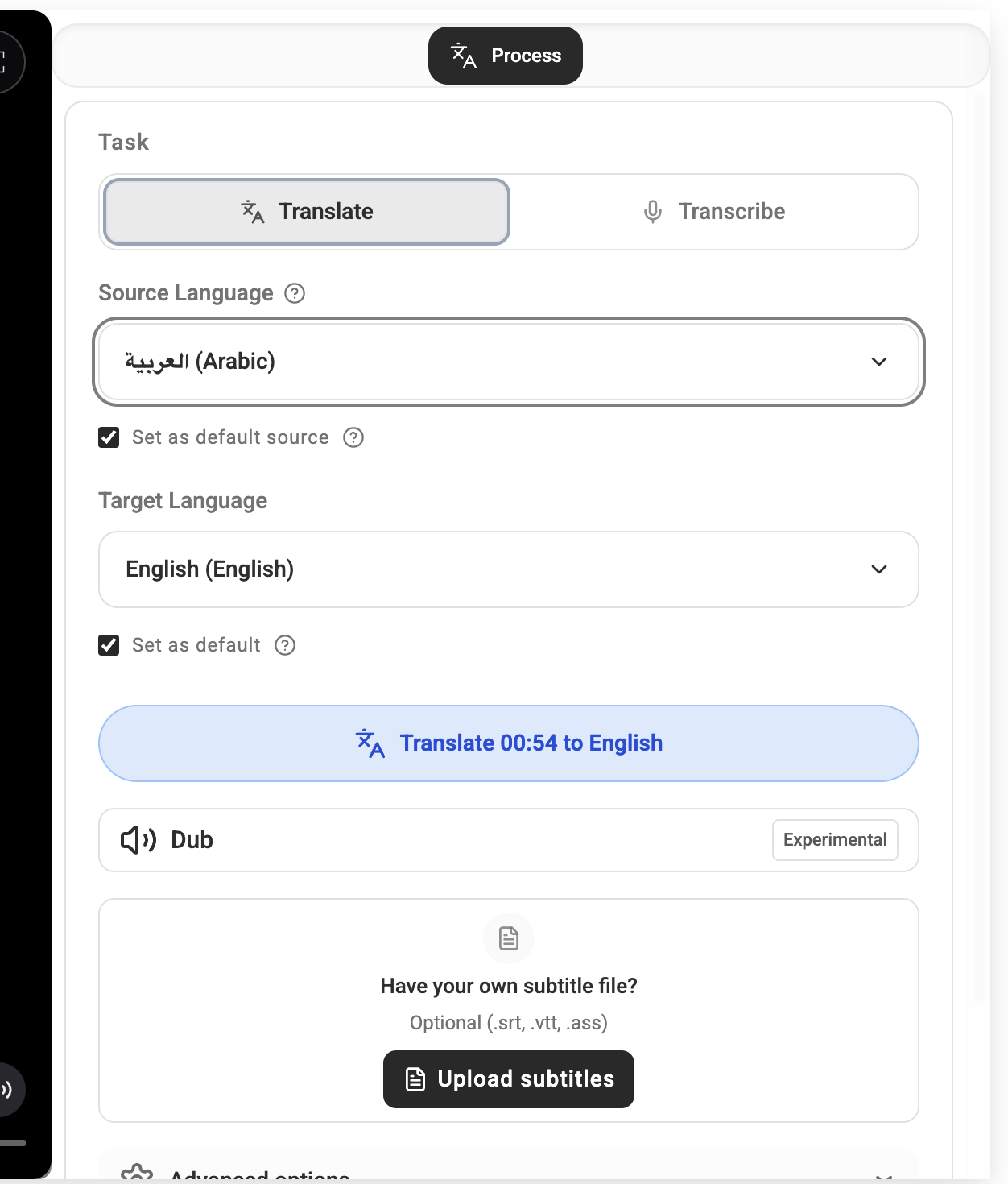
Select source and target language (for example: Japanese to English).
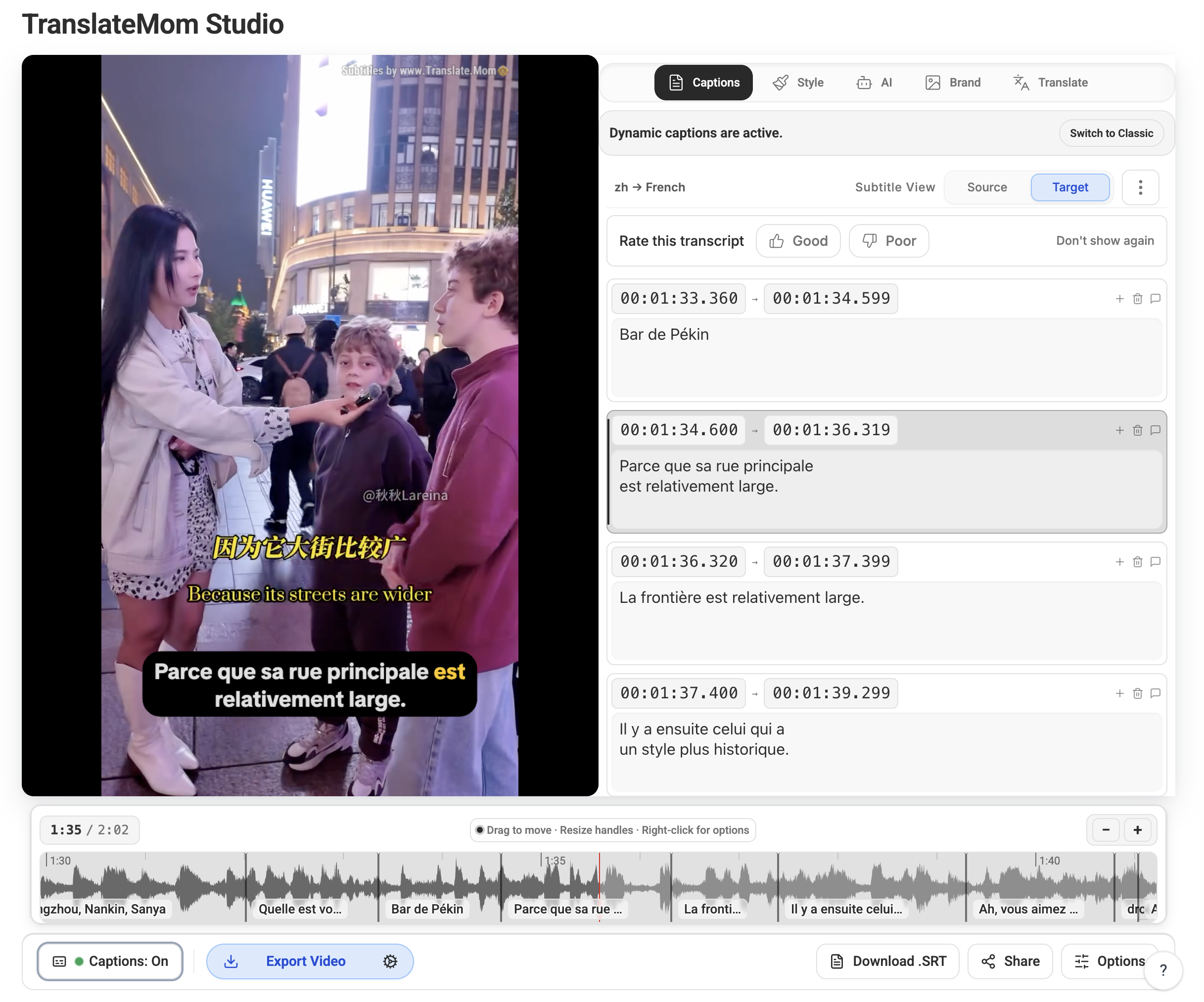
Run Translation, then review timing and wording in the Studio editor.
Export as SRT, VTT, ASS, or render a burned-in subtitle video — or add an AI dub.
| Format | Best for | Notes |
|---|---|---|
| SRT | YouTube uploads and quick handoff to editors | Most widely supported subtitle format. |
| VTT | Web players and HTML5 video workflows | Great choice for websites and browser playback. |
| ASS | Advanced styling and karaoke-like effects | Supports richer visual subtitle styling. |
| Burned-in video | X, Instagram Reels, TikTok, and autoplay feeds | Captions are always visible in sound-off feeds. |
Yes. TranslateMom transcribes the speech, translates it, and gives you timed subtitles in English or any of 45+ languages. You can review every line in the Studio editor before exporting.
You can start free. New accounts include free credits for translating short videos; longer videos and dubbing use a paid plan.
Export translated subtitles as SRT, VTT, or ASS files, or render a video with the subtitles burned in — ready for X, Reels, TikTok, or YouTube.
Paste a public X (Twitter) or TikTok link, or upload an MP4 or audio file directly. For YouTube, download the video first, then upload the file. The translator handles transcription and translation after import.